3-10 Sun Fire X4150 Server Service Manual • November 2009
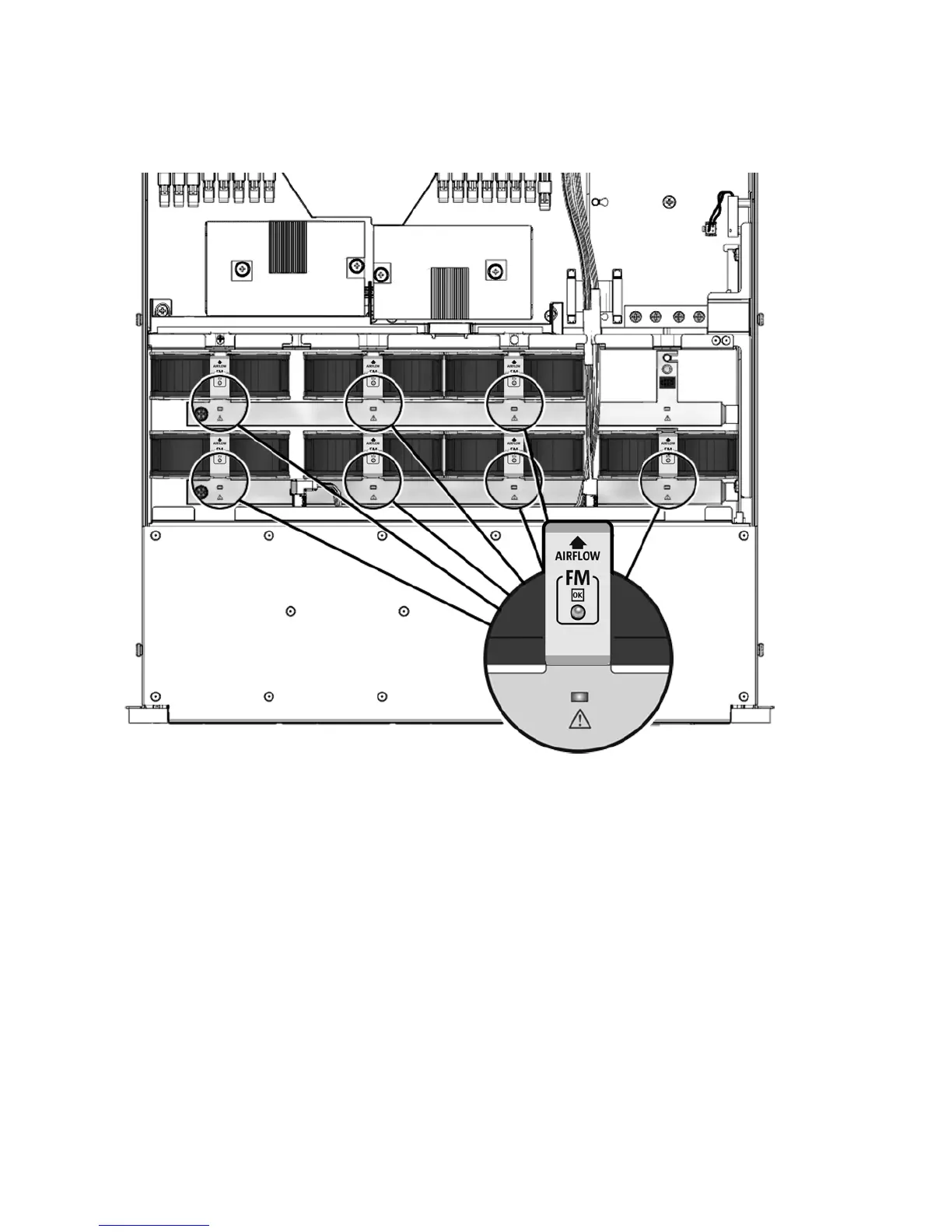
FIGURE 3-5 Fan Module Status LEDs
See Section 1.2, “Sun Fire X4150 Server Chassis Overview” on page 1-3 for more
information about system status LEDs.
3.3.3 Detecting Fan Module Failure
The following LEDs are lit when a fan module fault is detected:
■ Front and rear Service Required LEDs
■ Top Fan LED on the front of the server
■ Fan Fault LED on or adjacent to the faulty fan module
If an overtemperature conditions occurs, the front panel CPU overtemperature LED
becomes lit and a message is displayed on the console and logged by the ILOM.














 To Next Page