Chapter 3 Servicing Customer Replaceable Devices 3-15
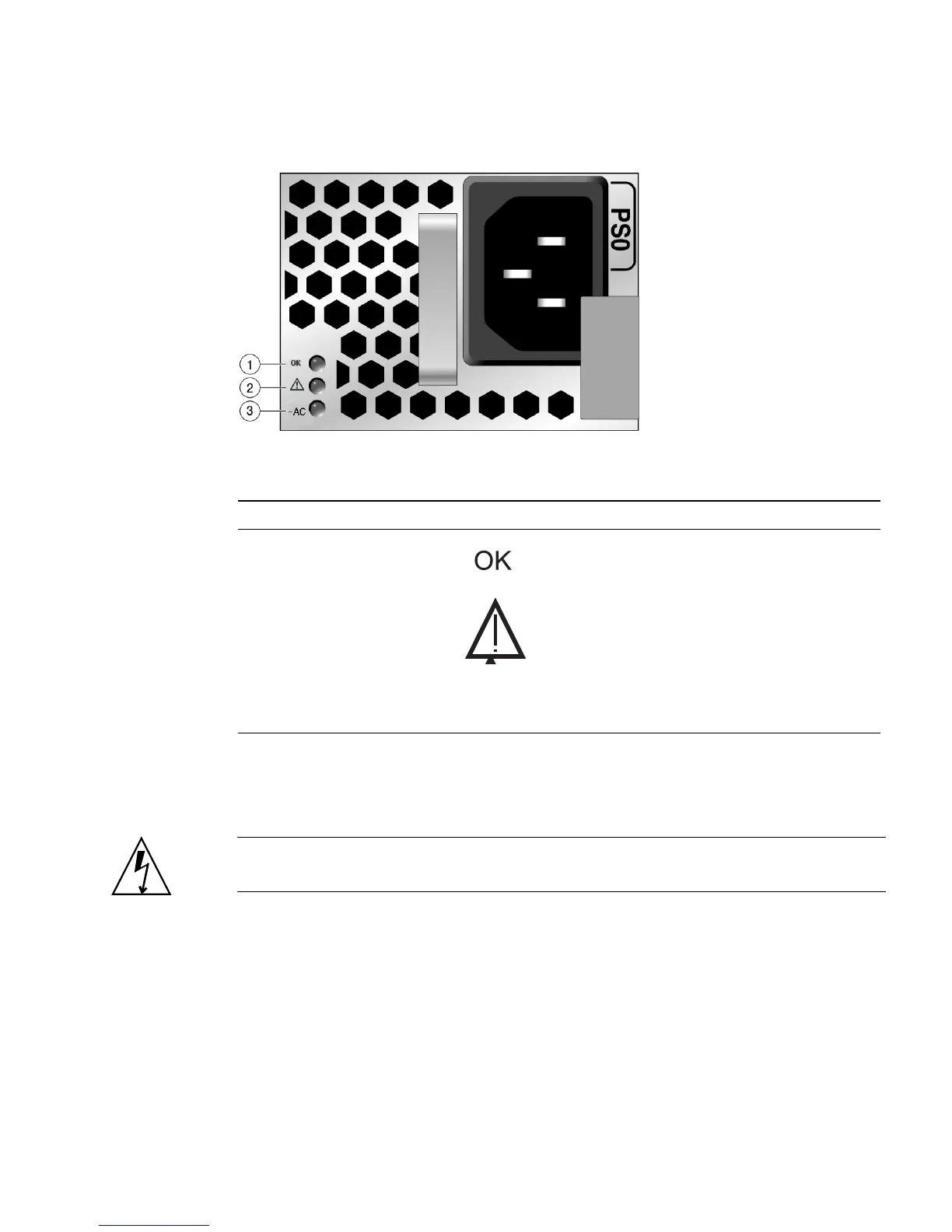
FIGURE 3-8 Power Supply Status LEDs
3.4.3 Removing a Power Supply
Caution – Hazardous voltages are present. To reduce the risk of electric shock and
danger to personal health, follow the instructions.
1. Identify which power supply (0 or 1) requires replacement.
A lit (amber) failure LED on a power supply indicates that a failure was detected.
2. Gain access to the rear of the server where the faulty power supply is located.
3. Release the cable management arm (CMA) (
FIGURE 3-9).
The CMA is located at the rear of the server rack.
Figure Leg end
Legend LED Symbol Color Lights when
1
OK to Remove Green A power supply can be removed
safely during a hot–swap operation.
2
Service Required Amber The power supply is faulty. The
front and rear panel Service
Required LEDs are also lit if the
system detects a power supply fault.
3
AC Present Green The power supply is plugged in and
AC power is available, regardless of
system power state.
~AC














 To Next Page