5-10 Sun Fire X4150 Server Service Manual • November 2009
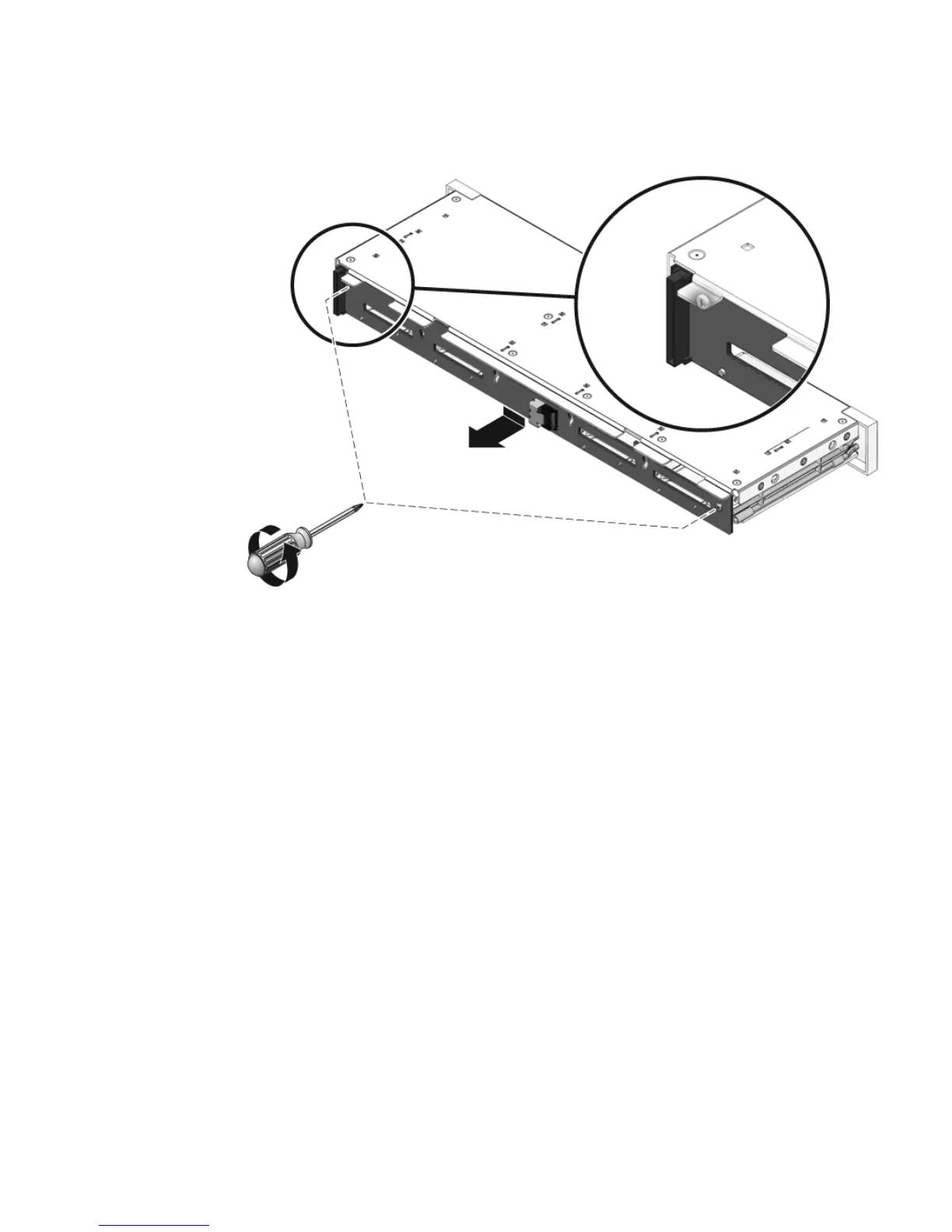
FIGURE 5-5 Removing the Drives Backplane
3. Slide the backplane down and off the drives cage retention hooks.
4. Place the drives backplane on an antistatic mat.
5.3.2 Installing the Drives Backplane
1. Slide the backplane under the retention hooks on the drives cage (FIGURE 5-6).
2. Install the two No. 2 Phillips screws that secure the backplane to the drives
cage.
3. Install the drives cage.
See Section 5.2.2, “Installing the Drives Cage” on page 5-7.














 To Next Page