Chapter 4 Servicing Motherboard Components 4-17
7. Reconnect the power cord (or cords) to the power supply (or supplies).
Verify that the AC Present LED is lit.
See Section 6.4, “Powering On the Server” on page 6-6.
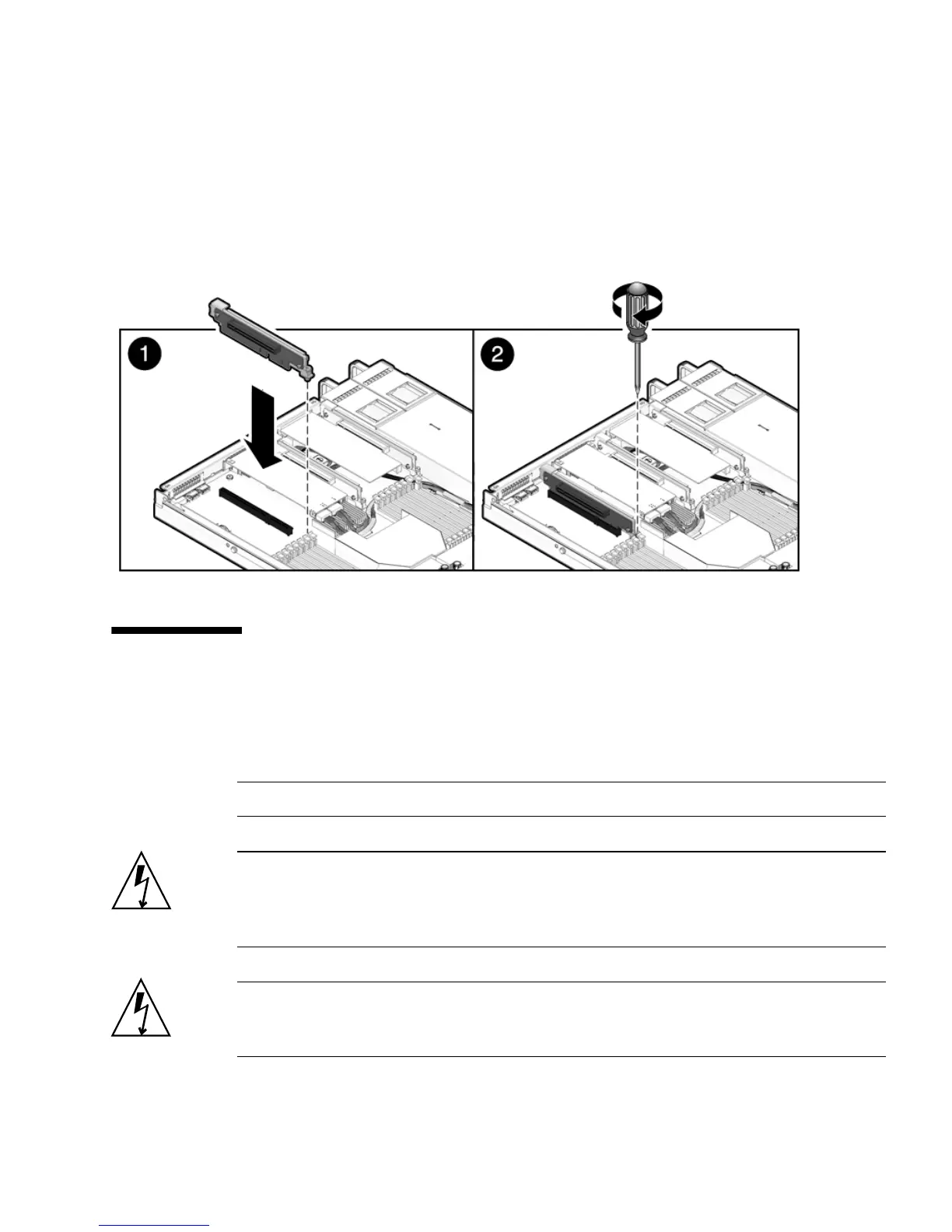
FIGURE 4-10 Installing a PCIe riser
4.4 Servicing PCIe Cards
See Section 4.4.1, “Sun Fire X4150 Server PCIe Card Guidelines” on page 4-18 for
PCIe card configuration guidelines.
Note – This is a customer-replaceable unit.
Caution – This procedure requires that you handle components that are sensitive to
static discharge. This sensitivity can cause the component to fail. To avoid damage,
ensure that you follow antistatic practices as described in Section 2.7, “Performing
Electrostatic Discharge and Antistatic Prevention Measures” on page 2-8.
Caution – Ensure that all power is removed from the server before removing or
installing expansion cards. You must disconnect the power cables before performing
this procedure.














 To Next Page