5-24 Sun Fire X4150 Server Service Manual • November 2009
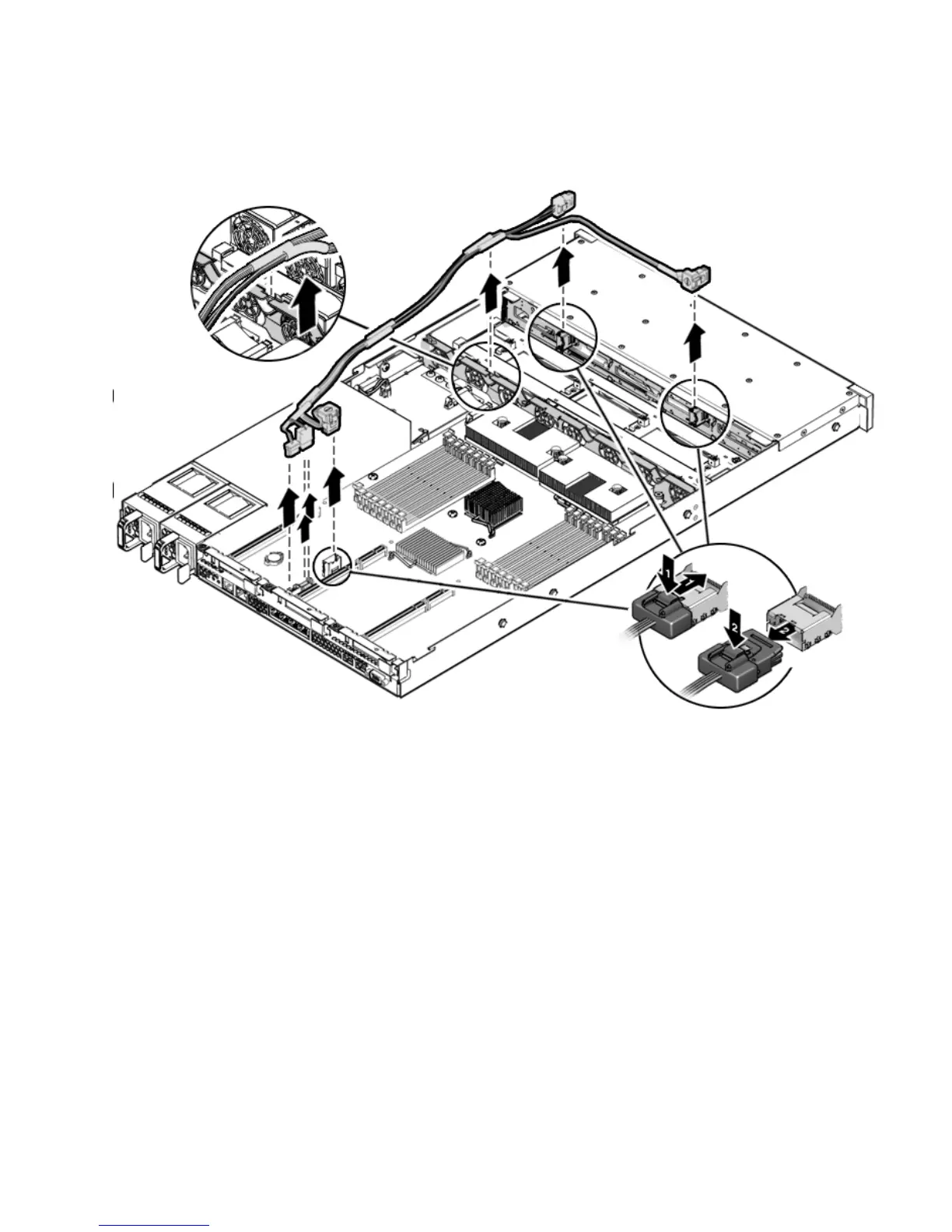
FIGURE 5-14 Removing Drive Cables in a SATA Configuration
5.7.4 Installing Drive Cables in a SATA Configuration
To install two drives cables; Disk 0-3 and Disk 4-5 in SATA configuration, do the
following.
1. Install the disk 0-3 cable (
FIGURE 5-15).
The disk 0-3 cable has a right angle connector on one end and a single connector
on the other end.
a. Install the right angle connector in the drives backplane.
The connector is on the left from the front of the server.














 To Next Page