Chapter 5 Servicing Infrastructure Boards and Components 5-17
5.6.1 Removing the Paddle Card
1. Remove the motherboard assembly.
See “To Remove the Motherboard Assembly” on page 4-23.
2. Remove the power distribution board.
See “Removing the Power Distribution Board” on page 5-13.
3. Remove the fan power boards.
See Section 5.1.1, “Removing a Fan Power Board” on page 5-2.
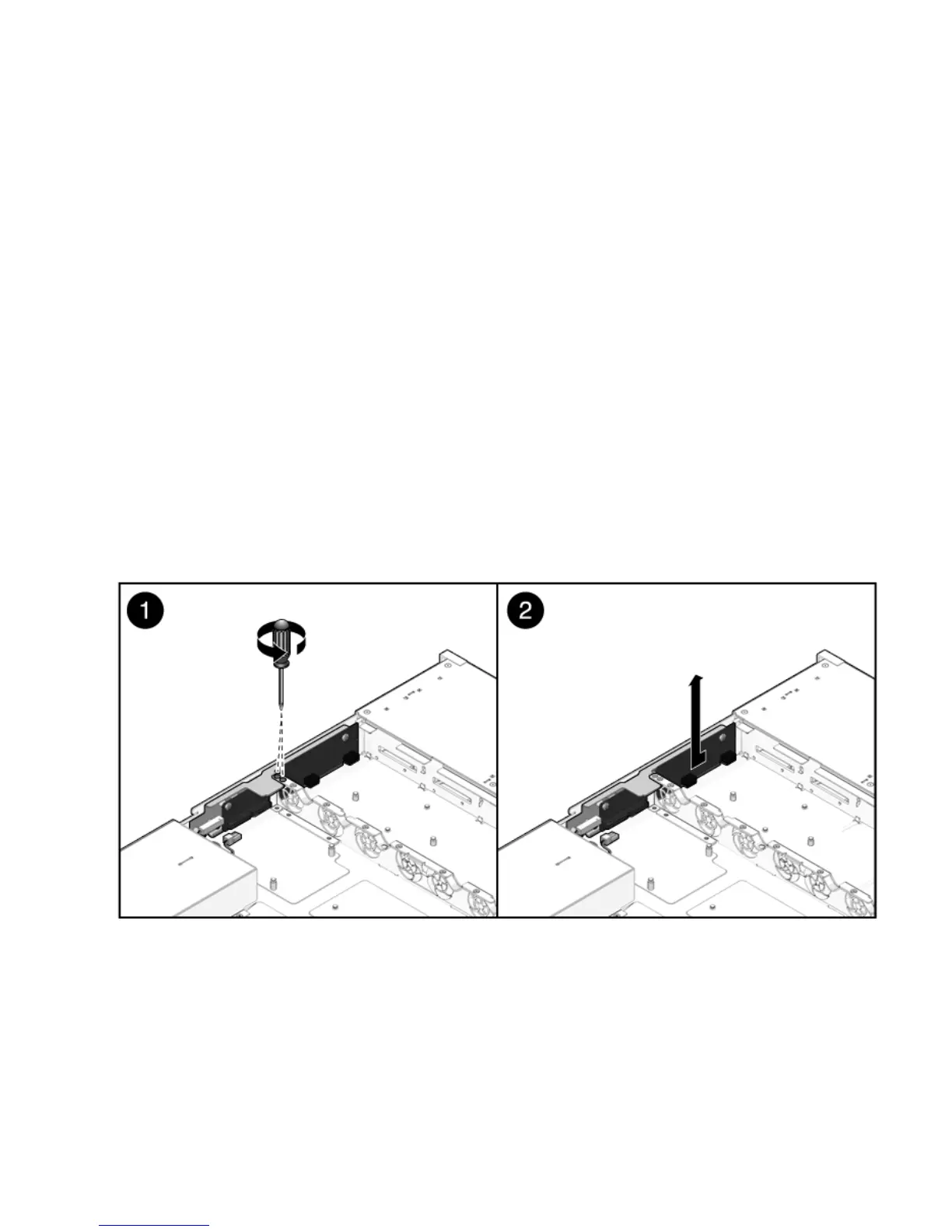
4. Remove the two No. 2 Phillips screws securing the paddle card to the chassis
(
FIGURE 5-10).
5. Slide the paddle card back, away from its connector on the drives backplane.
6. Lift the paddle card up and out of the chassis.
7. Place the paddle card on an antistatic mat.
FIGURE 5-10 Removing the Paddle Card (Sun Fire X4150 Server)
5.6.2 Installing the Paddle Card
1. Lower the paddle card into the chassis.
The paddle card fits over a series of mushroom standoffs in the chassis side wall.














 To Next Page