5-8 Sun Fire X4150 Server Service Manual • November 2009
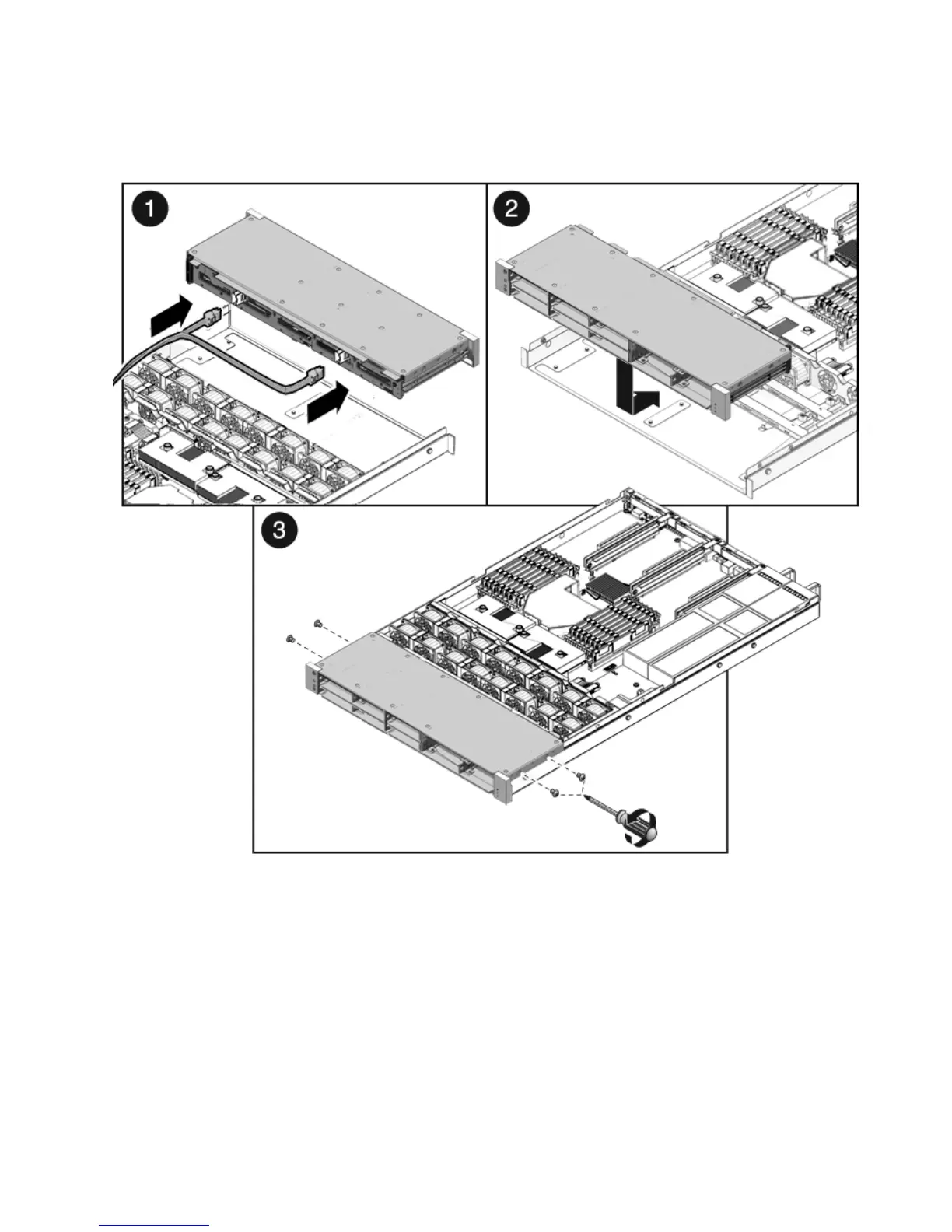
FIGURE 5-4 Installing the Drives Cage
3. Slide the drives cage back until the drives backplane engages with the paddle
card connector (
FIGURE 5-4 [2]).
4. Replace the No. 2 Phillips screws securing the drives cage to the chassis
(
FIGURE 5-4 [3]).
Two screws secure the disk cage to each side of the chassis.
5. Install the fan power boards.
See Section 5.1.2, “Installing a Fan Power Board” on page 5-3.














 To Next Page