Chapter 4 Servicing Motherboard Components 4-15
4. If you are servicing a PCIe card, locate its position in the system.
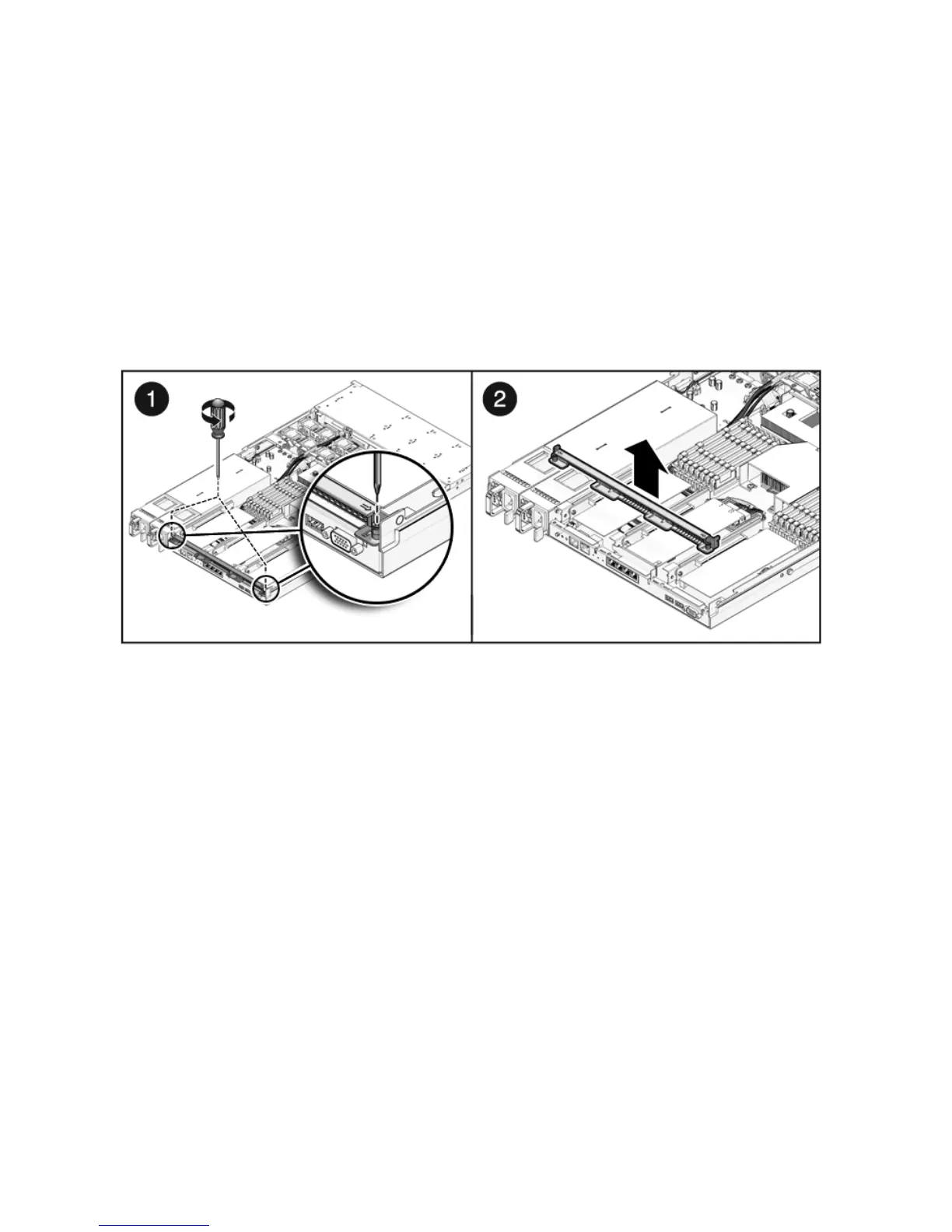
5. Remove the back panel crossbar.
a. Loosen the captive Phillips screw on each end of the back panel crossbar.
b. Lift the crossbar up and back to remove it from the chassis. (
FIGURE 4-8)
c. Remove the riser and any PCIe cards attached to it as a unit.
FIGURE 4-8 Removing the Crossbar
6. Lift the riser up to remove it from the system (FIGURE 4-9).
a. Loosen the captive Phillips screw on the end of the riser.
b. Remove the riser and any PCIe cards attached to it as a unit.














 To Next Page