4-24 Sun Fire X4150 Server Service Manual • November 2009
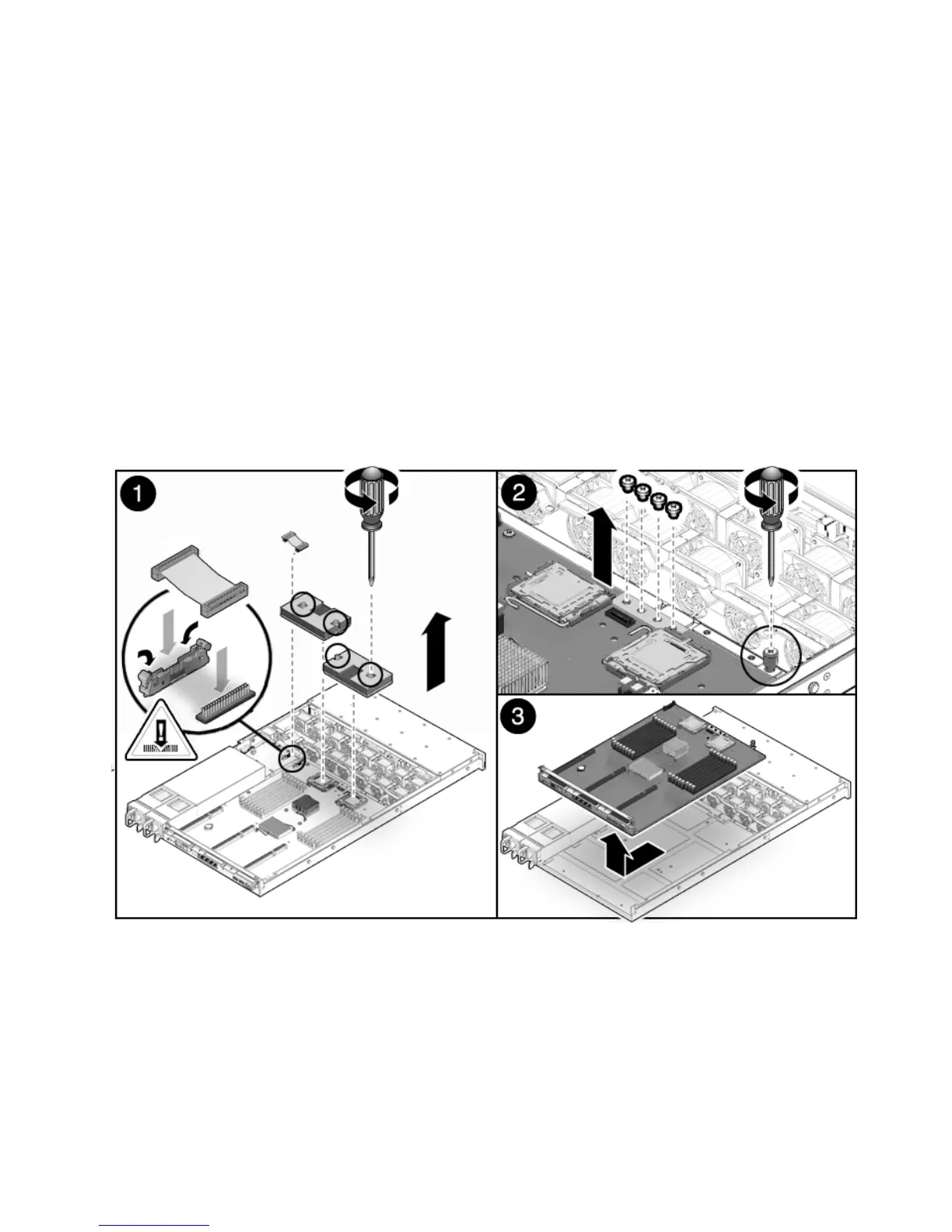
8. Remove the processor heat sinks from the motherboard assembly.
9. Remove the 4 screws that secure the motherboard to the bus bar.
Use a No. 2 Phillips screwdriver.
10. Loosen the green captive screw on the front of the motherboard, that secures the
motherboard tray to the chassis.
11. If you are replacing the motherboard only, remove the processors, as required.
12. Lift the motherboard assembly out of the chassis (
FIGURE 4-14).
Move the motherboard carefully.
13. Place the motherboard assembly on an antistatic mat.
FIGURE 4-14 Removing the Motherboard Assembly














 To Next Page