SWDM40 OPERATION & MAINTENANCE MANUAL
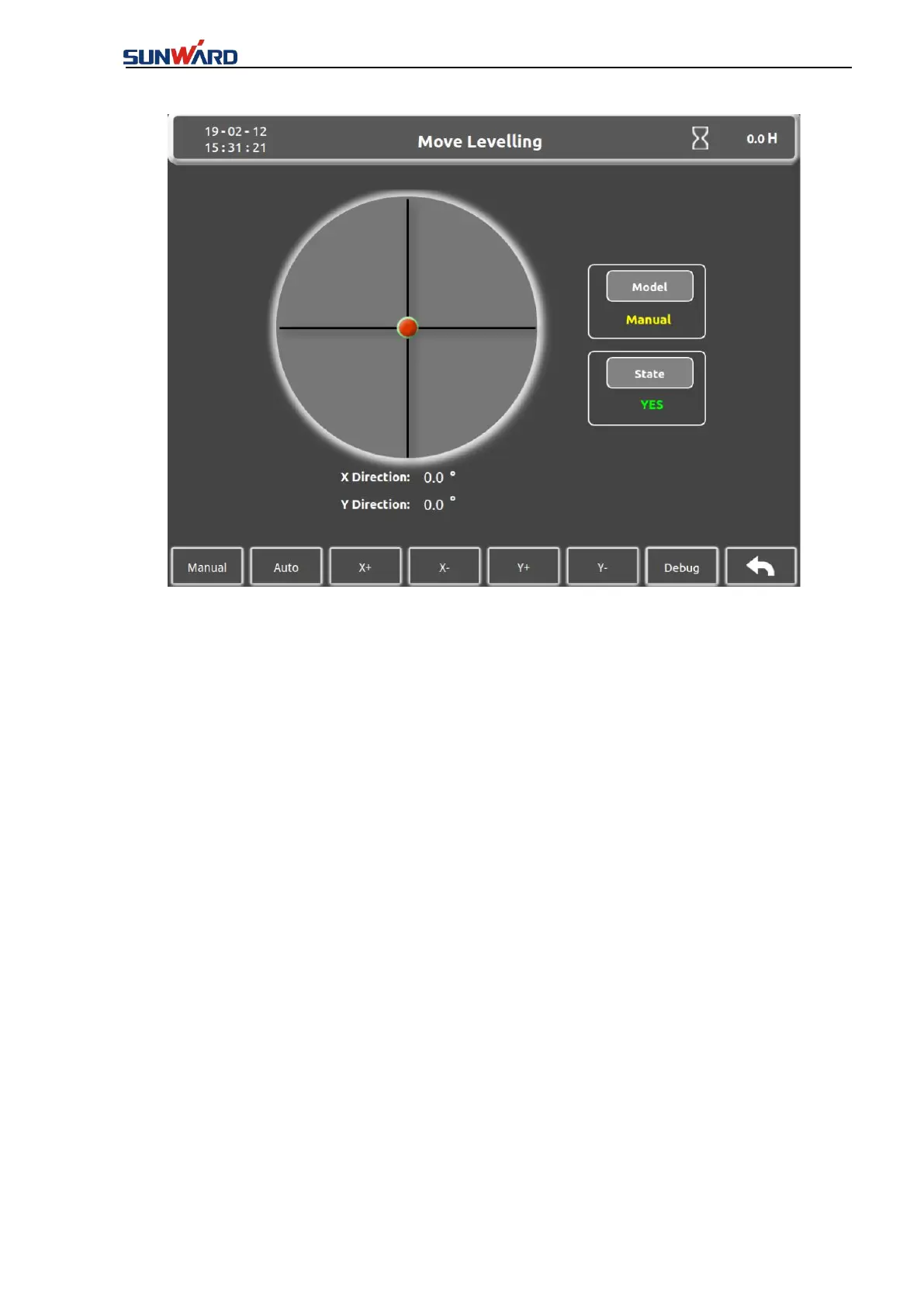
Figure 3.2.1-2.
Current display is in MANUAL mode, press key 2 to enter the AUTO mode. Auto leveling fails
if the respective angle of X and Y axles are more than 5°, and the display screen is still in
MANUAL mode; LEVEL DISPLAY shows “UNEVEN”. If the respective angle of X and Y is
less than 5°, system starts auto leveling, the Kelly bar will be leveled and LEVEL DISPLAY
shows “EVEN” after a few seconds. Press Key1 for MANUAL mode if needed.
X+
,
X-
,
Y+
,
Y- , these are four different leveling button, by which, the verticality of mast can
be adjusted under manual mode.
Press “X+”(key 3)to increase angle on X-direction(tilting right increase);
Press “X-”(key 4)to decrease angle on X-direction(tilting left increase);
Press “Y+”(key 5)to increase angle on Y-direction(tilting backward decrease );
Press “Y-”
(
key 6
)
to decrease angle on Y-direction
(
tilting backward increase
)
.
Press “Debug” (key 7) to enter the “Debugging interface” (Figure 3.2.1-3);
Press “Return” (key 8) to back to the main interface (figure 3.2.1-1).
LEVEL DISPLAY shows “EVEN” when X and Y are within 0.2° range, otherwise the LEVEL
DISPLAY shows “UNEVEN”.



 To Next Page