3. GENERAL INFORMATION
To perform measurements using the instrument the user only should connect the proper vibration transducer and
to switch the power on by pressing the <Alt> and <Start/Stop> push-buttons at the same time. Hold both buttons
down for 1 or 2 seconds and release to switch on.
3.1. Basis of the instrument’s control
The instrument is controlled by means of nine push-buttons on the keyboard. Using these push-buttons the user
can access all available functions and change the value of all available parameters. The functions are placed in
a system of lists and sub-lists.
The instrument's menu consists of different type of windows, which include: main menu list, sub-menu list, option
list, parameter list, text editor window, information window and file manager window with file command list.
Main menu
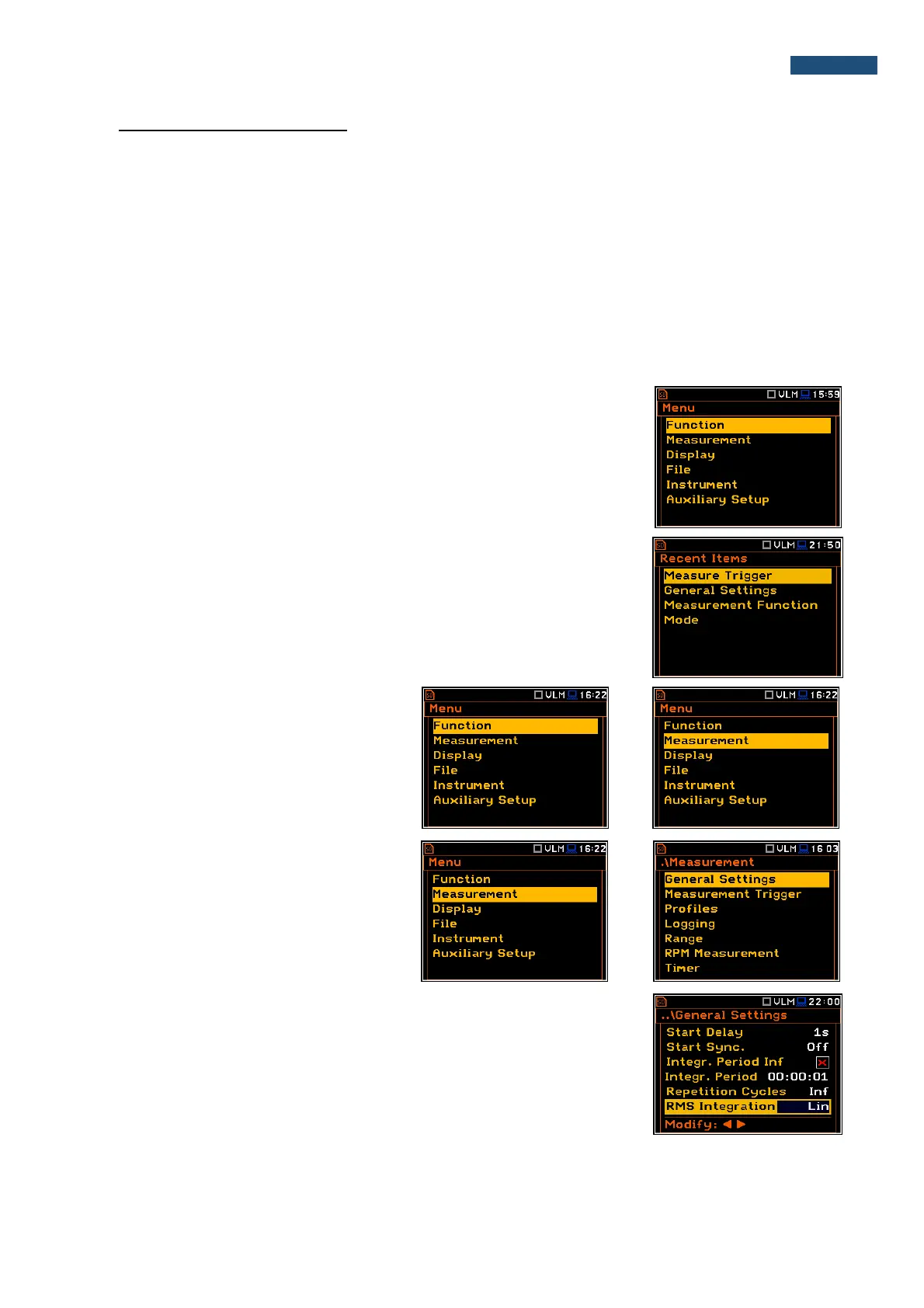
The main list contains the headers of six lists, which also contain sub-lists or
positions (elements). The main list is opened after pressing the <Menu> push-
button. This list contains the following sub-lists: Function, Measurement,
Display, File, Instrument and Auxiliary Setup.
Recent Items list
Double pressing the <Menu> push-button opens the list of recently accessed
menu items. This enables the user to access the most frequently used lists
quickly, without the necessity of passing through the whole menu path.
Position selection
The desired position in menu list is selecting
using the ▲ or ▼ push-buttons.
Entering position
After selection of the desired position in the
menu list, the user should press the
<ENTER> push-button to enter it. After this
operation, a new sub-menu, option list,
parameter list or information window appears
on the display.
List of parameters
The parameter list contains parameters for which the user may select the value
from the available range. Pressing the <ENTER> push-button enables the user
to access the above mentioned sub-list.
▪ The desired position in a list is accessed after pressing the ▲ or ▼ push-
button.
▪ Changing of the value in a selected position is performed by the ◄ or ►
push-buttons (or pressed together with <Shift>).



 To Next Page