9. AUXILIARY SETTINGS – Auxiliary Setup
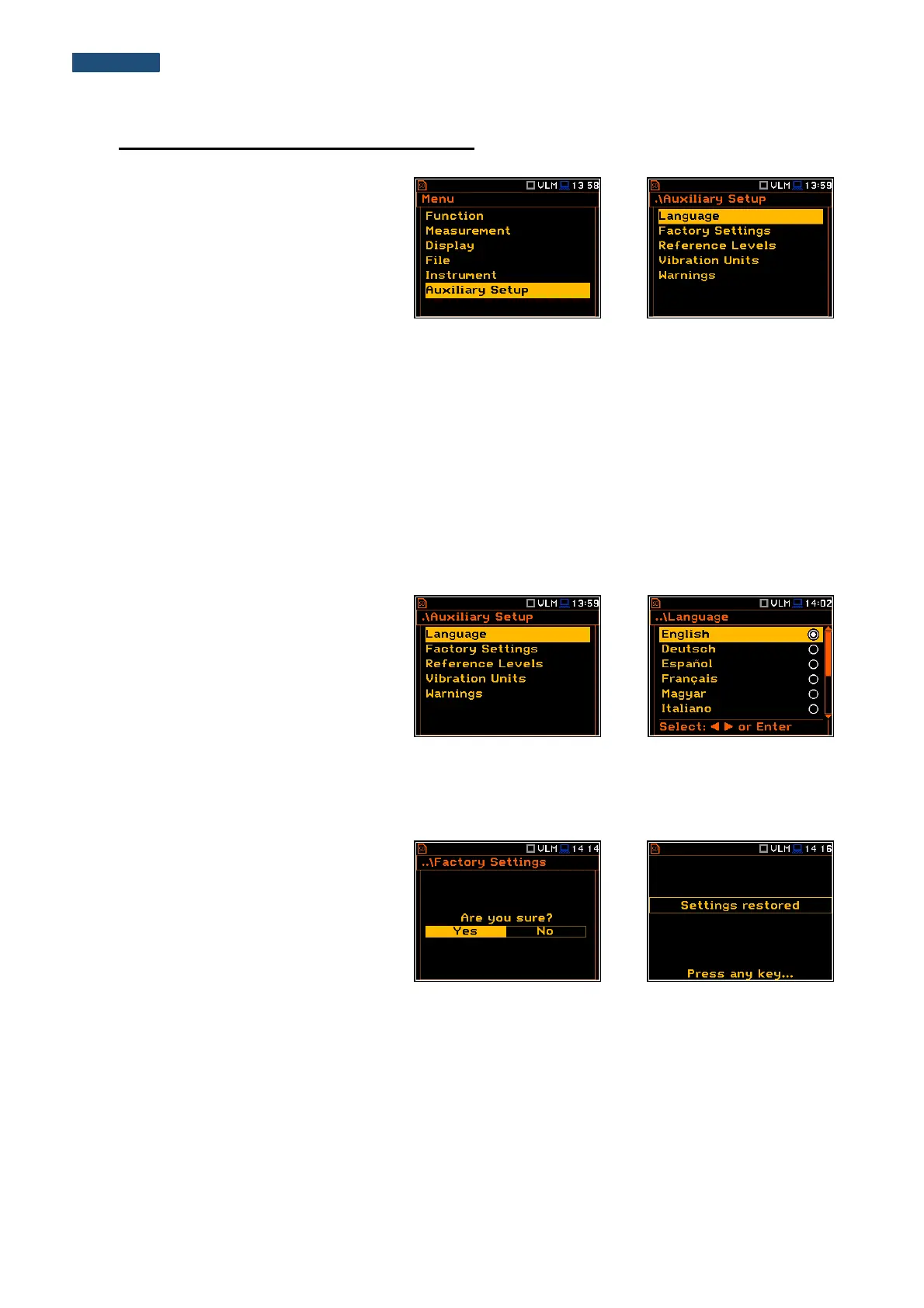
The Auxiliary Setup list provides the user
with additional features that allow, for
instance, customize the interface device to
a specific user and are not directly related
to the hardware components of the
instrument. To open the Auxiliary Setup
list, the user should press the <Menu>
push-button, select the Auxiliary Setup
text and press <ENTER>.
The Auxiliary Setup list contains the following items:
Language enables the user to select the language of the user interface.
Factory Settings enables the user to return to the default, factory settings.
Reference Levels enables the user to select the reference level for the Vibration measurements.
Vibration Units enables the user to select the Vibration units in which the results of the measurements
are to be viewed.
Warnings enables the user to switch the warnings on or off that can be displayed during the normal
operation of the instrument.
9.1. Selecting the language of the user interface – Language
The Language sub-list enables the user to
select the language of the user interface.
If after turn on the instrument an unknown
language interface appears on the display
the user can reset the instrument by means
of the four <Shift/Enter/Alt/Start> push-
buttons pressed together. After this, the
instrument will come back to the default
setup with the English interface.
9.2. Restoring the factory settings – Factory Settings
The Factory Settings sub-list enables the
user to restore the default settings of the
instrument.
Select Yes in the Factory Settings window
and press <ENTER>. After restoration
process the instrument will inform the user
that “Settings restored”.
The factory setup can be installed also by
means of the four <Shift/Enter/Alt/Start>
push-buttons pressed together.



 To Next Page