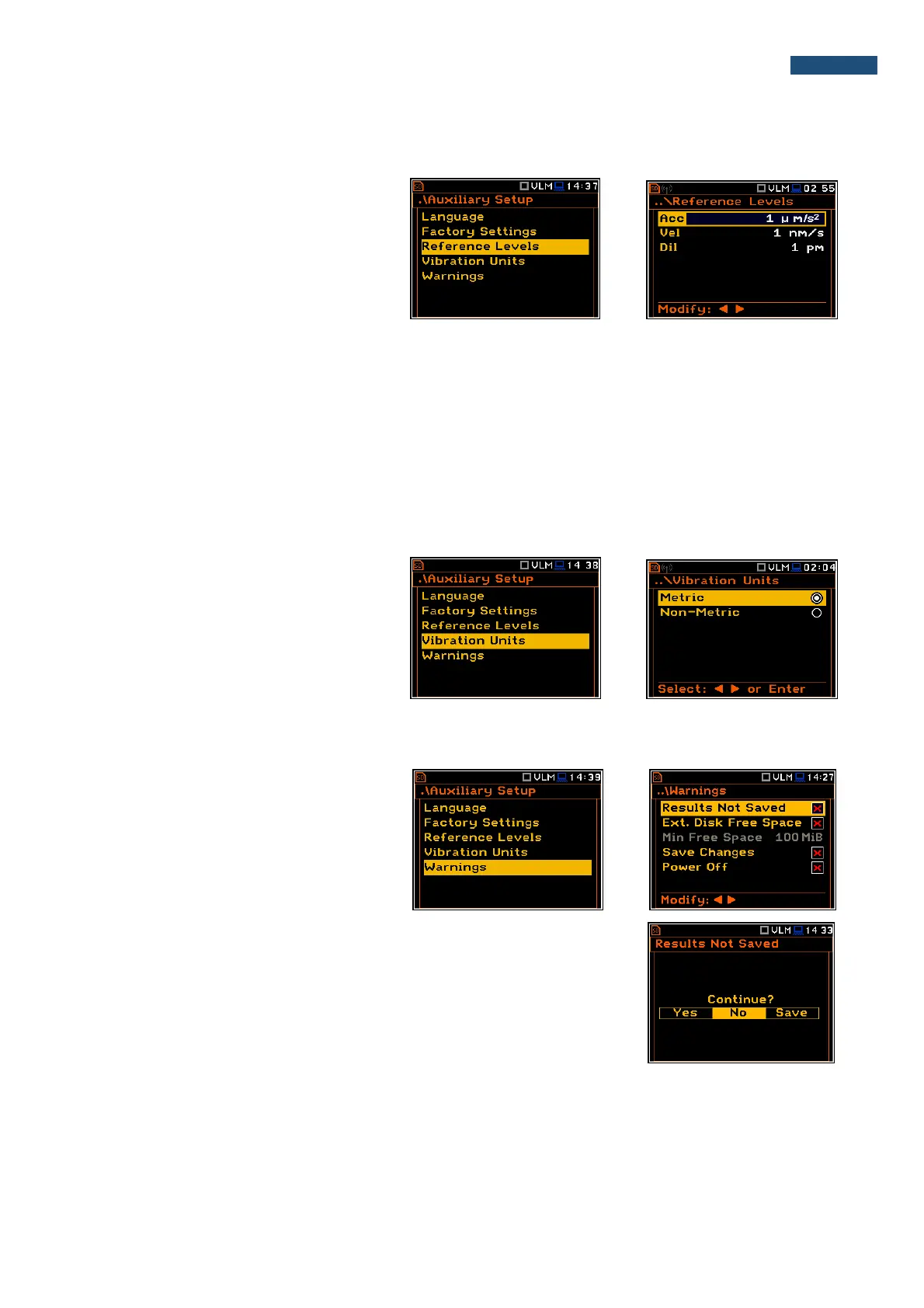
9.3. Setting up the reference levels - Reference Levels
The Reference Levels sub-list enables the
user to set the reference levels of the
vibration signal for acceleration (Acc),
velocity (Vel) and displacement (Dil). The
selected values will be considered during
the calculations of the measurement results
expressed in the Logarithmic scale (dB).
Reference levels for vibration measurements
In the Acc position the user can set the reference level of the acceleration signal in the range from 1 µms
-2
to
100 µms
-2
.
In the Vel position the user can set the reference level of the velocity signal in the range from 1 nms
-1
to
100 nms
-1
.
In the Dil position the user can set the reference level of the displacement signal in the range from 1 pm to
100 pm.
9.4. Selection of the units for vibration results - Vibration Units
The Vibration Units sub-list enables the
user to select the units for the Vibration
measurements.
It is possible to select the Non-Metric units
(e.g. g, ips, mil etc.) or Metric units (e.g.
m/s
2
, m/s, m etc.).
9.5. Warnings setup – Warnings
The Warnings sub-list enables the user to
activate the messages, which will be
displayed during the normal operation of
the instrument.
Saving the measurement results in a file
When the Results Not Saved position is On, a special warning will be
displayed after pressing the <Start/Stop> push-button in a case when the
result of the previous measurement was not saved.
The should select one of three answers to the question Continue?: Yes, No
or Save. If Yes is chosen, the instrument returns to the active mode of result
presentation and starts the new measurement process. If No is chosen, the
instrument returns to the active mode of measurement result’s presentation
without starting the new measurement process. If Save option is chosen, then
the measurement results are saved.



 To Next Page