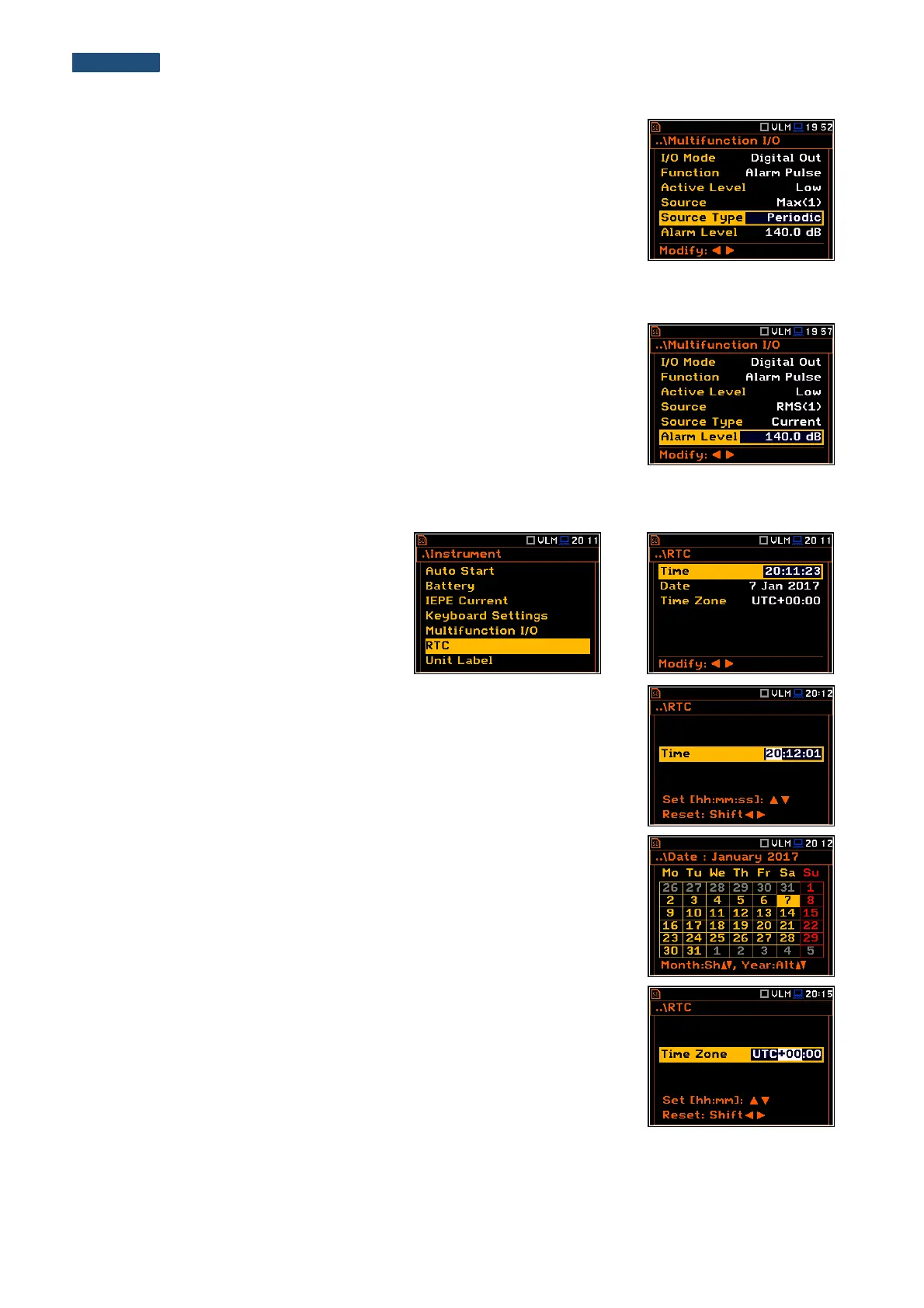
Alarm source type
The Source Type position enables the user to select the type of alarm source.
Available types are: Current and Periodic.
In case of Current, the alarm pulse will be generated all time when the
instantaneous result of the function selected in the Source position (measured
with 1 second step) is over the Alarm Level value.
In case of Periodic, the alarm pulse will be generated all time when the result
of the function selected in the Source position and measured with the
integration period step, is over the Alarm Level value.
Alarm level
The Alarm Level position enables the user to set the level of the result to be
monitored during the measurements. If the result is greater than the alarm
level, the instrument will generate the alarm signal in the selected logic. The
available levels are within the range [60.0 dB, 180 dB].
8.6. Setting up the instrument’s internal Real Time Clock – RTC
The RTC position enables the user to
programme the internal Real Time Clock.
This clock is displayed in the different
places of the display depending on the
selected view mode.
The required Time (hour, minute and second) can be selected in a special
window, which is opened by means of the ◄ or ► push-buttons.
To set hours, minutes or seconds the user should enter the relevant field
position by pressing the ◄ or ► push button and then select the correct value
by means of the ▲ or ▼ push-buttons. To confirm the selection the user
should press the <ENTER> push-button.
The required Date can be selected in a special window, which is opened after
pressing the ◄ or ► push-buttons when the Date text is displayed inversely
in the Timer sub-list.
To set the correct date, the user should select its position in the calendar by
means of the ◄, ► or ▲,▼ push buttons and then press <ENTER> to confirm
the selection.
Time Zone can be selected in a special window, which is opened by means
of the ◄ or ► push-buttons.



 To Next Page