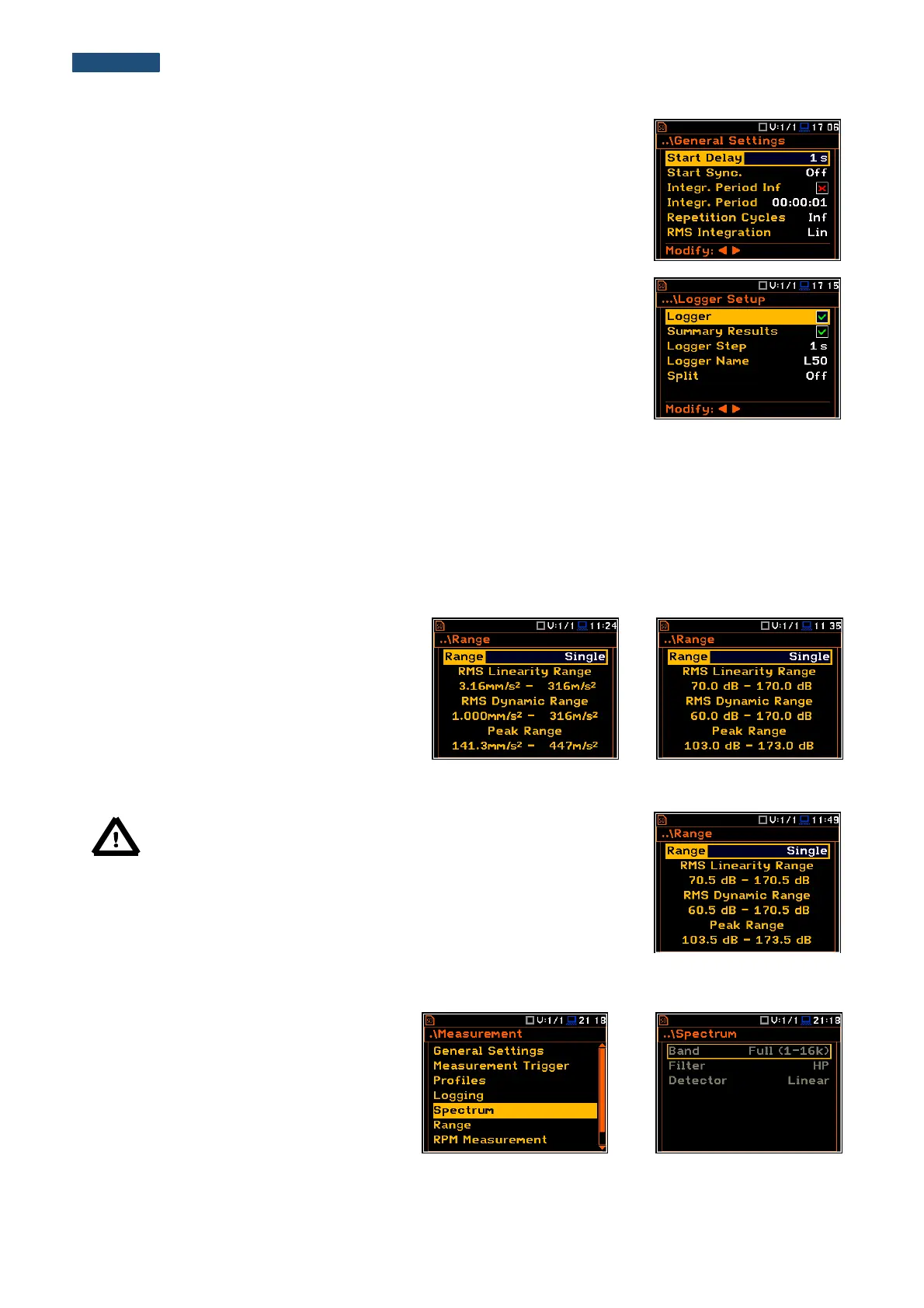
The 1/1 Octave or 1/3 Octave analysis is performed based on the parameters
selected in the General Settings list of Measurement menu: Integration
Period and Repetition Cycles.
The spectra are stored as main results in a results file with the same step
(Integr. Period) as the other main results, measured by the Level Meter
function.
The user can switch on or off the history of spectra recording in the logger file
(path: <Menu> / Measurement / Logging / Logger Results / Spectrum:
). If
spectra history is switched on, the spectra will be logged also with the step,
defined by the Logger Step parameter (path: <Menu> / Measurement / Logging
/ Logger Setup / Logger Step).
For each octave or one-third octave band the RMS result is calculated and presented as a bar on the spectrum
plot.
Besides the RMS results for the bands three Total values are measured and displayed as an additional three
bars. Parameters for Total (filters) are set by default and can not be changed.
The output of the selected octave or third-octave band result can also be used to trigger an alarm, saving logger
results, recording time history signal and the event.
10.2.1. Checking the measurement range for 1/1 Octave and 1/3 Octave - Range
For the 1/1 Octave or 1/3 Octave functions
there is only one (Single) input range specified
in Appendix C.
The user can check it in the Range window of
the Measurement list.
Depending on the settings of the Scale
parameter (path: <Menu> / Display /
Display Scale) the range will be presented in
absolute or logarithmic units (dB).
Note: The calibration factor is always added to the range limits. For
example, if calibration factor is equal to 0.5 dB, the range will be
changed automatically (lower and upper limits will be increased by
0.5).
10.2.2. Setting up the parameters of 1/1 Octave and 1/3 Octave analysis - Spectrum
The Spectrum position, which appears in
1/1 Octave or 1/3 Octave analysis, opens the
window with predefined parameters:
frequency band (Band), pre-weighting
broadband frequency filter (Filter) and RMS
detector type (Detector).



 To Next Page