3.6. Files downloading and uploading
Downloading files
All files stored in the memory (micro SD Card) can be downloaded to the PC. There are two ways to download
files.
First way is to extract the micro SD Card and use it directly in the PC.
Second way is to use SvanPV++ software, which enables the user download and upload functions as well as
data view and data processing options. In this case the instrument should be connected to the PC via SC 56
USB cable.
Note: Description of SvanPC++ is given in the “SvanPC++ User Manual”.
Uploading files
Same approach is used for uploading files (usually setup files).
Files can be upload via micro SD Card or via SvanPC++ software.
3.7. Activation of the optional functions
Standard instrument firmware contains all basic functions to perform measurements in accordance with most
international standards and methods. For more complex tasks the user has the possibility of expanding the basic
functions of the instrument with additional functions. These features include 1/1 and 1/3 octave analyzer, signal
recording and others.
If additional functions were not supplied in the instrument kit and were not unblocked by supplier, such a task is
in respomsibility of the user who decides to buy additional functions later.
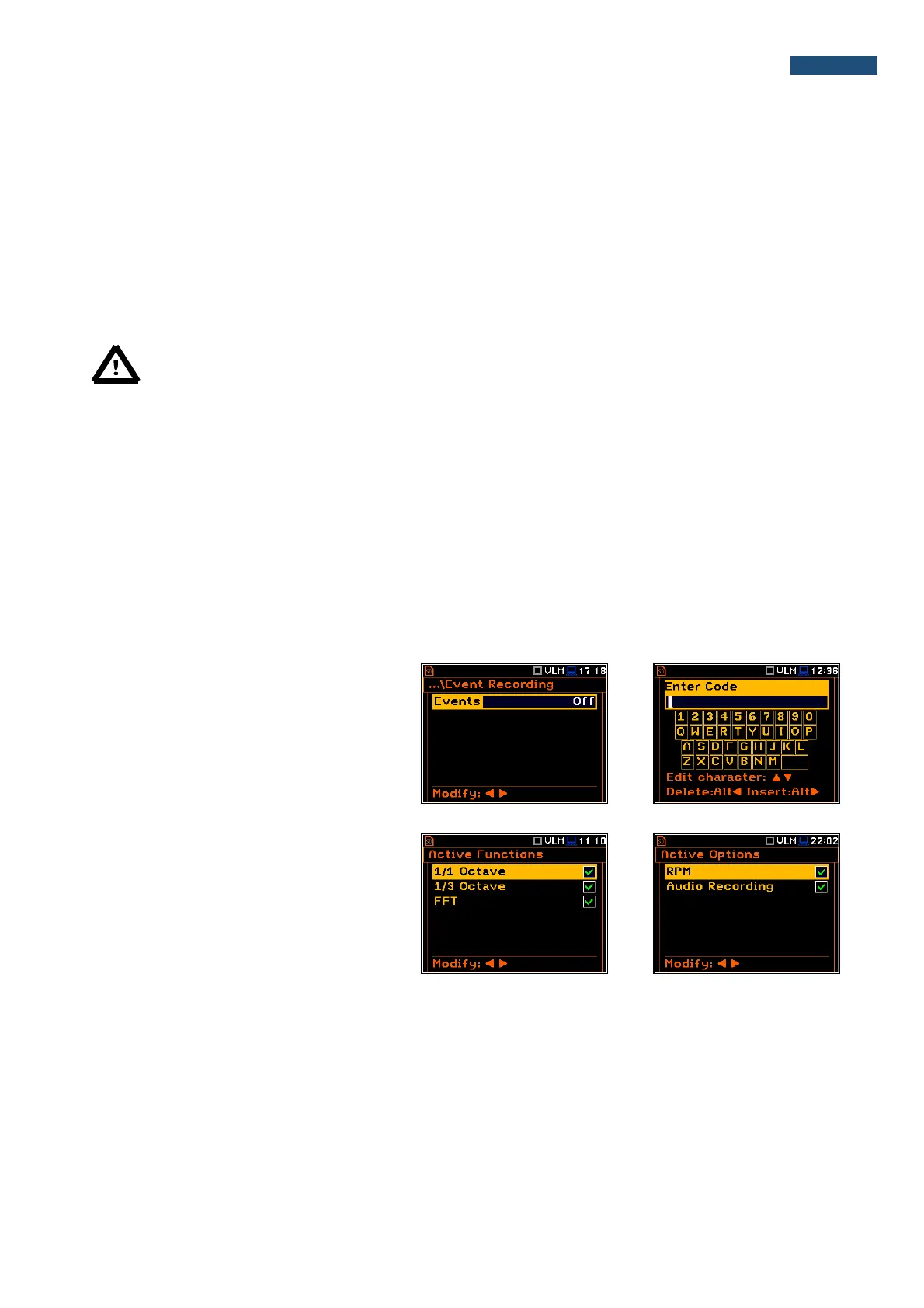
The optional function is activated when the
user uses it at the first time. For example, if
time signal recording (Wave or Event) was
blocked, but the user purchased this option
later, then during the first attempt to switch it
on the instrument will ask to enter the special
code that will unblock this function. Once
unblocked this option will be ready to use
permanently.
Pressing <Shift> and ◄ right after turning on
the instrument enables the user to check and
to lock back early unlocked options.
To select other options the user should press
the <ENTER> push-button, which opens
another page of the Active Functions list.



 To Next Page