12.1. Powering the instrument
The SVAN 974 can be powered by one of the following sources:
• Four AA standard size internal batteries. In case of alkaline type, with a new fully charged set, the
instrument can operate more than 12 h (6.0 V / 1.6 Ah). Instead of the ordinary alkaline cells, four AA
rechargeable batteries can be used (a separate external charger is required for charging them). In this
case, using the best NiMH type, the operation time can be increased up to 16 h (4.8 V / 2.6 Ah)
• USB interface – 500 mA HUB
SVAN 974 is delivered with four AA alkaline batteries, but the user may also use AA rechargeable batteries.
The “battery” icon shows the condition of the internal batteries.
The instrument is not equipped with an internal charger; therefore, the rechargeable batteries can be charged
only after removal them out of the instrument with the use of optionally provided charger (SA 31).
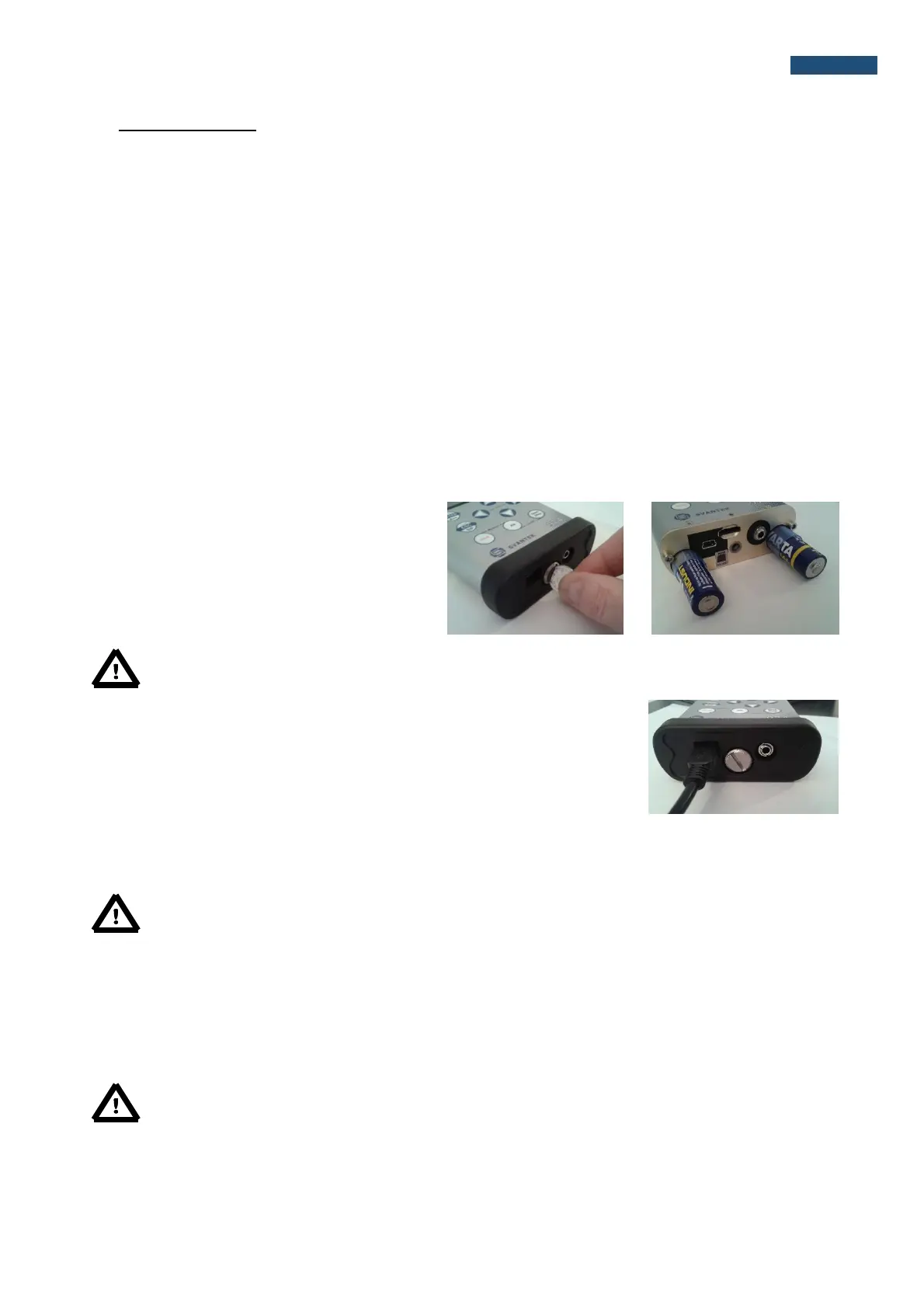
To change or charge the batteries the user
should switch off the instrument, unscrew the
bolt, take off the black bottom cover of the
instrument and slide the battery tubes out.
Note: While changing the batteries, observe the correct polarity.
Powering the instrument from the USB interface is performed by connecting its
USB socket to the PC or other USB power source via the SC 56 cable.
When the instrument is powered from the USB source the internal batteries are automatically disconnected.
Once disconnected from the external power source, the instrument will automatically switch powering to the
internal batteries.
Note: Use only high quality USB cables, such as SC 16. Many poor-quality cables do not ensure
low resistance of the cable, thus disabling proper operating of the instrument.
12.2. Memory card extraction and insertion
SVAN 974 is delivered with 4GB micro SD-card.
The user may exchange it with the high capacity card (up to 32GB), but before insertion the card must be
formatted as FAT32.
Note: If the user would like to use card with higher capacity, he must call to the local distributer.



 To Next Page