Note: The Timer function can be used for multiple measurements (at the programmed day and time
with the selected repetition number). The first start of the instrument must be within one month ahead.
Make sure that the RTC is configured correctly before setting up the Timer.
The Timer function is used to programme the instrument to switch on at the
desired time and perform the measurements with the parameters setup in the
Measurement sub-list.
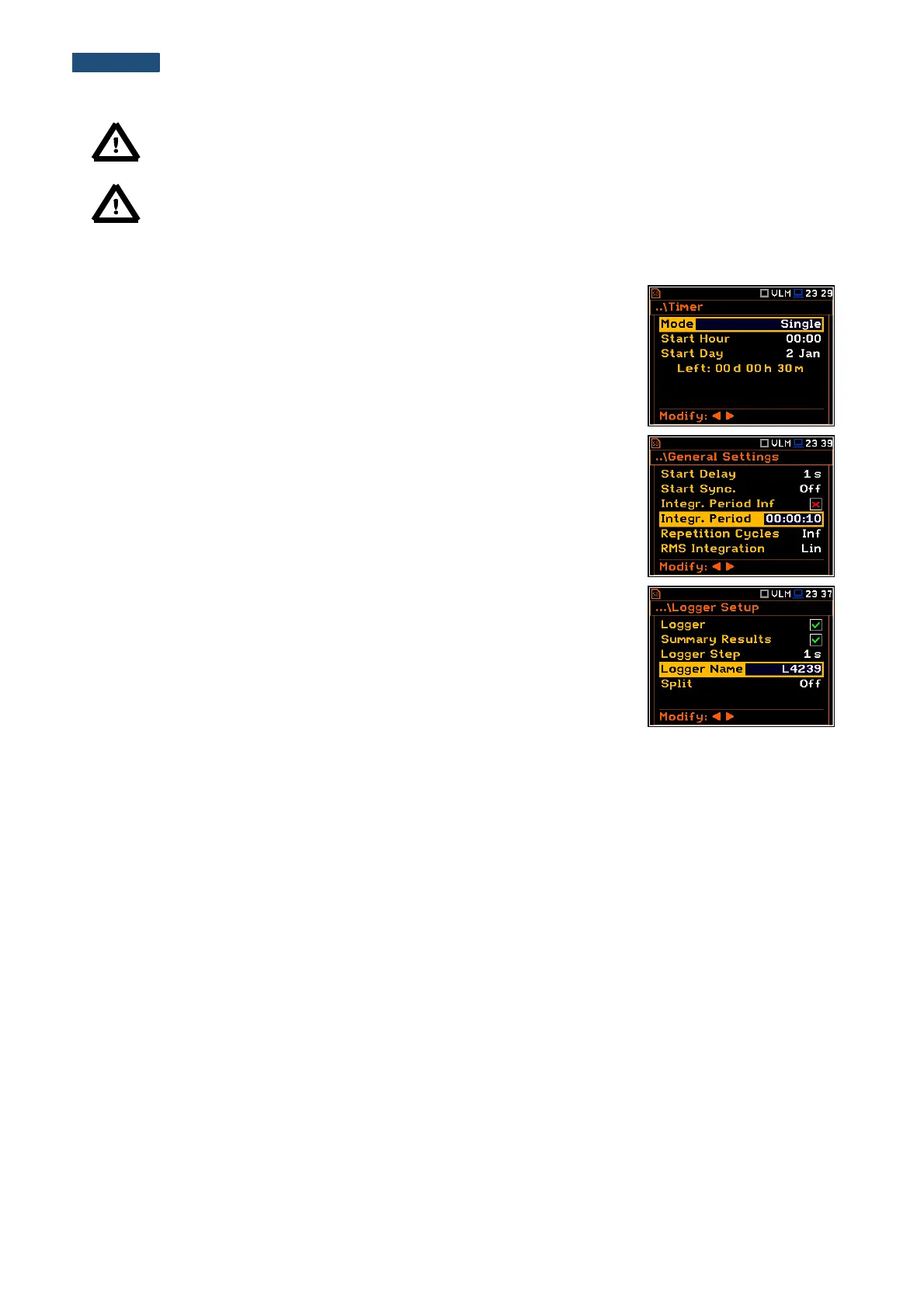
Let us assume that the user wants to switch on the instrument on the 2nd of
January, at 00:00, measure the sound for 1 minute and save the results in a
file named L4239.
To do this the user should set the parameters of the Timer function, the
measurement parameters (path: <Menu> / Measurement / General Settings),
name the file (path: <Menu> / Measurement / Logger / Logger Setup) and
finally – switch off the instrument.
The instrument will be switched on the 2nd of January at 00:00 and will be
warmed up for the period of 60 seconds decrementing the counter visible on
the display by one after each second.
After warming up the instrument and the pre-set Start Delay time, the
measurements will be performed for a period of ten seconds. Then, the results
will be saved in the previously named file and finally – the instrument will switch
itself off.
In this example the delayed start time on the meter can be configured any time
during the previous month. It is recommended that for simplicity the Start
Delay time is set to 0 seconds for use with the Timer function.



 To Next Page