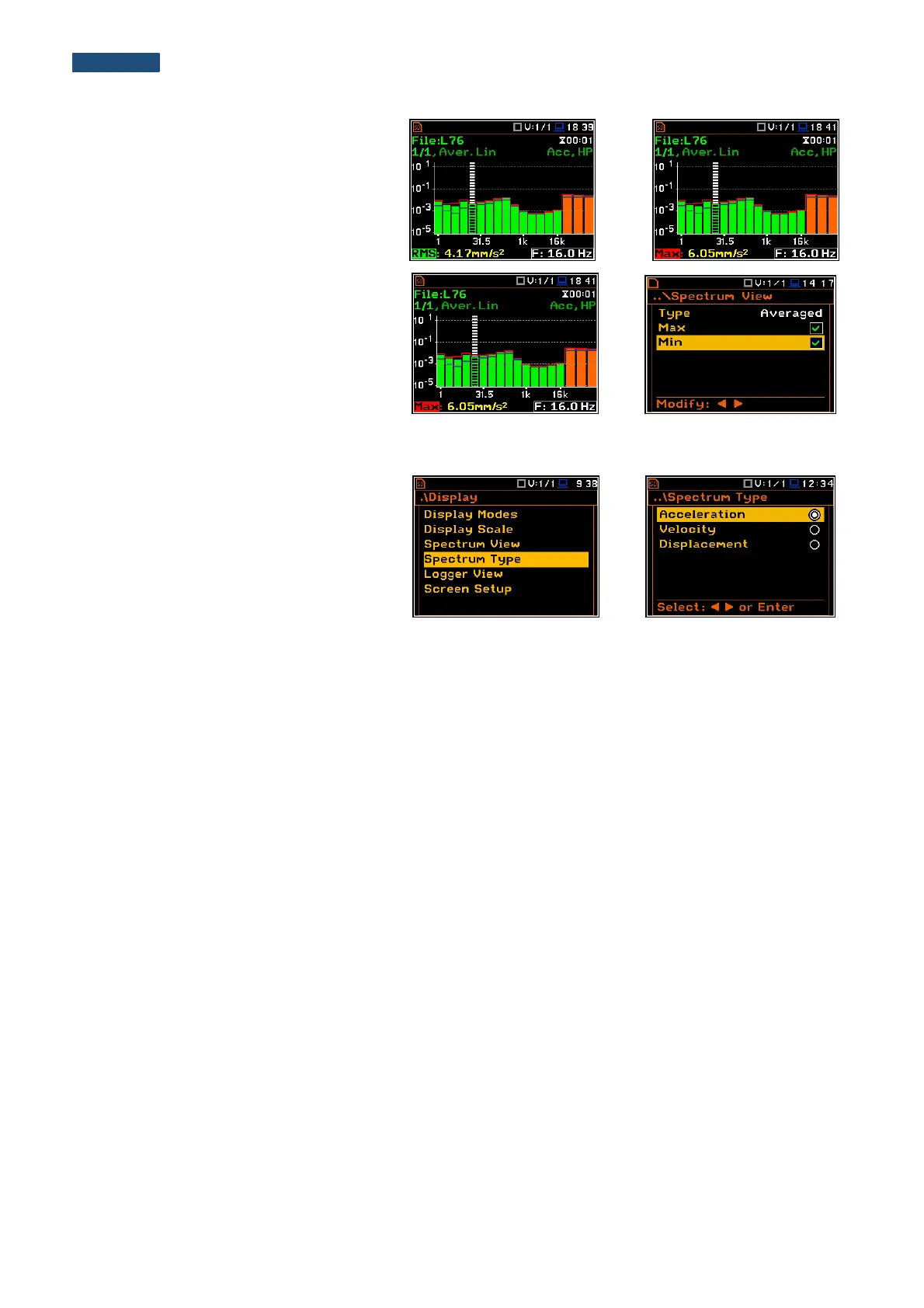
To enable the cursor to read the Max or
Min values the user should select the field
in the lower left hand corner of the display
by means of the ▲ or ▼ push-buttons.
Then select the appropriate value by
means of the ◄ or ► push-buttons pressed
together with <Alt>.
The user can easily get into the
Spectrum View screen from the spectrum
view. It is necessary to enter the result field
(RMS) with the use of ▲ or ▼ push-buttons
and press <ENTER>.
10.4.4. Selection of the spectrum type - Spectrum Type
In the Spectrum Type window, the user
can select the different types of vibration
spectra to be presented on the display:
Acceleration, Velocity or Displacement.



 To Next Page