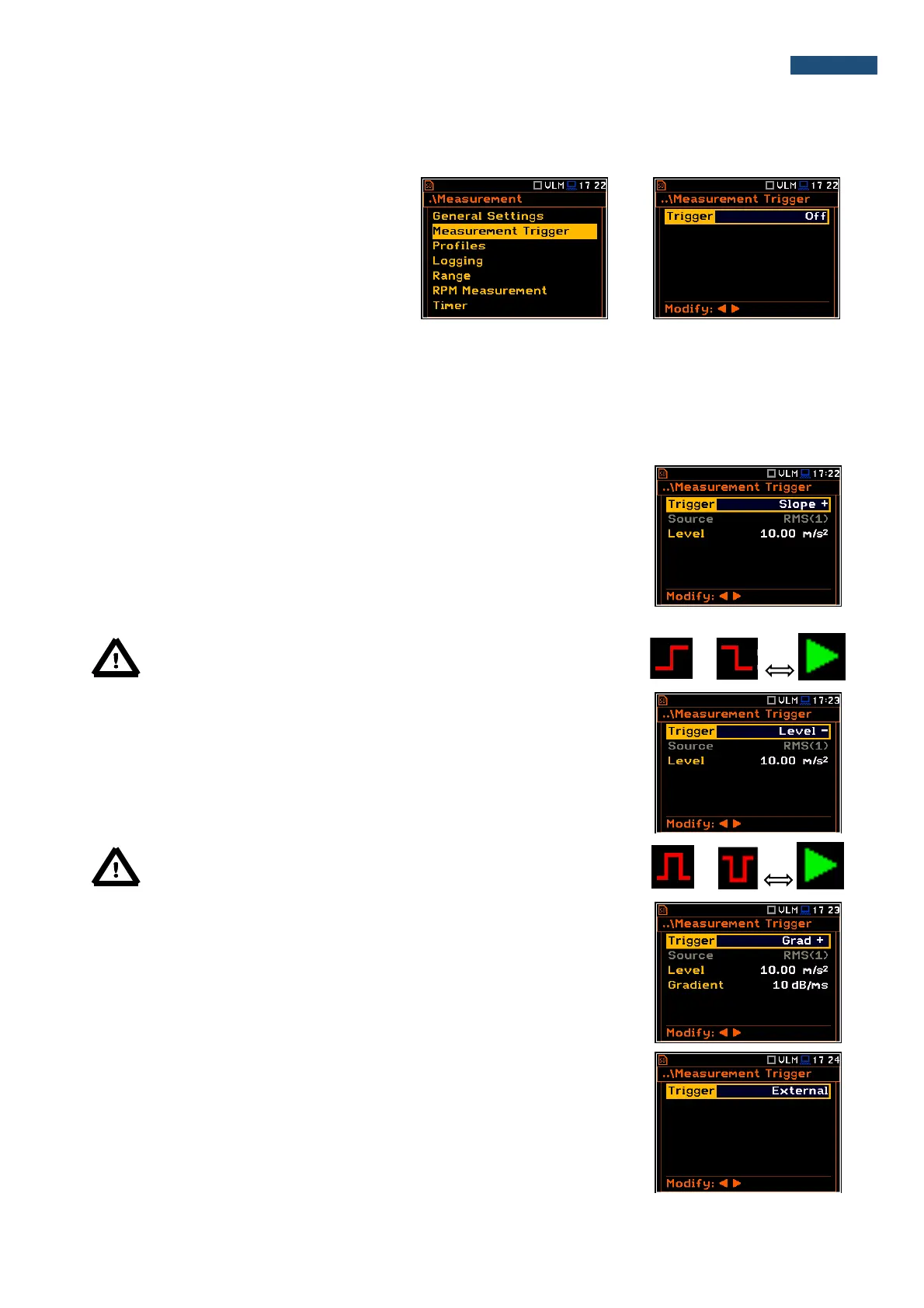
5.2 Setting up the measurement trigger – Measurement Trigger
The Measurement Trigger sub-list enables
the user to set up parameters of the
measurement trigger. The
Measurement Trigger is a context sub-list in
which the triggering can be switched off or on
(Trigger), when on the source of the
triggering signal (Source) can be determined,
its level (Level) and sometimes also the
speed of changes (Gradient). Triggering of
the measurement (Trigger) can be switched
off using the ◄ push-buttons.
Triggering is switched on if one of its six available modes is selected: Slope +, Slope –, Level +, Level –, Grad +
or External. If the instrument works with the triggering switched on, the appropriate icon appears on the display
when the triggering condition is not fulfilled.
The triggering condition is checked every 0.5 millisecond.
Slope type trigger
In case when Slope + is selected, the measurement starts when the rising result
value (Source) passes above the level determined by the selected Level value.
When Slope – is selected, the measurement starts when the falling result value
(Source) passes below the level determined by the selected Level value. The
measurement is stopped when the conditions set in the General Settings sub-
list are fulfilled or after pressing the <Start/Stop> push-button or after receiving
the proper control code remotely.
Note: When measurement is waiting for the slope trigger the “trigger
slope” icon appears alternatively with the „play” icon.
Level type trigger
When Level + or Level – is selected for the measurement the triggering
condition is checked every 0.5 millisecond. The measurement is recorded only
when the result value (Source) has the greater / lower level than that determined
in the Level position otherwise the measurement result is skipped.
Note: When measurement is waiting for the level trigger the “trigger
level” icon appears alternatively with the „play” icon.
Gradient type trigger
When Grad + is selected, the triggering condition is checked every 0.5
millisecond of the measurement. The measurement is recorded only when the
result value (Source) has a level greater than that determined by the selected
decibel Level and the gradient of the signal is greater than determined in the
Gradient position. Otherwise the measurement result is skipped.
External type trigger
When External is selected, the triggering is done by the signal on the I/O socket.
In this case, it is necessary to set up the I/O Mode parameter as Digital In (path:
<Menu> / Instrument / Multifunction I/O). In the other case the measurement
result is skipped.



 To Next Page