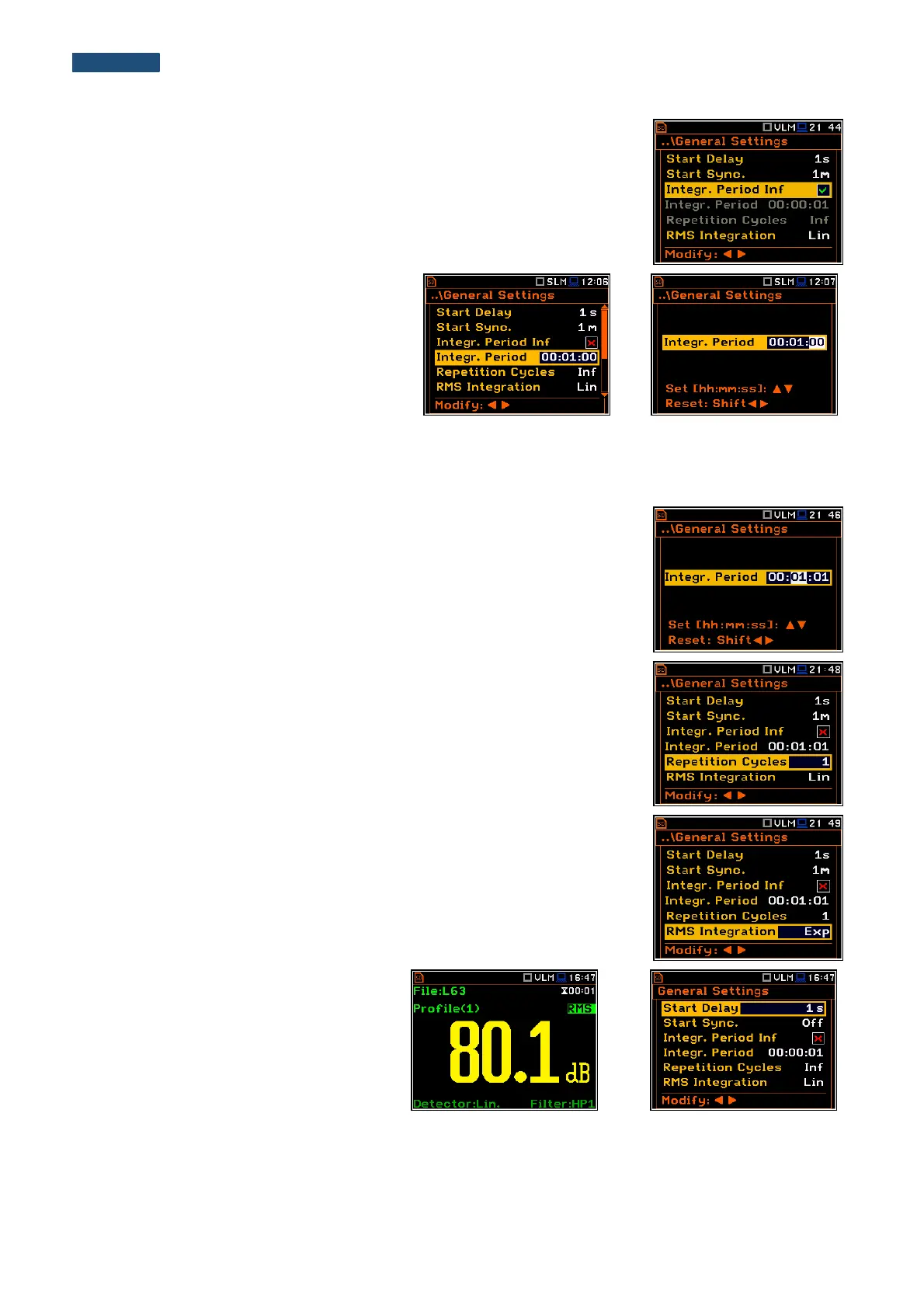
Disabling the measurement period definition
The integration period can be set as infinite or can be defined together with the
Repetition Cycles number. The Integr. Period Inf position defines if the period
during which the signal is being measured is infinite or not. If the
Integr. Period Inf parameter is switched on then the signal will be averaged all
the time until the <Stop> push-button is pressed and the measurement is
stopped. If integration period is infinite, then two next positions become inactive.
Measurement period
The Integr. Period position (integration
period) defines the period during which the
signal is being measured (integrated) and
stored as the Summary Results. The
integration period can be set in the special
window, which is opened by pressing the ◄
or ► push- buttons.
The measurement will stop automatically after this period, or the measurement will start again when the selected
Repetition Cycle is greater than one. The definitions of the measurement results in which the integration period
is used is given in App. D.
To set the integration period the user should define the required hours, minutes
and seconds fields.
▪ The appropriate field may be selected by pressing the ◄ or ► push-
buttons.
▪ Value of hour, minute and second is changing by means of the ▲ or ▼
push- buttons.
Number of measurement repetitions
The Repetition Cycles position defines the number of cycles (with the
measurement period defined by Integration Period) to be performed by the
instrument. The Repetition Cycles number values are within the limits [1, 1000].
Detector type
The RMS Integration position defines the detector type for the calculations of
the RMS function. Two options are available: linear (Lin) and exponential (Exp).
The formulae used for the RMS calculation are given in Appendix D.
Selecting Lin is required to obtain the true RMS value of the measured signal.
The user can easily get into the
General Settings screen during the
measurement performance from the result
view. It is necessary to enter some result
field (for example, RMS) with the use of ▲
/ ▼ or ◄ / ► push-buttons and press
<ENTER>.



 To Next Page