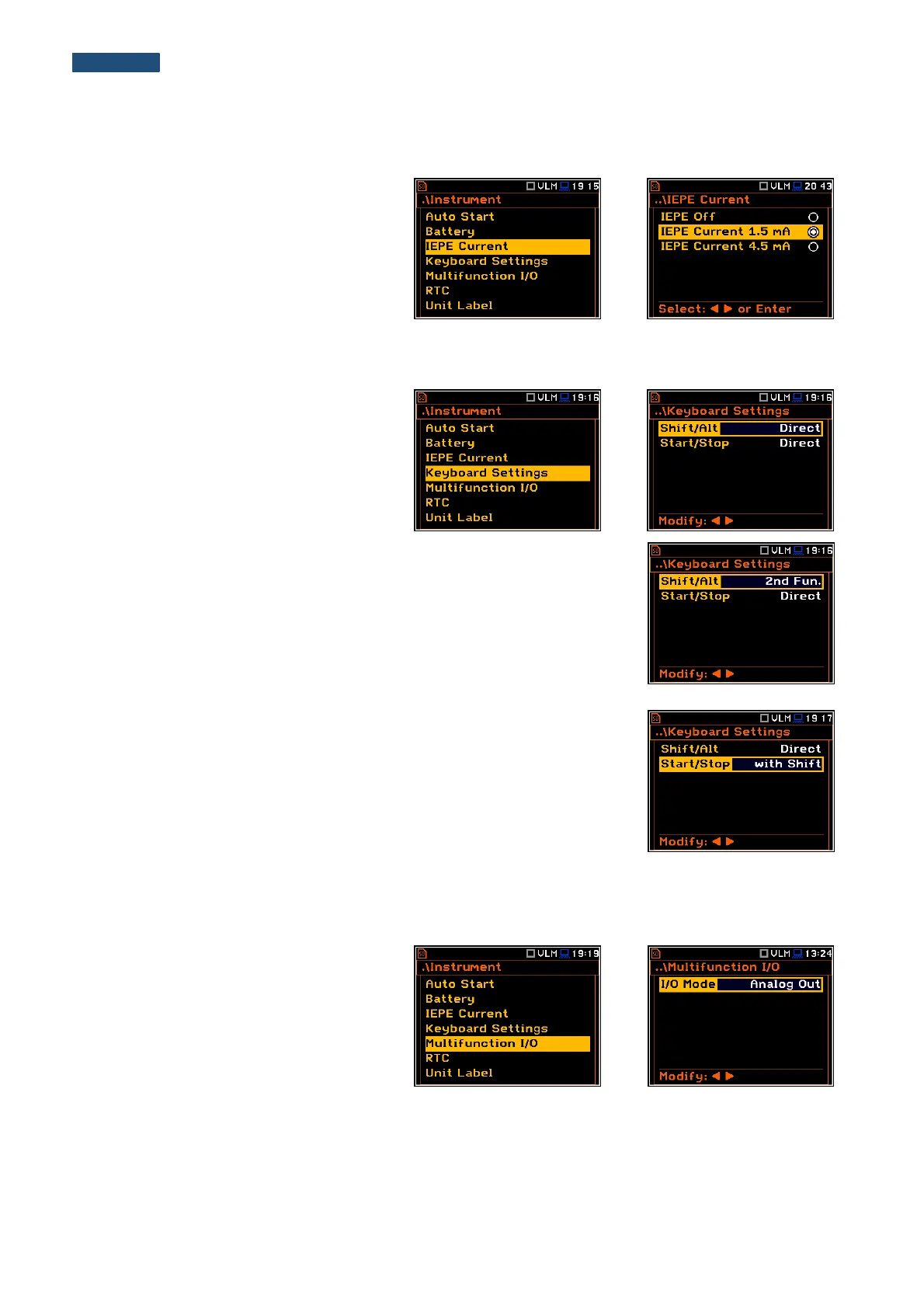
8.3. Selection of the IEPE current supply - IEPE Current
The IEPE Current position enables the
user to choose the correct IEPE current
supply: IEPE Off or IEPE Current 1.5 mA
and IEPE Current 4.5 mA
8.4. Programming the keyboard – Keyboard Settings
The Keyboard Settings position enables
the user to programme the functionality of
the <Shift>, <Alt> and <Start/Stop> push-
buttons. The default settings are Direct for
both items shown on the display screen.
<Shift> / <Alt> push-button mode
In the Shift/Alt position the user can choose between 2nd Fun. and Direct.
When the Direct option is selected, the <Shift> and <Alt> push-buttons
operate as in the keyboard of a computer – to achieve the desired result, the
second push-button should be pressed at the same time with <Shift>/<Alt>.
When the 2nd Fun. option is selected the <Shift>/<Alt> push-buttons operate
in sequence with the other one. This enables the user to use only one hand to
operate the instrument.
<Start/Stop> push-button working mode selection
In the Start/Stop position the user can choose between Direct and
With Shift. When the Direct option is selected, the instrument reacts on each
of the <Start/Stop> push-button press, starting or stopping the
measurements.
When the With Shift option is selected the <Start/Stop> push-button
operates at the same time or in a sequence with <Shift>. The measurements
are started or stopped after pressing both push-buttons.
8.5. Setting up the parameters of the I/O port - Multifunction I/O
The Multifunction I/O enables the user to
select the available functionality of the I/O
port (3.5 mm jack socket).



 To Next Page