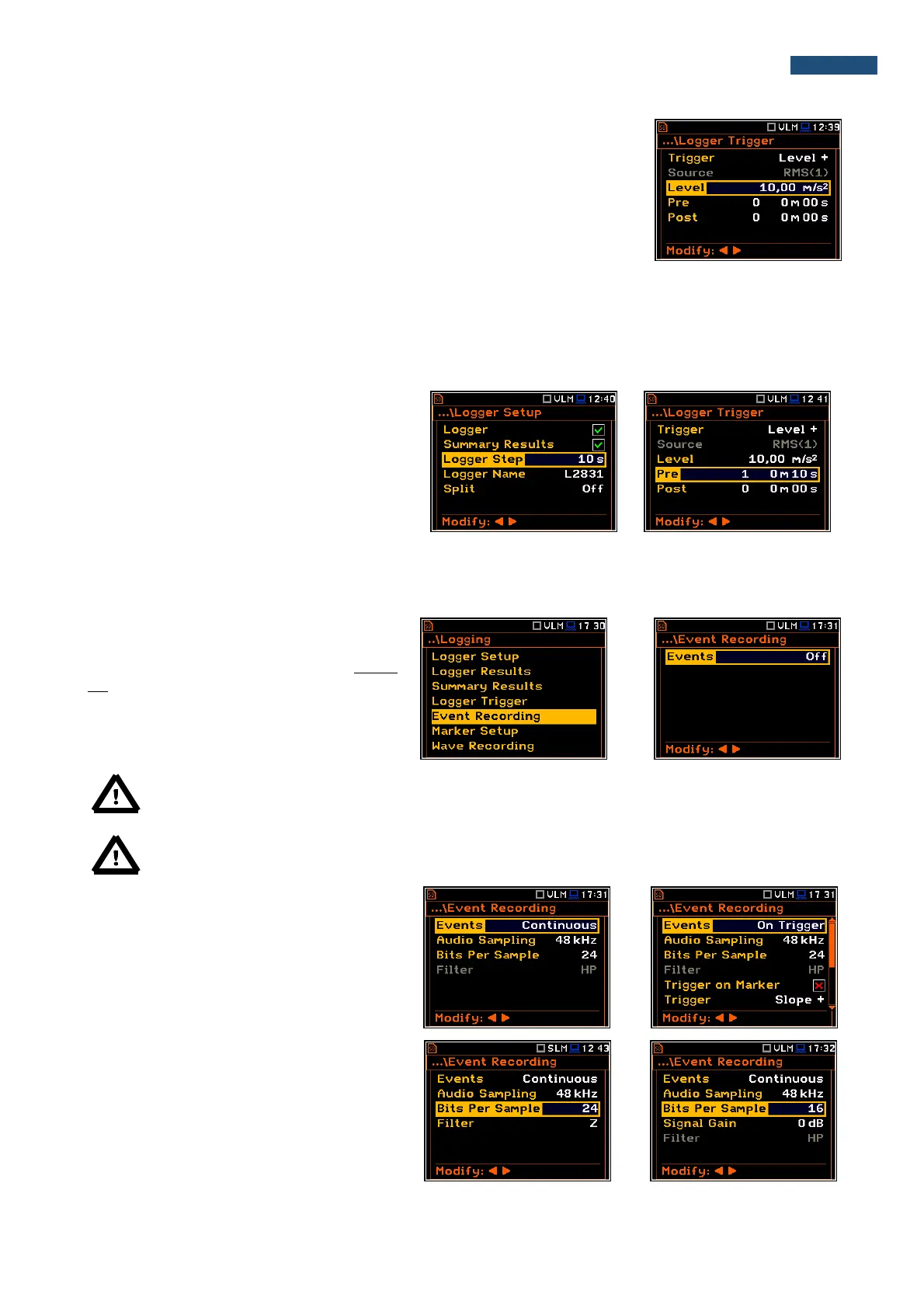
Level of the triggering signal
The level of triggering signal for logging (Level) can be set with 1 dB steps in
the range from 1mm/s
2
(60 dB) to 10 km/s
2
(200 dB). The Level value of the
triggering signal for the logger refers to the instantaneous value of the RMS
result from the first profile calculated during the period depending on selected
Detector (1) (path: <Menu> / Measurement / Profiles).
Pre and Post trigger registration
In the Pre position, the number of the results registered in the logger’s file before the fulfilment of the triggering
condition can be set. This number is within the limits 0..50.
In the Post position, the number of the results registered in the logger’s file after the fulfilment of the triggering
condition can be set. This number is within the limits 0..200.
The period of the measurements that are
saved in the logger before or after the
fulfilment of the triggering condition can be
calculated by multiplying the value set in the
Pre or Post positions by the value set in the
Logger Step position (path: <Menu> /
Measurement / Logging / Logger Setup). The
result of the calculation is presented in the
same line, at the right side of the display.
5.4.5 Setting up the event recording – Event Recording
The Event Recording position enables the
user to activate and set the parameters of
event waveform signal recording in the logger
file.
The Events position, if it is not Off, defines
the type of events recording: Continuous or
On Trigger.
Note: The Event Recording function is optional and should be unlocked by entering the
activation code in the text editor screen, opened by the ► push-button. Once unlocked this option
will be ready to use permanently.
Note: Event Recording and Wave Recording are related functions and form one option, so
unlocking one function automatically unlocks the other one.
When On Trigger event recording is chosen
then additional positions appear which enable
the user to programme the trigger conditions
for the event recording.
The Audio Sampling position enables the
user to select the sampling frequency of the
event recording: 12KHz, 24kHz and 48kHz.
The Bits Per Sample position enables the
user to select the number of recorded bits per
sample: 16 or 24.
The Signal Gain position enables the user to
select the gain of the recorded signal, when
16 bits per sample was selected: 0dB …
40dB.



 To Next Page