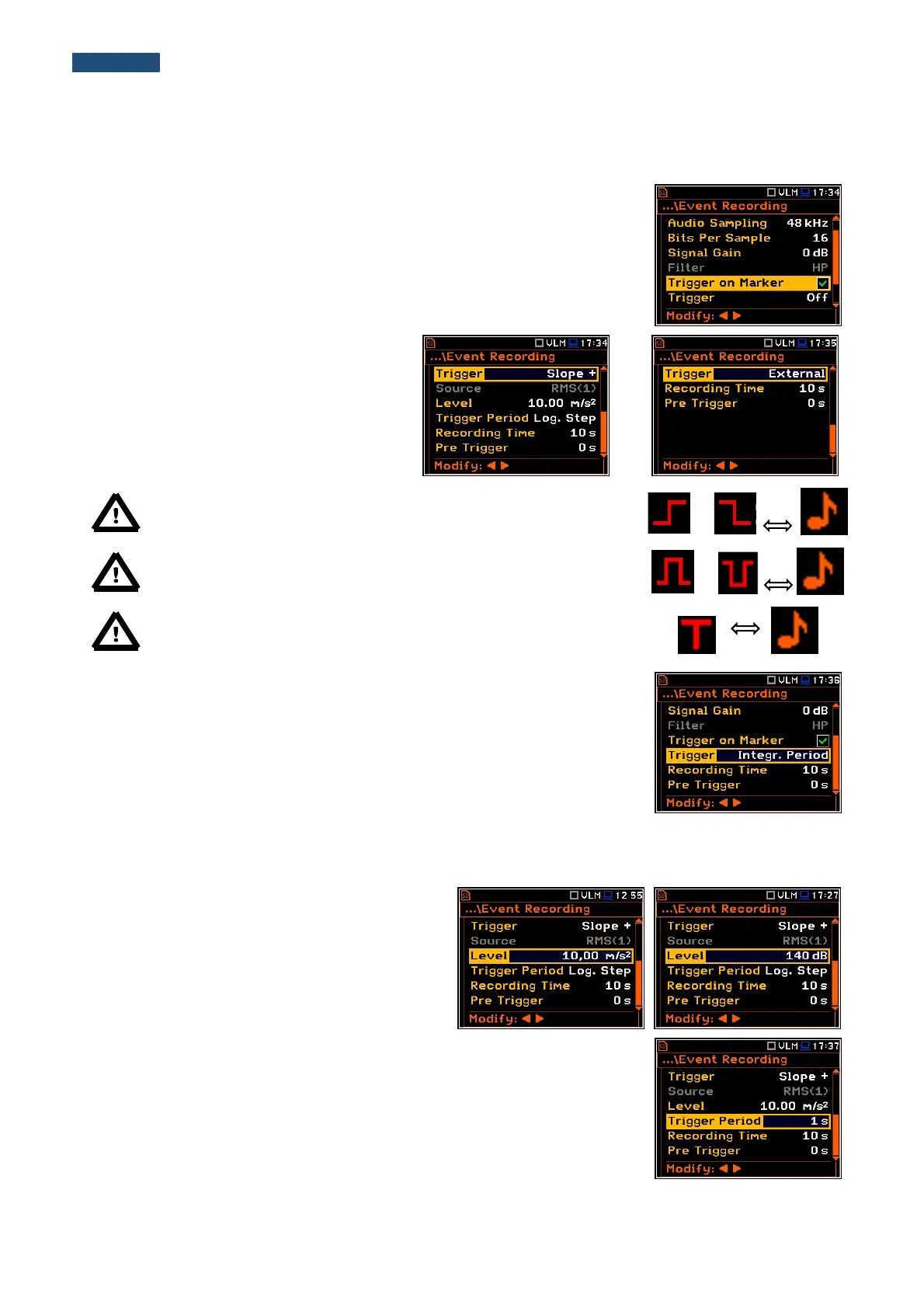
The Filter position displays the used
weighting filter (HP) during event signal
recording.
The Trigger on Marker position switches on or off the triggering by marker.
When Trigger on Marker is switched on then event recording will start by
initiation of one of the user controlled markers. Markers for triggering are defined
in the Markers Setup window.
In the Trigger position the following options
are available: Off, Slope +, Slope –, Level +,
Level –, External and Integr. Period.
All triggers except Integr. Period were
described in the chapter 5.2.
Note: When event recording is waiting for the slope trigger the “trigger
slope” icon appears alternatively with the „note” icon.
Note: When event recording is waiting for the level trigger the “trigger
level” icon appears alternatively with the „note” icon.
Note: When event recording is waiting for the “external” or
“integration period” trigger the “trigger” icon appears alternatively with
the „note” icon.
If the Integr. Period trigger was defined, the signal is recorded every time the
measurement starts and ended after the Integration Period time, defined in the
General Settings window (path: <Menu> / Measurement / General Settings).
The Source position indicates the triggering signal source. Only one measured result can be used as a source
of the triggering signal in all modes, namely the output signal from the RMS detector coming from the first profile
which is denoted here as RMS(1). This position does not become active.
The level of triggering signal for the event recording
(Level) can be set with 1 dB steps in the range from
1mm/s
2
(60 dB) to 10 km/s
2
(200 dB). The level can
be expressed not only in linear units, but also in
decibels. The vibration unit scale can be set in the
Display Scale window (path: Menu / Display /
Display Scale / Scale).
In the Trigger Period position, it is possible to select the time interval of
checking the triggering conditions. This parameter can be set at: Log. Step
(same as Logger Step value), 0.5ms, 100.0ms and 1s.
In the Rec. Time position, it is possible to select the time of signal recording after
triggering. If another triggering condition that satisfies the selected conditions
appears, then the signal will be recorded for an additional Rec. Time. The
available values can be selected from 1s to 8h.



 To Next Page