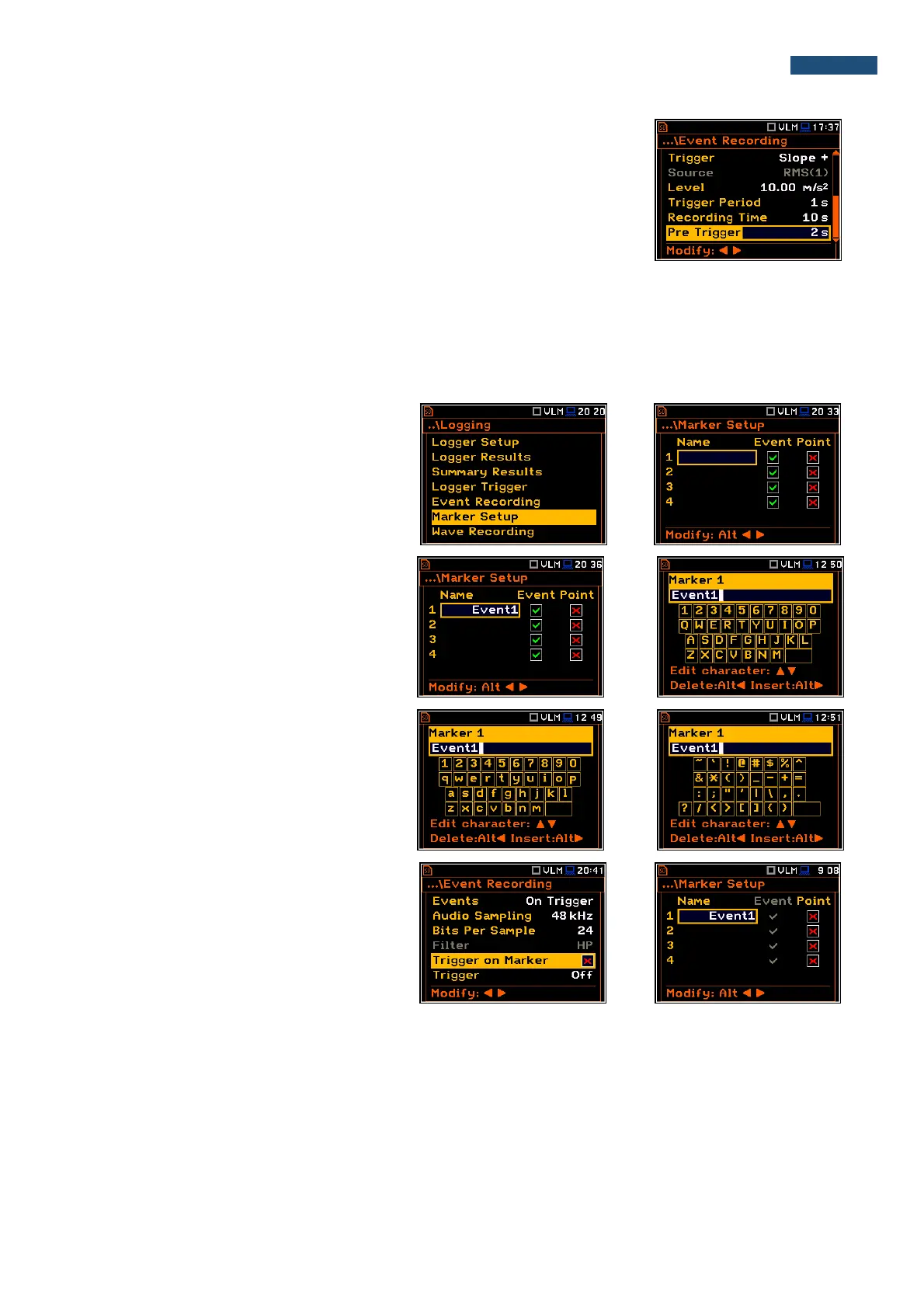
When Pre Trigger is higher than 0 then the event signal start to be recorded
before the triggering condition moment. The period of such recording depends
on the sample frequency and bits per sample. The maximum pre trigger period
is:
• for 24 bits per sample: 2s for 48 kHz, 4s for 24 kHz and 8s for 12 kHz.
• for 16 bits per sample: 4s for 48 kHz, 8s for 24 kHz and 16s for 12 kHz.
5.4.6 Setting up the markers – Marker Setup
Marker is used to mark (or highlight) special events during the measurement (not typical vibration, ect.) and is
nothing but an indication of the beginning and end of the block of logger results in which the event occurred. In
case of point markers there is no start and end of the marker, but only one record in the logger file. Markers are
activated in the result presentation window by pressing the arrow keys.
The Marker Setup enables the user to assign
a specific name for each marker, select its
type (normal or Point) and define markers for
event recording.
Name edition is performed in a special text
edition window after pressing the ► push-
button together with <Shift>.
In the Marker text editor window, the user can
switch the keybord from uppercase letters to
lowercase letters and special characters with
the use of ▲ or ▼ push-buttons pressed
together with <Shift>.
The Event column is active only when
Trigger on Marker (path: <Menu> /
Measurement / Logging / Event Recording) is
switched on.



 To Next Page