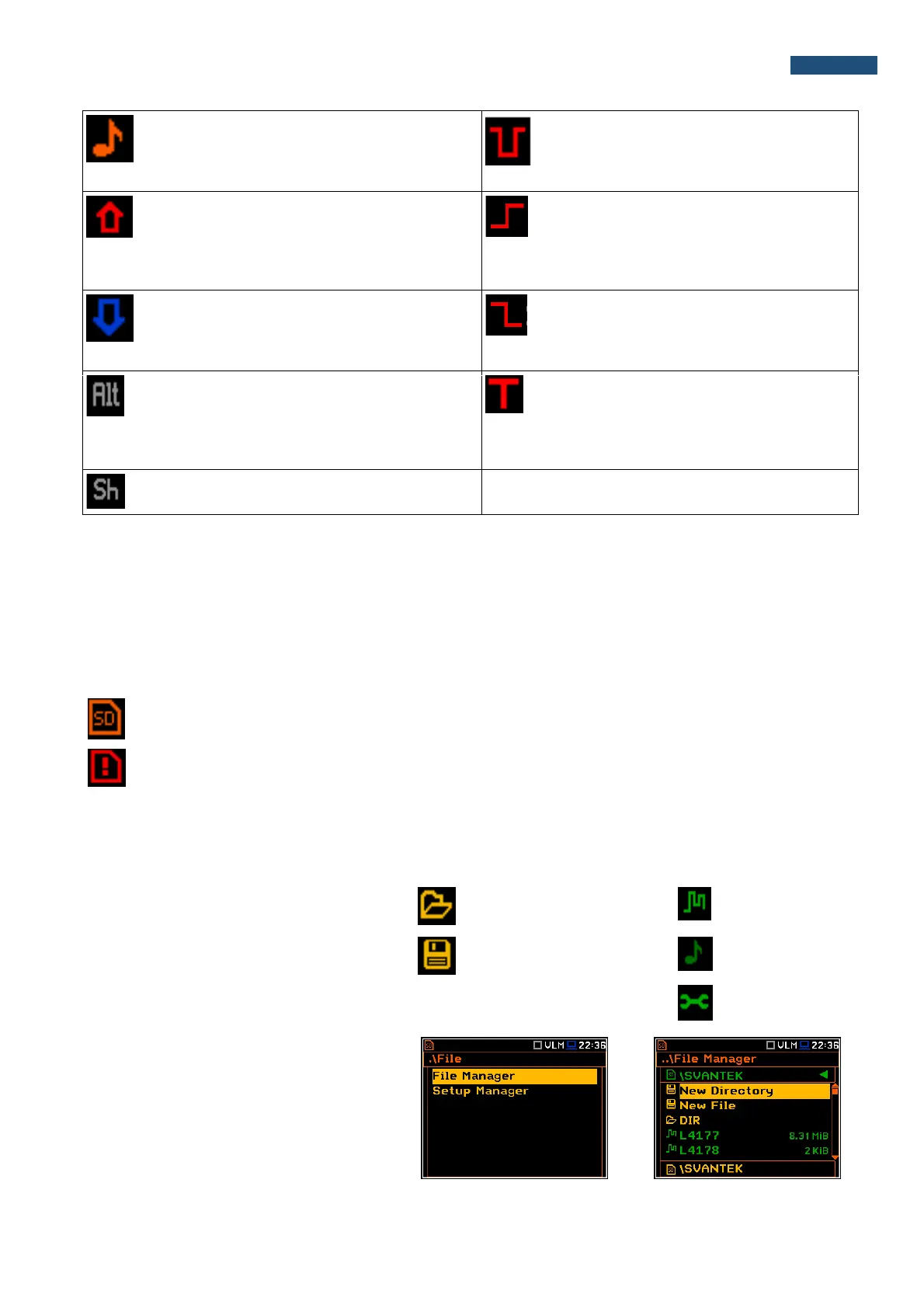
“note” icon is displayed when the wave
recording is active (wave files with extension
WAV are saved automatically)
“Trigger Level –“ icon is displayed when
the “Level-” trigger is waiting for fulfilment
condition. The icon appears alternately
with the “play”, “curve” or “note” icons.
“arrow up” icon is displayed when overload
appears.
“Trigger Slope +” icon is displayed when
the “Slope+” trigger is waiting for
fulfilment condition. The icon appears
alternately with the “play”, “curve” or
“note” icons.
“arrow down” icon is displayed when under
range appears.
“Trigger Slope –“ icon is displayed when
the “Slope-” trigger is waiting for fulfilment
condition. The icon appears alternately
with the “play”, “curve” or “note” icons.
“Alt” icon is displayed when the <Alt> push-
button is pressed.
“trigger” icon is displayed when other
than Level or Slope trigger is waiting for
fulfilment condition. The icon appears
alternately with the “play”, “curve” or
“note” icons.
“Shift” icon is displayed when the <Shift>
push-button is pressed.
Memory type
All available measurement results and settings can be stored in the memory (micro SD Card) as files in the
predefined or assigned directories. The setup files are stored in the predefined directory SETUP. The predefined
directories can be changed by the user or renamed.
The SD Card memory is activated automatically after insertion of the card.
The “SD Card” icon is displayed when the micro SD card memory is inserted in the memory slot.
If the SD card is removed from the memory slot the “memory warning” icon appears instead of
“SD card” icon.
The SD Card memory is organised as a standard memory with directories and sub-directories (FAT32 file
system). It is possible to create and delete the directories.
The content of each memory file type can be checked with the help of the File Manager or Setup Manager
function of the File menu.
In the File Manager or Setup Manager
windows data files are described by their file
name with an extension (SVL, SVT or WAV)
as well as additional icon and size (2KB etc.).
Directory
New file or directory
Logger file .SVL
Wave file .WAV
Setup file .SVT
Directories and files management
The user can manage the files saved on SD
card with the help of the File Manager or
Setup Manager function of the File menu.



 To Next Page