Saving the setup files
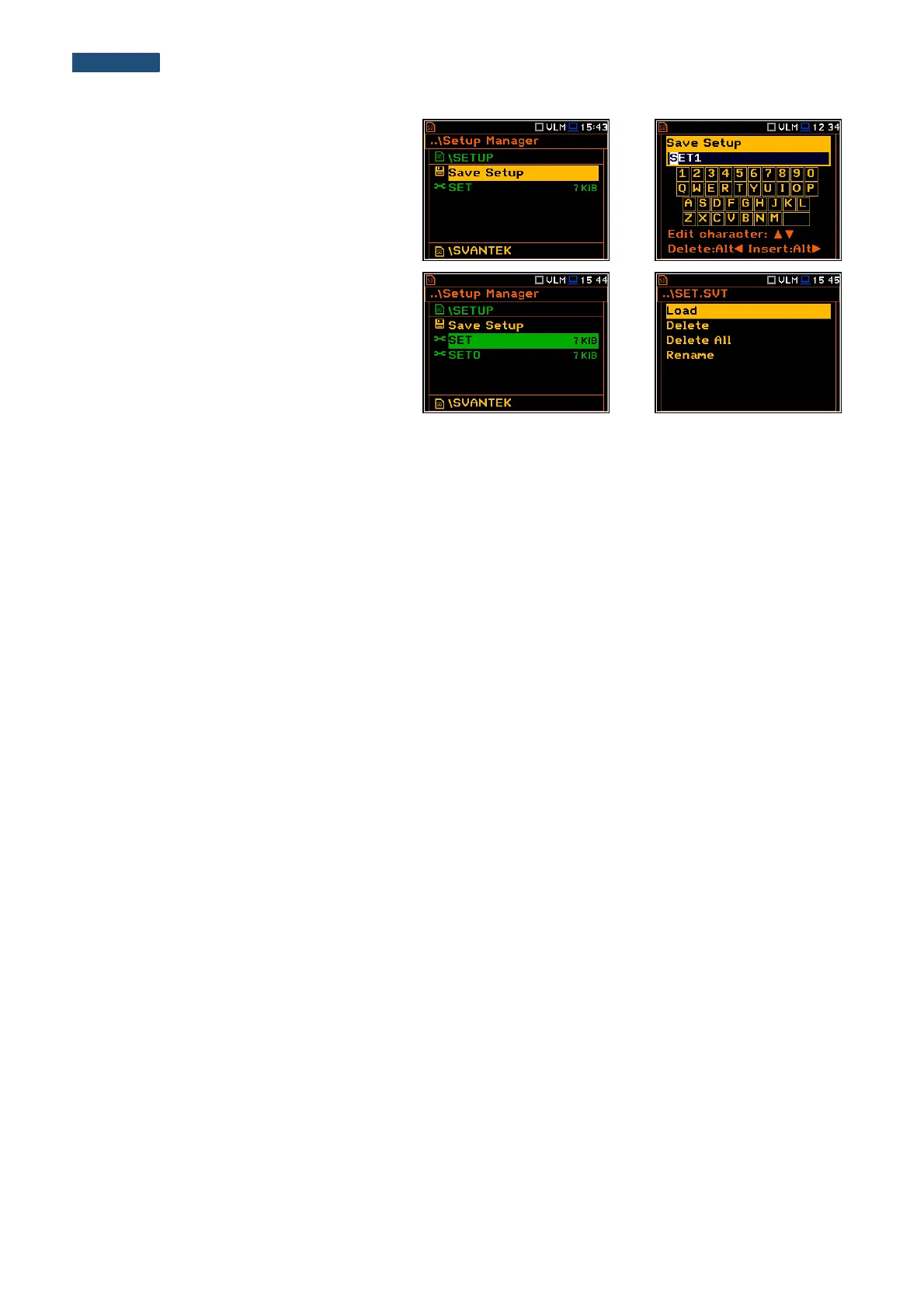
It is possible to save only current instrument’s
settings. To save current settings in the setup
file the user should press <ENTER> on the
Save Setup position and to edit the setup file
name in the special window. Up to 8
characters can be used to name a setup.
Loading the setup files
To load settings saved in the setup directory
the user should press <ENTER> on the
selected file. Then the user should confirm the
loading in the opened window by pressing the
<ENTER> push-button.
After loading the setup file the instrument will
be reconfigured.
Deleting the setup files
Deleting the setup files is performing in the same way as deleting of files from the File Manager list.
Renaming the setup files
Renaming the setup files is performing in the same way as renaming of files from the File Manager list.



 To Next Page