46
TOP 600 XT PRO
❒❒
❒❒
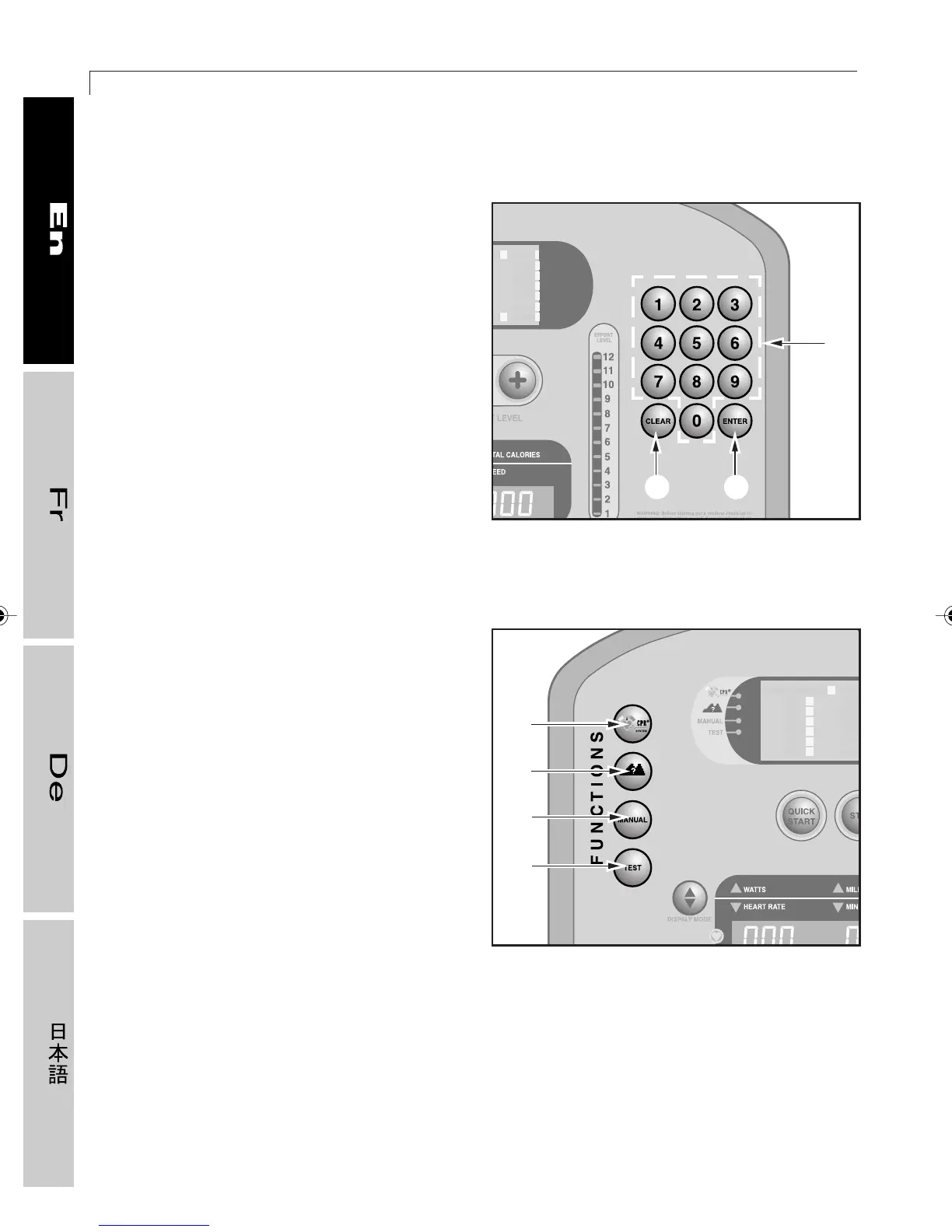
❒ Right keypad
1 ENTER key: to confirm the number or
parameter appearing on the
alphanumeric display.
2 CLEAR key: to delete the last number
keyed in during entry of the parameters,
or to exit the selected function.
3 Number pad: to enter all the numerical
data requested during set-up of the
exercise program.
❒❒
❒❒
❒ Left keypad
4 CHR function key: for selecting an
exercise session at a constant heart rate.
5 PROFILE function key: for selecting one
of six different predefined workout
profiles.
6 MANUAL function key: for selecting
manual training, where the user enters
his or her own workout data and
parameters.
7 TEST function key: for selecting the level
test, which indicates the ideal effort level.
01417005
01417006
4
5
6
7
3
2 1
2_Top_En.P65 30/05/2002, 13.5646










 To Next Page