50
TOP 600 XT PRO
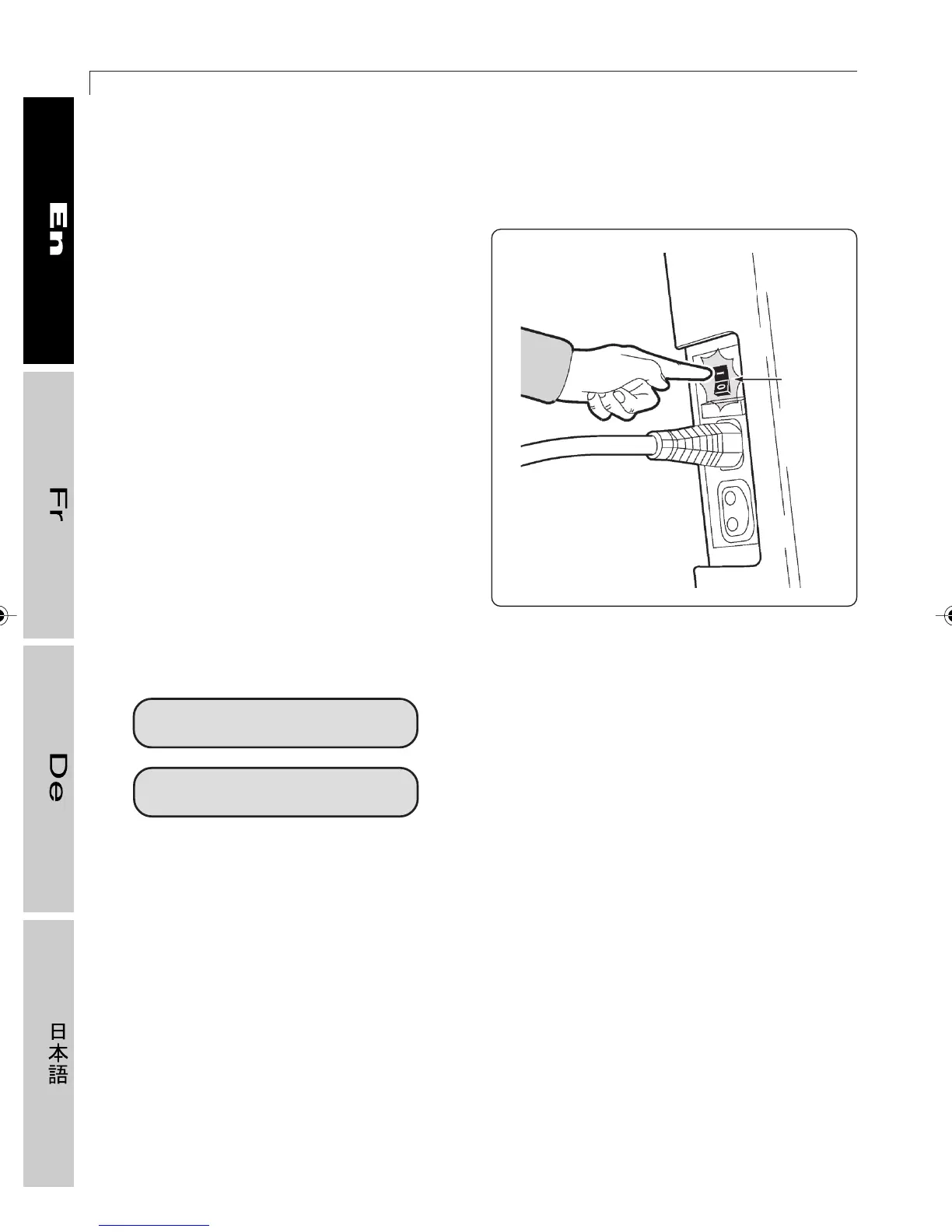
To power on the equipment, move the
switch (A) next to the power cord to the “|”
(on) position. When the equipment is turned
on, the alphanumeric display lights up for a
few seconds and a beep is sounded. Then
the following messages appear, in order:
- Top 600 XT PRO: indicates the name of
the equipment;
- 4.3: indicates the software version;
- TGS: indicates that the software is
enabled for the Smartkey*;
- ENGLISH: indicates the language;
- USA: indicates the unit of measurement
(in km or miles).
After performing a quick reset, the equipment
switches to the Standby mode, meaning it is
ready for use; the display shows the
following messages:
CHOOSE A FUNCTION
INSERT SMARTKEY
In the Standby mode, the following functions
are active:
- calculation of the heart rate and its
display;
- reading of access codes for technical
information (see section 3.12);
- the effort level can be changed with the
(+) and (–) keys.
3.1 Turning the equipment on and off
The first message is not displayed if, during
the configuration phase (see section 3.2),
the function keys are disabled so that
workouts can be started only with the
Smartkey*.
On the other hand, the second message
does not appear if the Smartkey* reader is
not installed on the equipment.
15
A
2_Top_En.P65 30/05/2002, 13.5650










 To Next Page