52
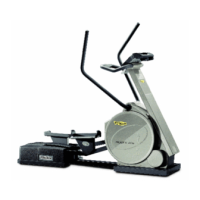
TOP 600 XT PRO
3.2 How to change control panel settings
When the equipment is in Standby, the
following parameters can be selected and
modified:
- display language: different languages
can be chosen for the messages shown
on the alphanumeric display;
- unit of measurement: you can choose
the EUROPEAN (kg and km) or USA
(pounds and miles) unit of measurement;
- maximum time: you can vary the
maximum programmable time for each
exercise;
- enabling of (+) and (–) keys: you can
enable the (+) and (–) keys to vary the
value of the target heart rate for CHR type
workouts;
- disabling of function keys: you can
disable the function keys so that workouts
can be started only with the TGS
Smartkey*;
- enabling of the ENTER key: you can
enable the ENTER key to lengthen the
duration of the workout during Manual
or CHR type exercise.
To change the settings, with the equipment
in Standby, simultaneously press the
number keys 3 1 4. The alphanumeric display
will show:
PASSWORD = 0
key in the password code 2406 and press
ENTER.
The display will show the selected language:
USA ENGLISH
To select a language, press the
corresponding number key (from 1 to 3):
1 for ITALIANO
2 for DEUTSCH
3 for UK ENGLISH
or, depending on the country of destination
of the equipment, the following will be
available:
- USA ENGLISH
- FRANCAIS
- NEDERLANDS
- ESPAÑOL
- PORTUGUÊS
- JAPANESE
then, to save the selection, press ENTER.
The unit of measurement is chosen next:
USA
To select the unit of measurement, press the
corresponding number key:
1 for the EUR system (km and kg)
2 for the USA system (pounds and miles)
then, to save the selection, press ENTER.
2_Top_En.P65 30/05/2002, 13.5652










 To Next Page