47
3 CONTROL PANEL
❒❒
❒❒
❒ Central keypad
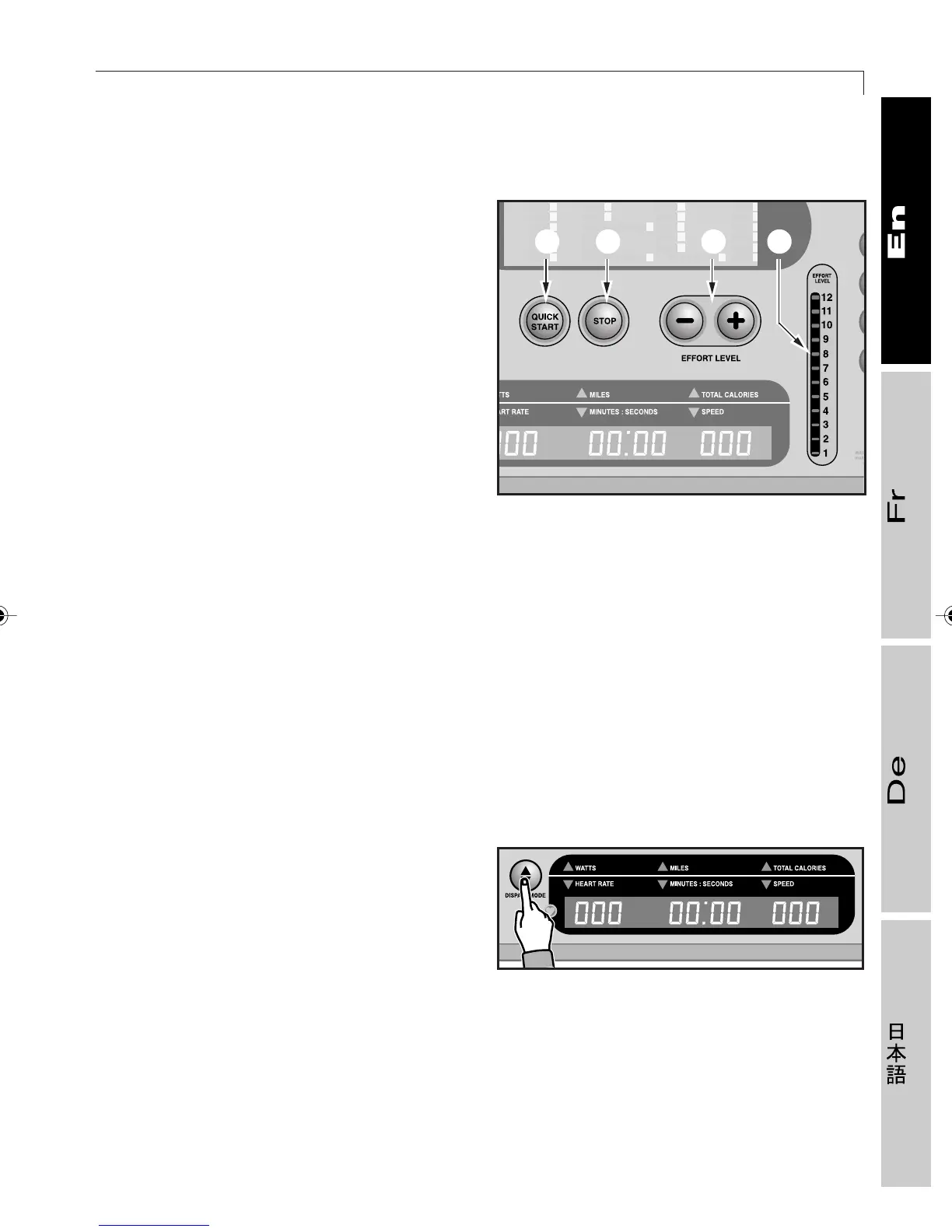
8 QUICK START key: to start a workout
session immediately without
programming, with display of time
elapsed and the option of changing the
effort level, or resume exercise after
stopping for a short break.
9STOP key: to halt the workout session.
10 EFFORT LEVEL keys: to increase (+) or
decrease (–) the effort level of the
exercise program. The level is displayed
on indicator F, which shows a range from
1 to 12. If the CHR function is activated
(see section 3.2), these keys let you vary
(in increments of one) the value of the
target heart rate.
❒❒
❒❒
❒ Digital display
The digital display lets you see all the values for the current workout session. These values
are divided into two sets of three, one with the power (watts), miles (kilometers) run, and total
calories burned; the other shows the heart rate, time, and speed. These two sets of values
are displayed in alternation during the workout at intervals of 5 and 15 seconds.
Nevertheless, if the equipment does not detect any heart rate signal, the first pair of values
does not alternate: the power value (watts) is constantly displayed.
The DISPLAY MODE key can be used to
vary which set of values is displayed. This
key also inverts the frequency (5 and 15
seconds) with which the two sets of values
are displayed and, if pressed for more than
2 seconds, freezes display of the current set
and disables the automatic alternation
display. To restore the alternating display
mode, press the DISPLAY MODE key once.
01417007
8 9 10 F
01417008
2_Top_En.P65 30/05/2002, 13.5647










 To Next Page