98 Calibration 083730300A DCN8101
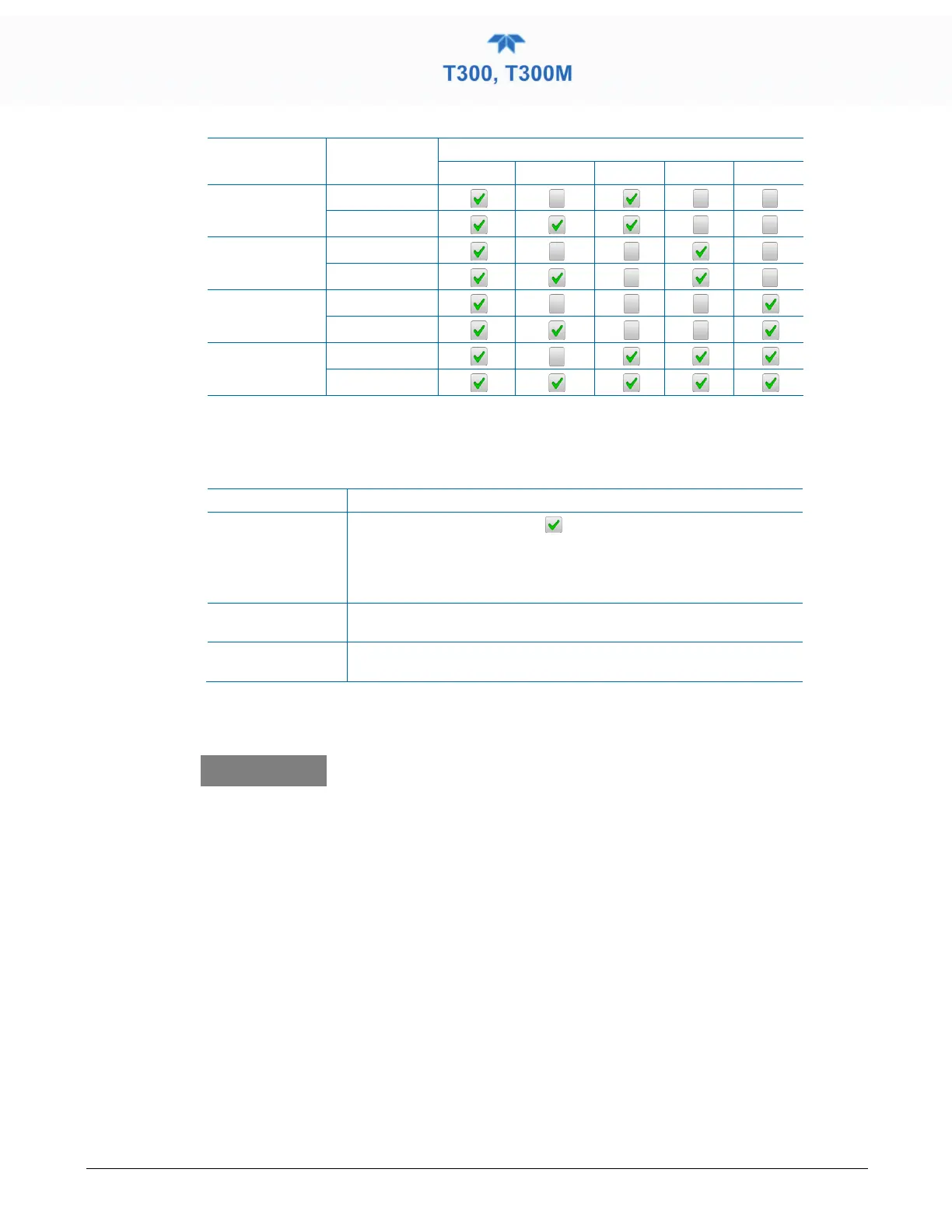
Table 4-2. Auto Cal Setup Combinations
MODE ACTION
Enabled Calibrate Zero Low High
Zero
Check
Calibrate
Low
Check
Calibrate
High
Check
Calibrate
Zero Low High
Check
Calibrate
For each sequence, there are four parameters that control operational details: Date, Time
(both in the Start field), Interval, and Duration, as presented in Table 4-3.
Table 4-3. Auto Cal Programming Sequence Execution
Start
When the Enabled box is “on”
, the Sequence (identified by its
number) begins on the date and time shown in the configurable Start
field. (Click the field for the pop-up window and toggle between the
Time (Hour/Minutes) and the Date (Year/Month/Day) attributes to edit
as needed).
Interval
Number of minutes to skip between each Sequence execution. (Click
the field to input the number of minutes in the pop-up window).
Duration
Number of minutes that each Sequence execution is to run. (Click the
field to input the number of minutes in the pop-up window).
IMPORTANT
IMPACT ON READINGS OR DATA
• The programmed STARTING_TIME must be a minimum of
5 minutes later than the real time clock for setting real time
clock (Setup>Instrument, Section 2.5.9).
• Avoid setting two or more sequences at the same time of
the day.
•
Any new sequence that is initiated whether from a timer,
the COM ports or the contact closure inpu
any sequence that is in progress.
• It is recommended that calibrations be performed using
external
sources of Zero Air and Span Gas whose
accuracy is traceable to EPA standards.



 To Next Page