083730300A DCN8101 Getting Started 81
2.5.10.2 TCP PORT1
TCP Port1 allows choosing whether or not to display the command prompt, editing the
Port 1 number for defining the terminal control port by which terminal emulation
software addresses the instrument, such as Internet or NumaView™ Remote software,
and enabling or disabling security on this port.
2.5.10.3 TCP PORT2
TCP Port2 is configured with the port number for MODBUS.
2.5.10.4 TCP PORT3
TCP Port3 is configured with the port number for Hessen.
2.5.10.5 NETWORK SETTINGS
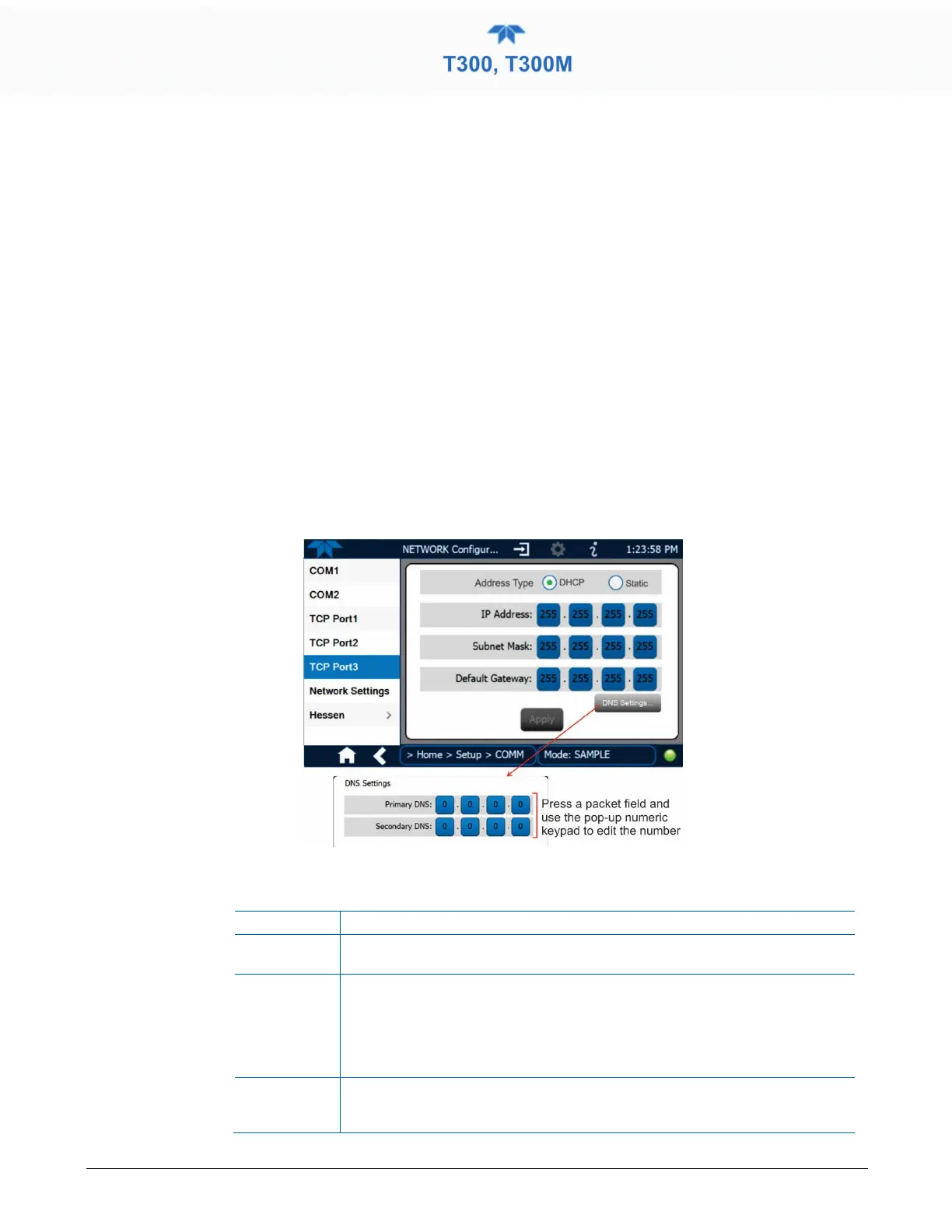
The Setup>Comm>Network Settings menu is for Ethernet configuration. The address
settings default to automatic configuration by Dynamic Host Configuration Protocol
(DHCP). Most users will want to conFigure the instrument with a static IP address: click
the Static radio button to manually assign a static IP address (consult your network
administrator, and see Table 2-19 for information).
Figure 2-57. Communications Configuration, Network Settings
Table 2-19. LAN/Ethernet Configuration Properties
IP address
A string of four numbers, 1 to 3 digits each (e.g. 192.168.76.55.) is the internet
protocol address of the instrument itself.
Subnet Mask
A string of four numbers, 1 to 3 digits each (e.g. 255.255.252.0) number that
masks an IP address, and divides the IP address into network address and host
address and identifies the LAN to which the device is connected. All addressable
devices and computers on a LAN must have the same subnet mask. Any
transmissions sent to devices with different subnets are assumed to be outside
of the LAN and are routed through the gateway computer onto the Internet.
Default
Gateway
A string of numbers very similar to the Instrument IP address (e.g.
192.168.76.1.) that is the address of the computer used by your LAN and serves
as a router to access the Internet or another network.



 To Next Page