083730300A DCN8101 Getting Started 73
2.5.6 SETUP>HOMESCREEN
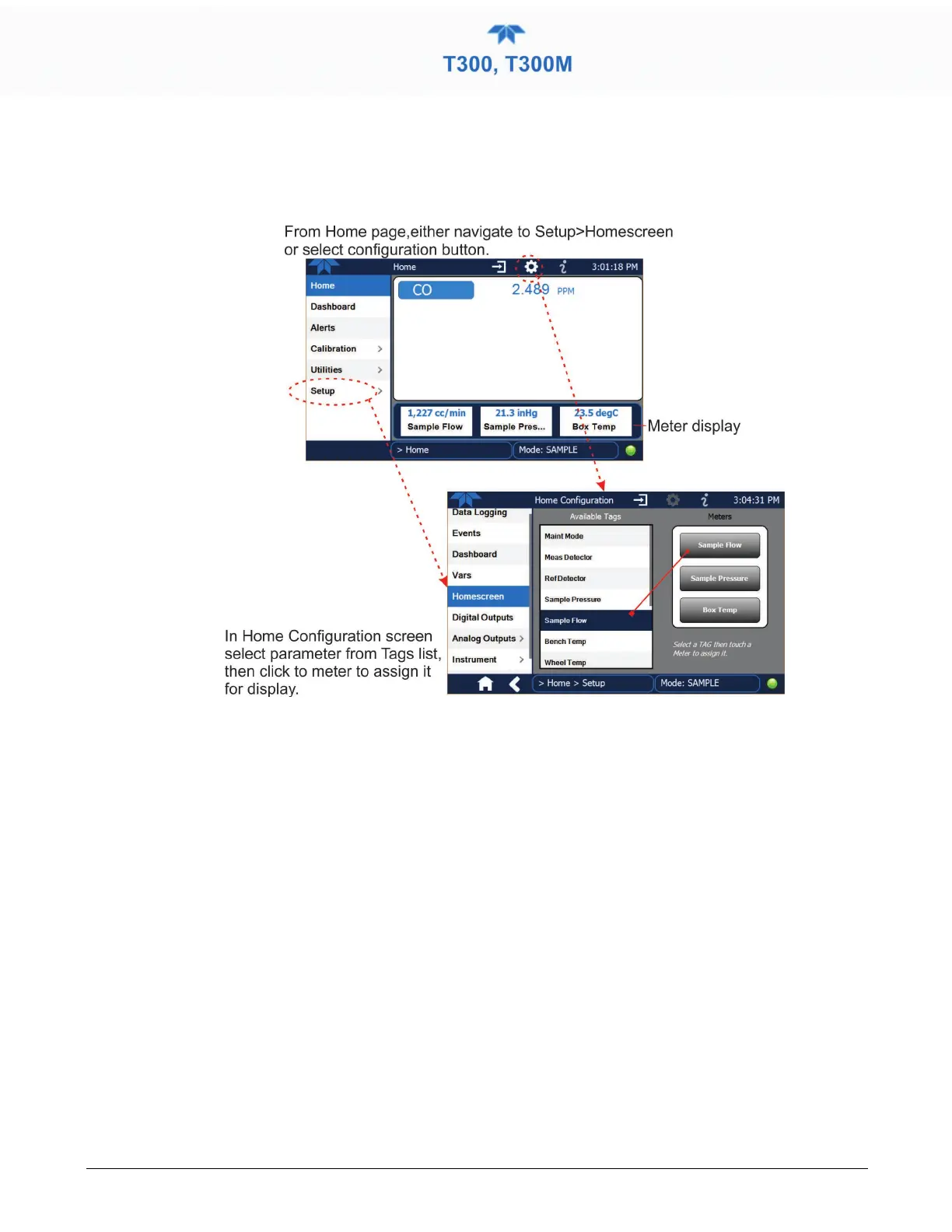
To select a parameter (“tag”) for display in each of the three meters at the bottom of the
Home page, navigate to the Homescreen configuration page through either the
Setup>Homescreen menu or from Home page using the configuration icon (Figure 2-49).
Figure 2-49. Homescreen Configuration
An orientation to the Homescreen was presented in Section 2.4.1, including Figure 2-32
and Figure 2-33.



 To Next Page