74 Getting Started 083730300A DCN8101
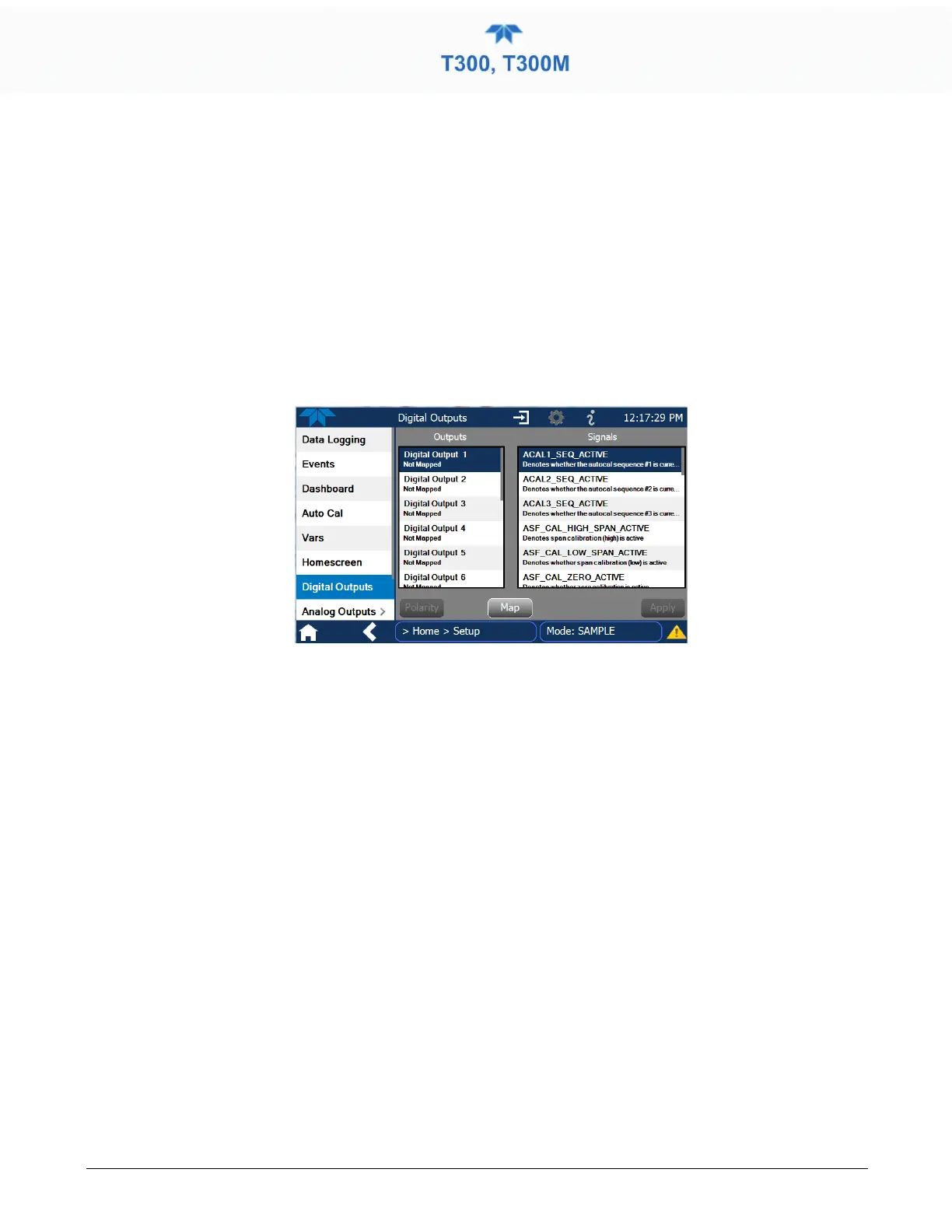
2.5.7 SETUP>DIGITAL OUTPUTS
Specify the function of each digital output (connected through the rear panel STATUS
connector) by mapping the output to a selection of “Signals” present in the instrument.
Create custom “Signals” in the Setup>Events menu (Section 2.5.2). (If the Motherboard
Relay Option was installed, the four additional relays can also be mapped).
To map Digital Outputs to Signals, select a pin in the Outputs list, then make a selection
from the Signals list and press the Map button; if/as needed, change the polarity by
pressing the Polarity button. Save any changes by pressing the Apply button, or discard
the changes by pressing the Home or the back button (a pop-up provides a warning that
the changes will be lost, and will prompt for confirmation to apply changes or not).
Go to the Utilities>Diagnostics>Digital Outputs menu to change the state (ON/OFF) of
individual digital outputs.
Figure 2-50. Digital Outputs Setup



 To Next Page