70 Getting Started 083730300A DCN8101
2.5.2.1 EDITING OR DELETING EVENTS
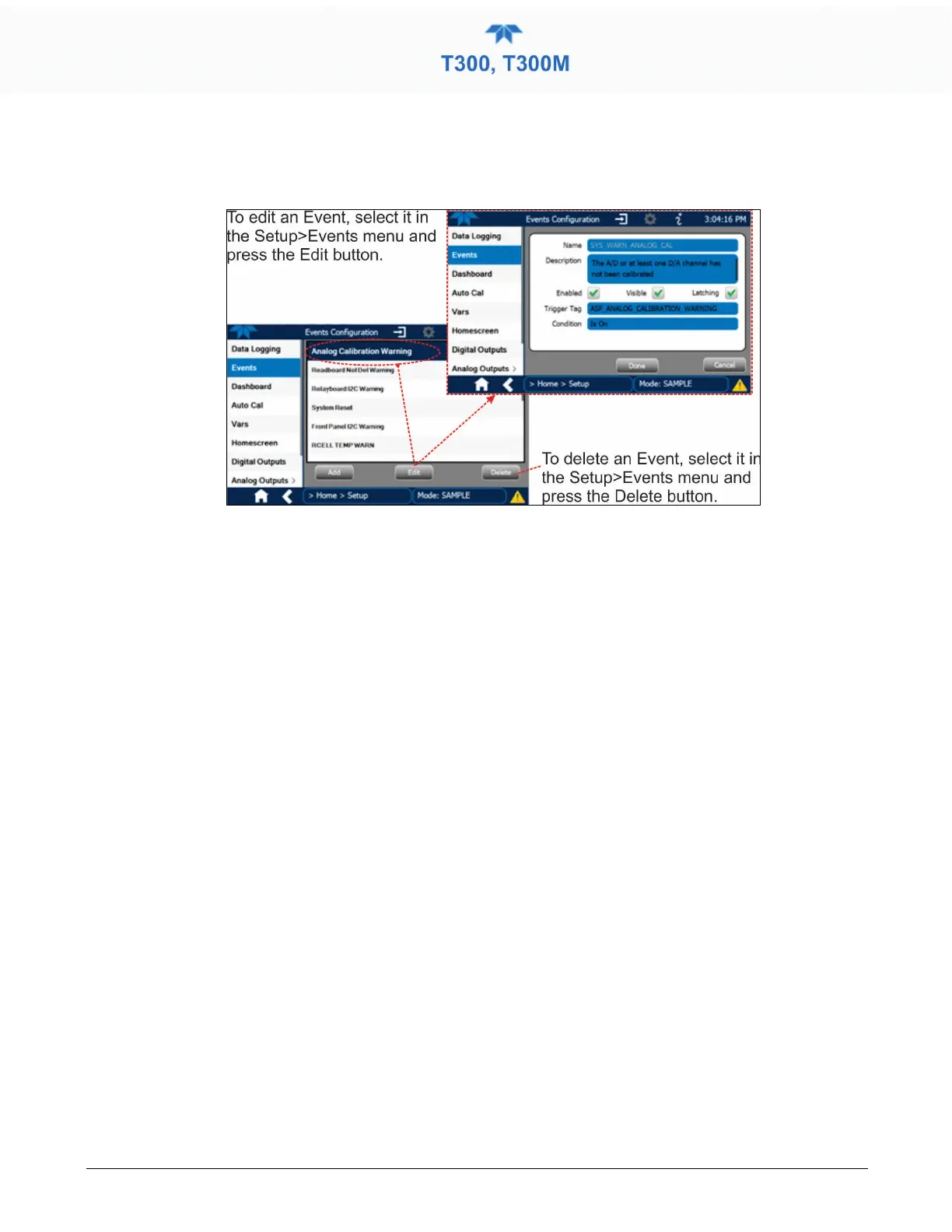
Select an Event from the list (Figure 2-44) and press the Edit button to view or edit the
details (Figure 2-46), or press the Delete button to delete the Event.
Figure 2-47. Edit or Delete an Event
2.5.2.2 USING EVENTS AS TRIGGERS FOR DATA LOGGING
Events can also be used to create customized triggers for data logging functions. The
name entered in the Name field of the Events Configuration page will appear in the list of
Log Tags of the Datalog Configuration page. The Data Logger is presented in
Section 2.5.1.



 To Next Page