82 Getting Started 083730300A DCN8101
2.6 TRANSFERRING CONFIGURATION TO OTHER
INSTRUMENTS
Once an instrument is configured, the same configuration can be copied to other
instruments of the same Model. This encompasses essentially anything the user can
conFigure and does not apply to instrument-specific settings such as those that are
configured at the factory for calibration.
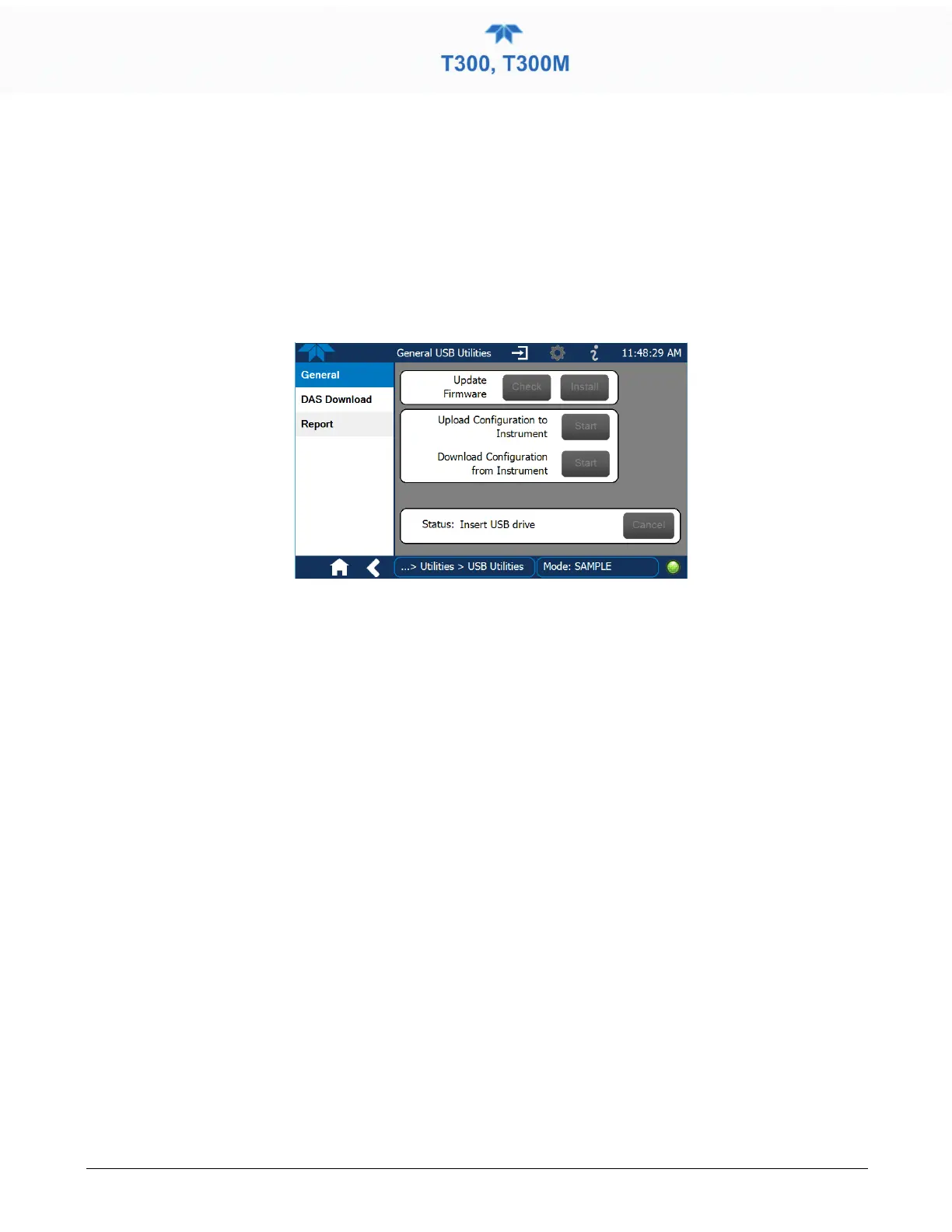
Figure 2-58. Configuration Transfer
1. In the source instrument, go to the Home>Utilities>USB Utilities>General page.
2. Insert a flash drive into either of the two front panel USB ports.
3. When the Status field indicates that the USB drive has been detected, press the “Download
Configuration from Instrument” Start button.
4. When the Status field indicates that the download is complete, remove the flash drive.
5. In the target instrument, go to the Home>Utilities>USB Utilities>General page.
6. Insert a flash drive into either of the two front panel USB ports.
7. When the Status field indicates that the USB drive has been detected, press the “Upload
Configuration to Instrument” Start button.
8. When the Status field indicates that the upload is complete, remove the flash drive.



 To Next Page