64 Getting Started 083730300A DCN8101
2.5 SETUP MENU: FEATURES/FUNCTIONS CONFIGURATION
Use the Setup menu to conFigure the instrument’s software features, to gather
information on the instrument’s performance, and to conFigure and access data from the
Datalogger, the instrument’s internal data acquisition system (DAS). Once the setups are
complete, the saved configurations can be downloaded to a USB drive through the
Utilities>USB Utilities menu and uploaded to other instruments of the same model
(Section 2.6).
2.5.1 SETUP>DATA LOGGING (DATA ACQUISITION SYSTEM, DAS)
The Datalogger can be configured to capture and store user-defined data, which then can
be viewed in the Alerts page, if elected, as well as downloaded from the instrument to a
USB flash drive or using NumaView™ Remote software for examination and analysis.
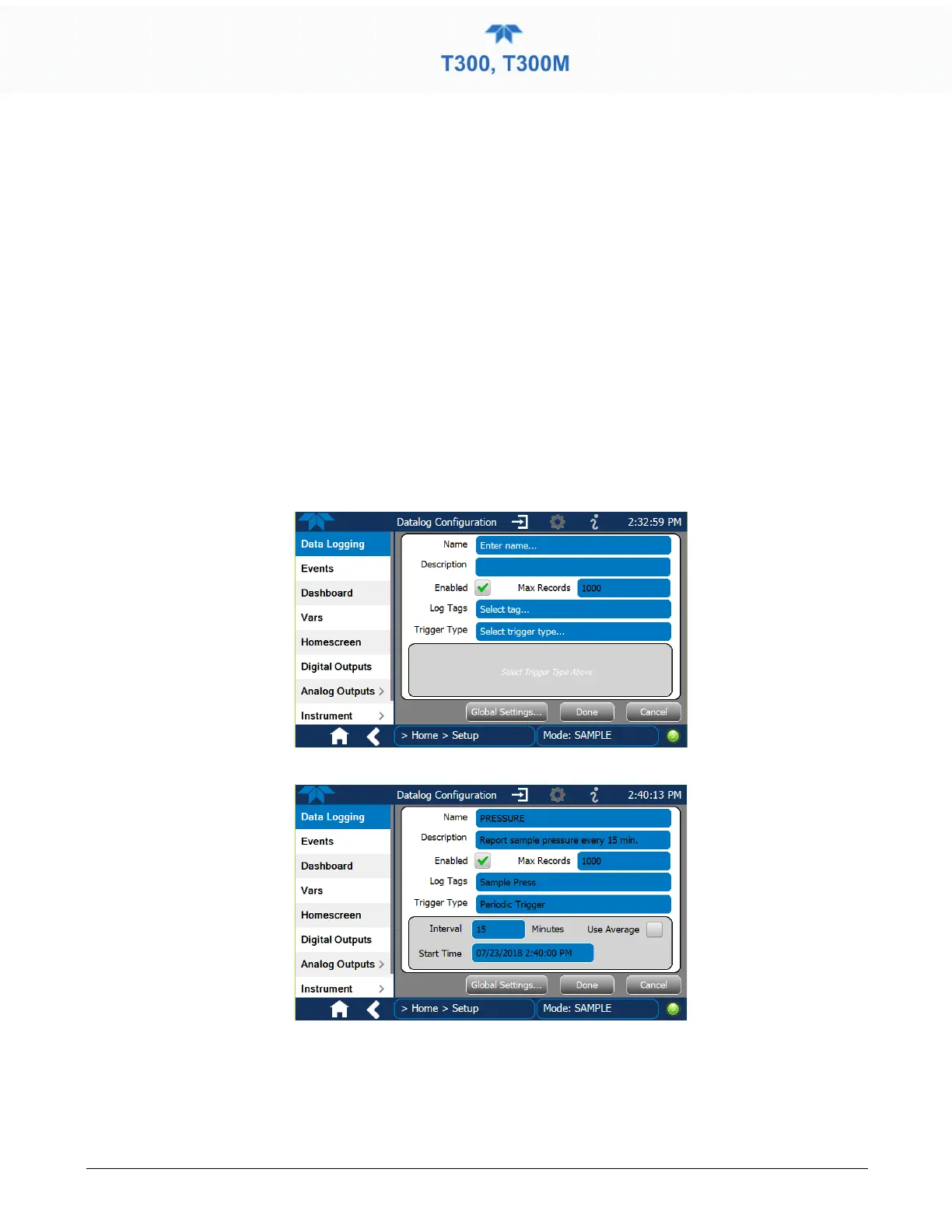
Figure 2-38 shows a new log; Figure 2-39 shows a sample existing log, which can be
edited or deleted, and Figure 2-40 provides illustrated instructions for setting up a new
log, with Sections 2.5.1.1 and 2.5.1.2 providing additional details.
To transfer captured instrument data to a flash drive see Section 2.5.1.3.
Figure 2-38. Datalog Configuration, New Log Page
Figure 2-39. Datalog Configuration, Existing Log



 To Next Page