083730300A DCN8101 Getting Started 69
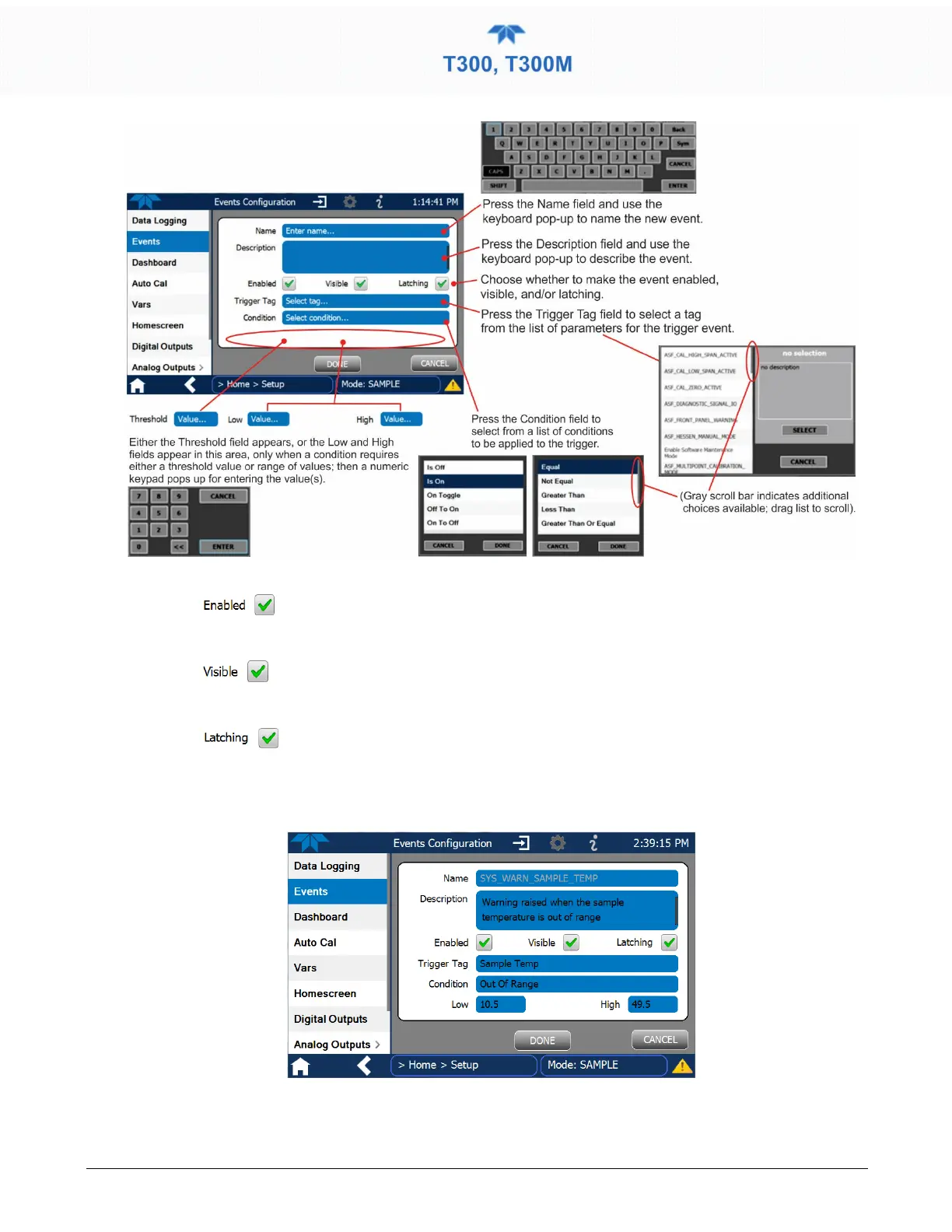
Figure 2-45. Event Configuration
•
allows the choice of whether to track and record the Event (uncheck this box to
“turn off” or deactivate the Event without deleting it). An Event must be enabled in order to use
the Visible and the Latching options.
•
allows the choice of whether or not to display the Event in the Alerts page when
it is triggered (it will still be recorded and can be viewed in the Utilities>Alerts Log).To use this
option, the Event must be enabled.
•
allows the choice of whether or not to keep an Event visible even if the
conditions that triggered it were to correct themselves. (Latching requires that the user interact
with the Active Alerts screen to manually clear the Alert and internal Event state. Non-latching
allows the entry in the Active Alerts screen and the internal Event state to continuously update
based on the Event criteria, requiring no user interaction to clear the Alert or Event state).
Figure 2-46. Configured Event Sample



 To Next Page