User Manual for Oscar GNSS Receiver v2.4
70
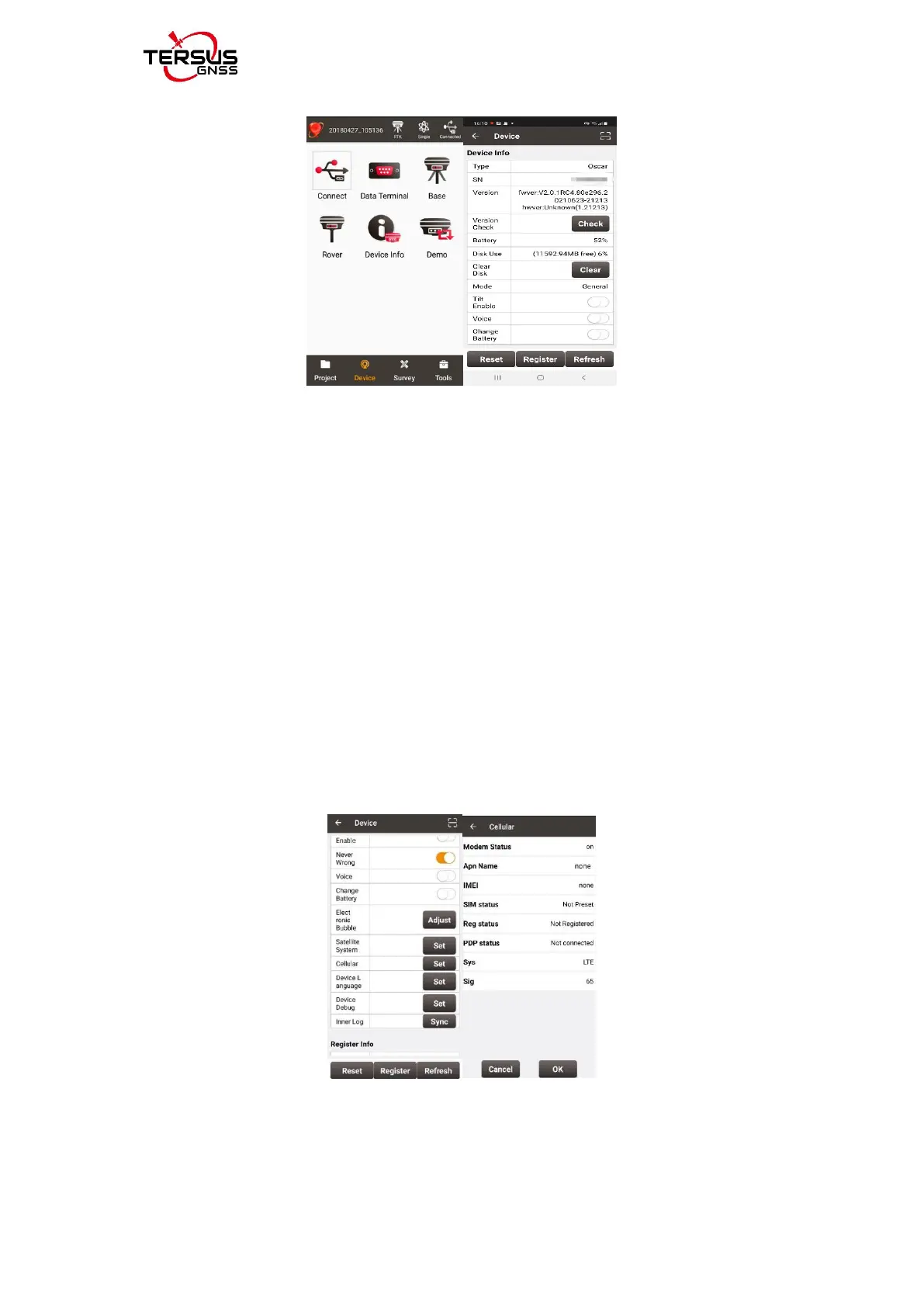
Figure 2.33 View Oscar firmware version
For Ultimate and Advanced versions, you can also check the firmware version
by switching the button. In the [device information] -[GNSS information]-
[firmware version], you can view the firmware version of the GNSS board
inside Oscar. In the [device information] - [software version], you can view
Oscar firmware version.
Please be noted that your Oscar firmware version is V2.0.1 or higher, you
can upgrade the firmware through NUWA.
2) The one-click firmware upgrade through NUWA can only be done through
Oscar host network at present now, so we need to confirm whether Oscar is
connected to the Internet, as shown in the picture.
Figure 2.34 check Oscar Networking status
3) [Version update] -- Click [Check] in the interface. When there is a version
update, a dialog box will pop up automatically. Click "Update Now" and the



 To Next Page