User Manual for Oscar GNSS Receiver v2.4
77
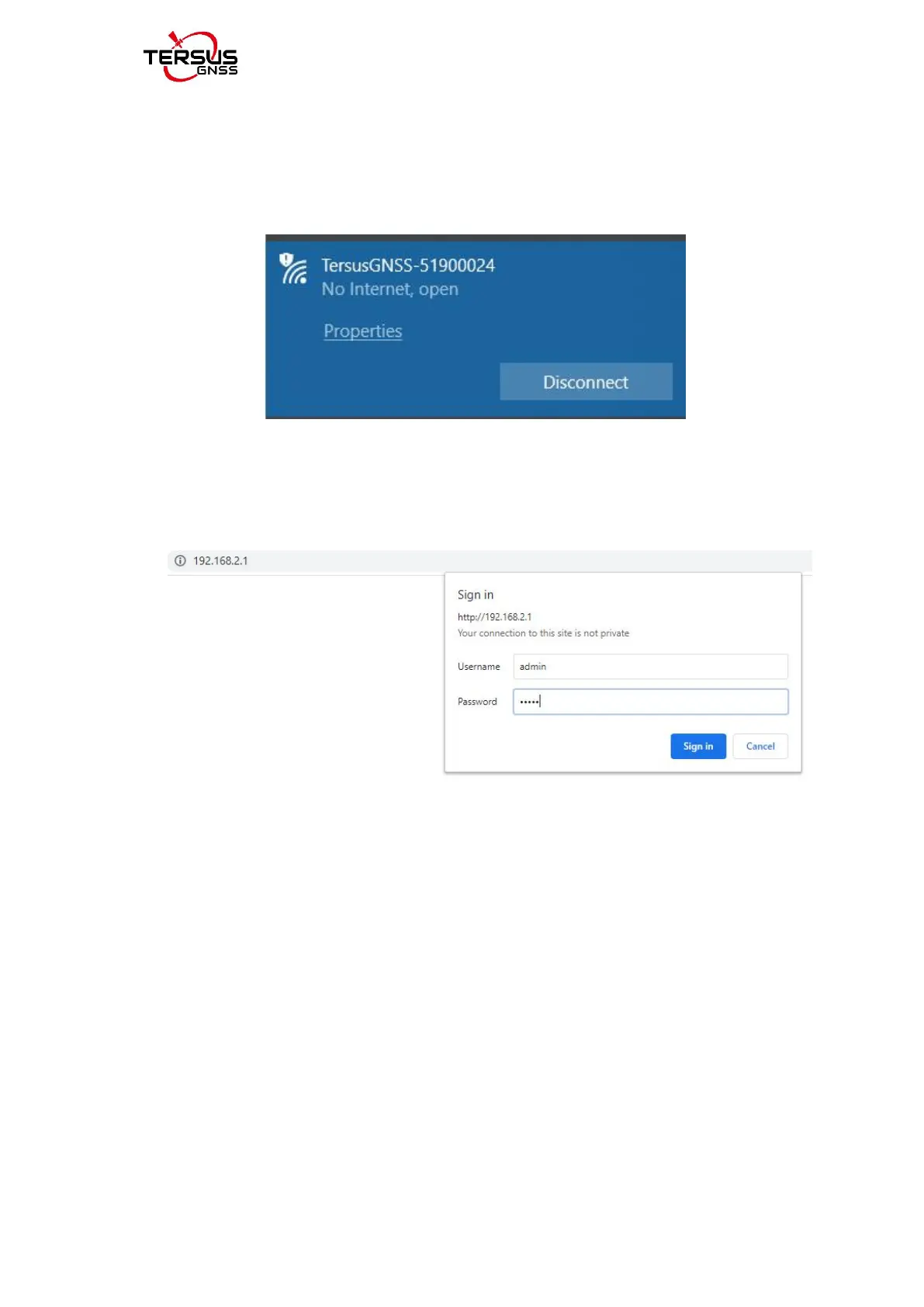
Turn on Wi-Fi connection and search the SSID of Oscar GNSS receiver
which is composed of TersusGNSS and an eight digit number such as
below. Click [Connect] to complete the Wi-Fi connection.
Figure 2.45 Make Wi-Fi connection
c. Open a web browser and type 192.168.2.1 in the address bar. Type “admin”
for the username and password, then click [Sign in] to enter the web UI.
Figure 2.46 Sign in the web UI
d. When you entered the web UI of Oscar GNSS receiver, you can see five
tabs on the left and make corresponding operations such as view
positioning info, view satellites info, make device settings, make
connectivity settings, and upgrade firmware. [Satellites Info] - [Position Info]
- view position information.



 To Next Page