Configuration
Topcon HiPer Lite and HiPer Lite+ Operator’s Manual
2-18
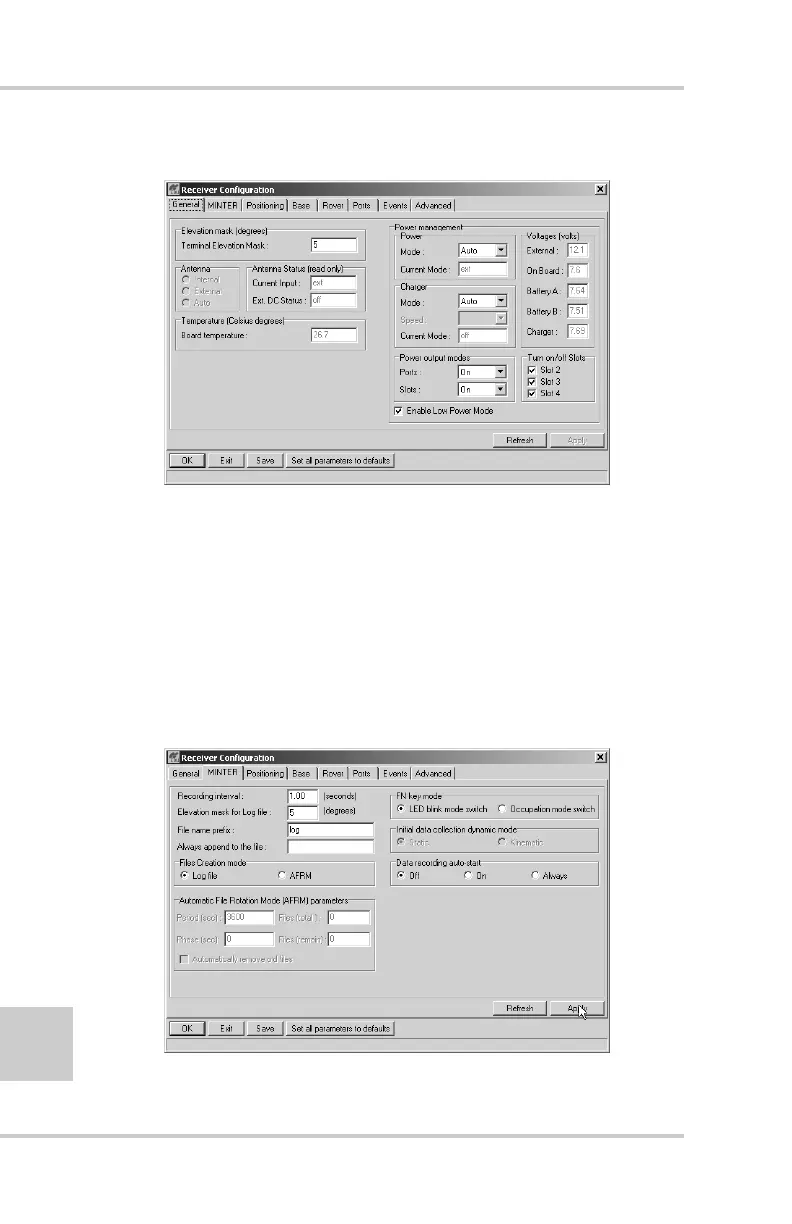
The Receiver Configuration dialog box displays (Figure 2-15).
Figure 2-15. Receiver Configuration
3. Click the MINTER tab, configure the following settings, and
click Apply (Figure 2-16).
• Set the Recording interval in seconds.
• Set the Elevation mask for Log file in degrees.
• Enter the File name prefix. Use the last three digits of the
receiver serial number.The receiver’s serial number and part
number can be found on the bottom panel of the receiver.
Figure 2-16. Receiver Configuration – MINTER Tab



 To Next Page