Surveying with the Receiver
P/N 7010-0557 www.topconpositioning.com
3-11
4. Connect your receiver and computer. See “Connecting
the Receiver and a Computer” on page 2-11 for this
procedure.
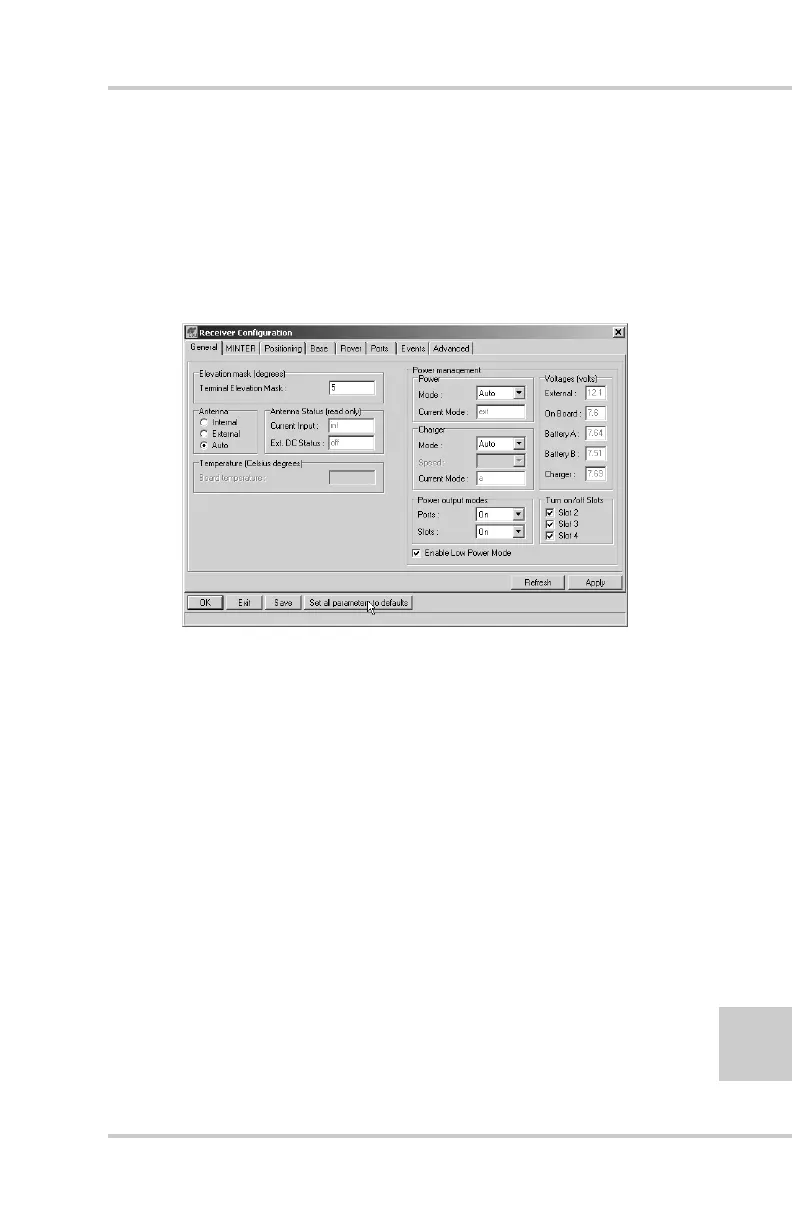
5. Click ConfigurationReceiver.
6. Click Set all parameters to defaults located at the
bottom of the dialog box (Figure 3-6).
Figure 3-6. Set All Parameters to Defaults
7. On the Receiver Configuration screen, click the
MINTER tab and specify the desired settings. Refer to
the PC-CDU User’s Manual for more information.



 To Next Page