E6581158
G-6
7
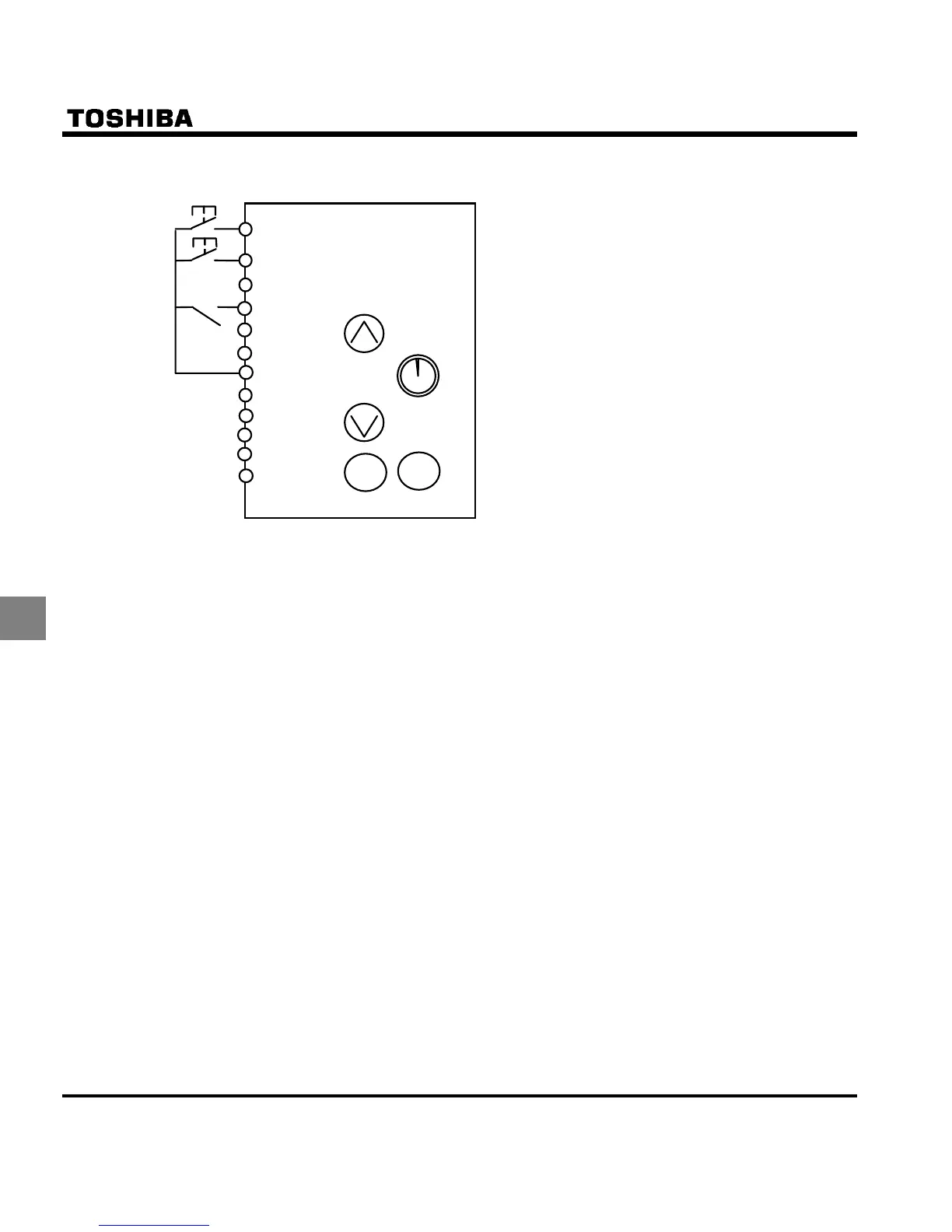
(3) Three-wire operation (one-touch operation)
You can carry out operation by simply pressing the ON/OFF button.
Selecting HD (operation holding) with the input
terminal selection parameter
Select HD (operation holding) using the input
terminal selection parameter, and turn HD on to
get the inverter ready for operation or turn HD
off to stop operation.
Note 1 : To carry out three-wire operation, set H to
(ST) and EOQF to (terminal board).
Select one input terminal, and set to HD (operation
holding). For example, set H to (opera-
tion holding) to assign HD to the S1 terminal.
Note 2 : Even if each terminal is ON, any command entered
through a terminal is ignored when power is turned
on (to prevent the load from starting to move unex-
pectedly). Enable to turn the input terminal on at
power on.
Note 3 : When HD is OFF, any attempt to turn on F or R is
ignored. When R is ON, you cannot start operation
by turning on HD. Even when both R and HD are
ON, you cannot start operation by turning on F. To
start operation, turn off F and R temporarily, then
turn them back on.
Note 4 : If select Jog run command during three-wire op-
eration, inverter stops.
Note 5 : Sending out a RUN signal during DC braking has
no effect in stopping DC braking.
RUN
STOP
F
R
RES
S1
HD
S2
S3
CC
PLC
PP
VIA
VIB
CC



 To Next Page
 Loading...











