Removal and Replacement of Components Ch. 10 TRACKMASTER
110 TMX428 TMX428CP & TMX58 Service Manual 317-160-406 Rev 4
May 2021
Replacing the Right or Left Handrail
Tools Required
1/8” Allen Wrench
5/32” Allen Wrench
5/16” Allen Wrench
Flat Blade Screwdriver
Grounding Wrist Strap
Approximate time to complete: 30 min
NOTE: When replacing all the handrails, remove the center handrail before proceeding
with the left and right handrails. See Replacing the Center Handrail for
instructions.
1. Turn the treadmill’s power switch to the OFF position.
2. Unplug the treadmill from the wall receptacle.
3. Allow the treadmill to discharge for 1 minute.
4. Remove the ESB or STS assembly.
See Relocate Emergency Stop Button (ESB) & Stop Tether Switch (STS)
CAUTION: Use ESD precautions, including wearing a grounding wrist strap that is
connected to an exposed metal connection point on the treadmill chassis.
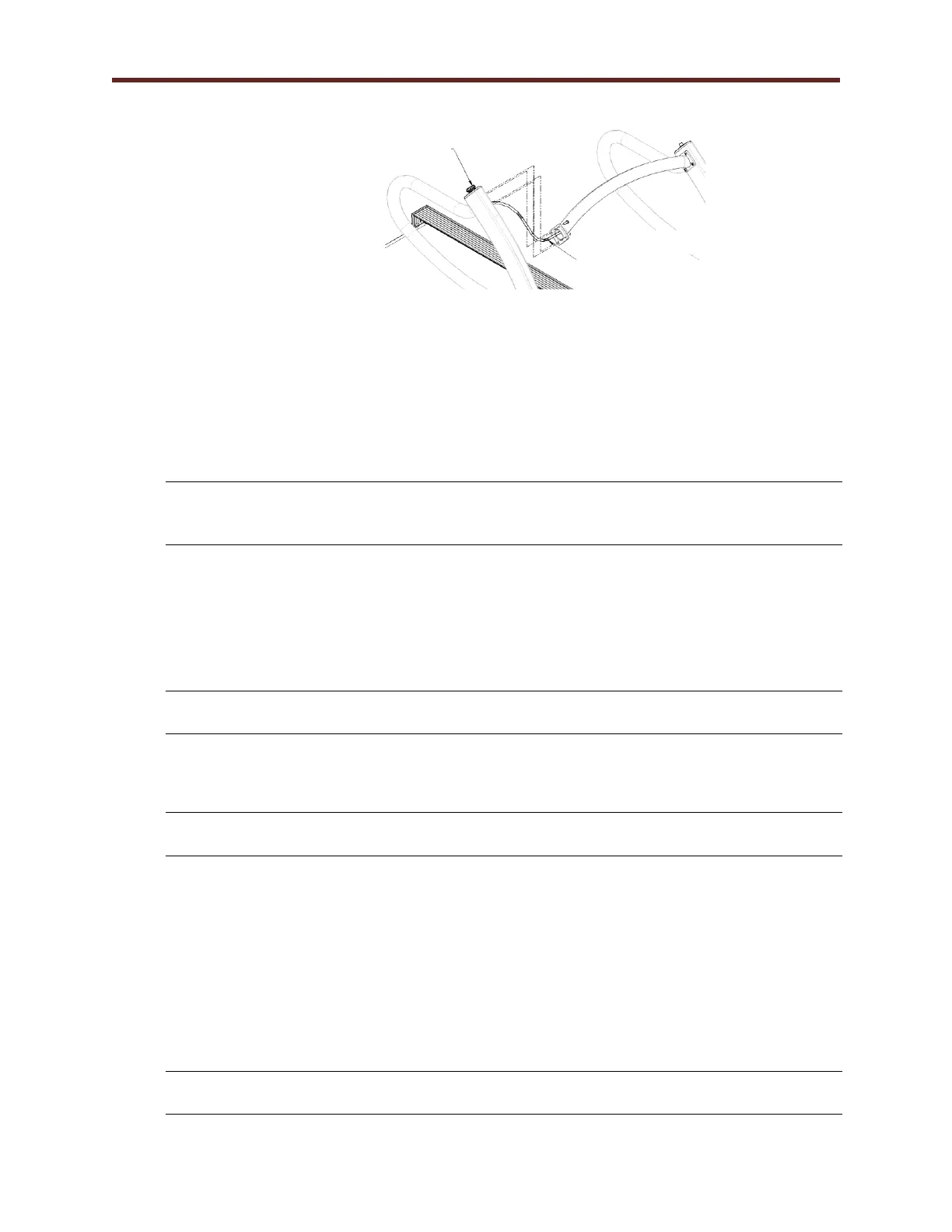
5. With the 5/32” Allen Wrench, remove the four ¼”-20 screws holding the center handrail to the
handrail assembly.
6. Feed the wire harness through the handrail assembly.
NOTE: Pay close attention not to damage the wires going through the handrail assembly.
a. If replacing the right handrail, only disconnect the right side ESB (normal
configuration) or STS (alternate configuration) wires to remove the handrail.
b. If replacing the left handrail, first disconnect the ESB (normal
configuration) or STS (alternate configuration) on the right side and feed the
wire harness through the center handrail. Then disconnect the STS (normal
configuration) or ESB (alternate configuration) wires on the left side to
remove the handrail.
7. With the flat head screwdriver, remove the two plastic caps covering the bolts on the handrail.
8. With the 5/16” Allen Wrench, remove the two 3/8”-16 screws from the handrail.
NOTE: This allows the handrail to pivot to a resting position beside the treadmill.



 To Next Page