TRACKMASTER Ch. 7 Parts List with Part Numbers
317-160-406 Rev 4 TMX428 TMX428CP & TMX58 Service Manual 57
May 2021
NOTE: When tightening one side of the belt, always loosen the opposite side one-half as
much. This procedure provides finer control, with a smaller impact on the belt
tension.
Check the belt after 2 minutes, with the treadmill running at approximately 7.0 MPH.
If the belt does not correct itself, continue with slight turns until the belt is in the
center of the rear roller. If the belt runs toward the left side of the roller, reverse the
adjustments.
NOTE: Uneven floors accelerate belt misalignment. This situation may require more
frequent adjustment to prevent belt damage.
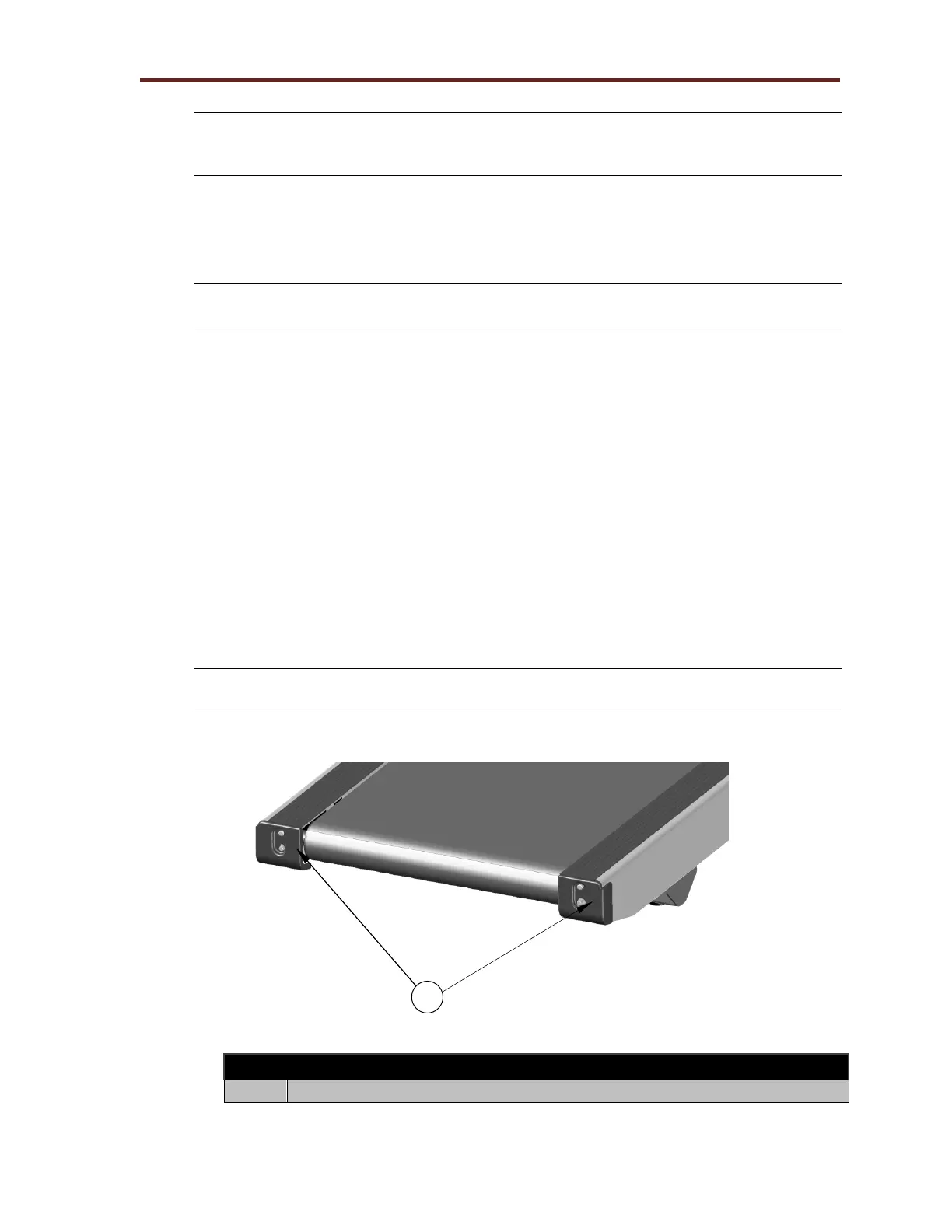
Running Belt Tension Adjustment
The running belt may stretch and loosen with regular use. This looseness is noticeable
when the belt tends to hesitate or stick. Adjust the tension on the belt by following the
procedure and referring to the illustration below.
1. Turn the treadmill’s power switch to ON.
2. Start treadmill and increase to 1.0 MPH
3. Start walking on the treadmill, grab side handrail and apply pressure with your foot to
create resistance on running belt.
4. If running belt hesitates or slips on front drive roller, tighten both tension bolts ½ turn
(Clockwise).
5. Repeat steps 2 thru 4 until running belt stops slipping.
NOTE: When running belt is too tight the edge of belt will curl causing premature
running belt failure.



 To Next Page