EasyManua.ls Logo

Trackmaster TMX428 - Pre-Programmed Fitness Workout Data

Trackmaster TMX428
159 pages
Print Icon
To Next Page IconTo Next Page
To Previous Page IconTo Previous Page
Loading...
Operating Instructions Ch.6 TRACKMASTER
50 TMX428 TMX428CP & TMX58 Service Manual 317-160-406 Rev 4
May 2021
Pre-Programmed Fitness Workout Data
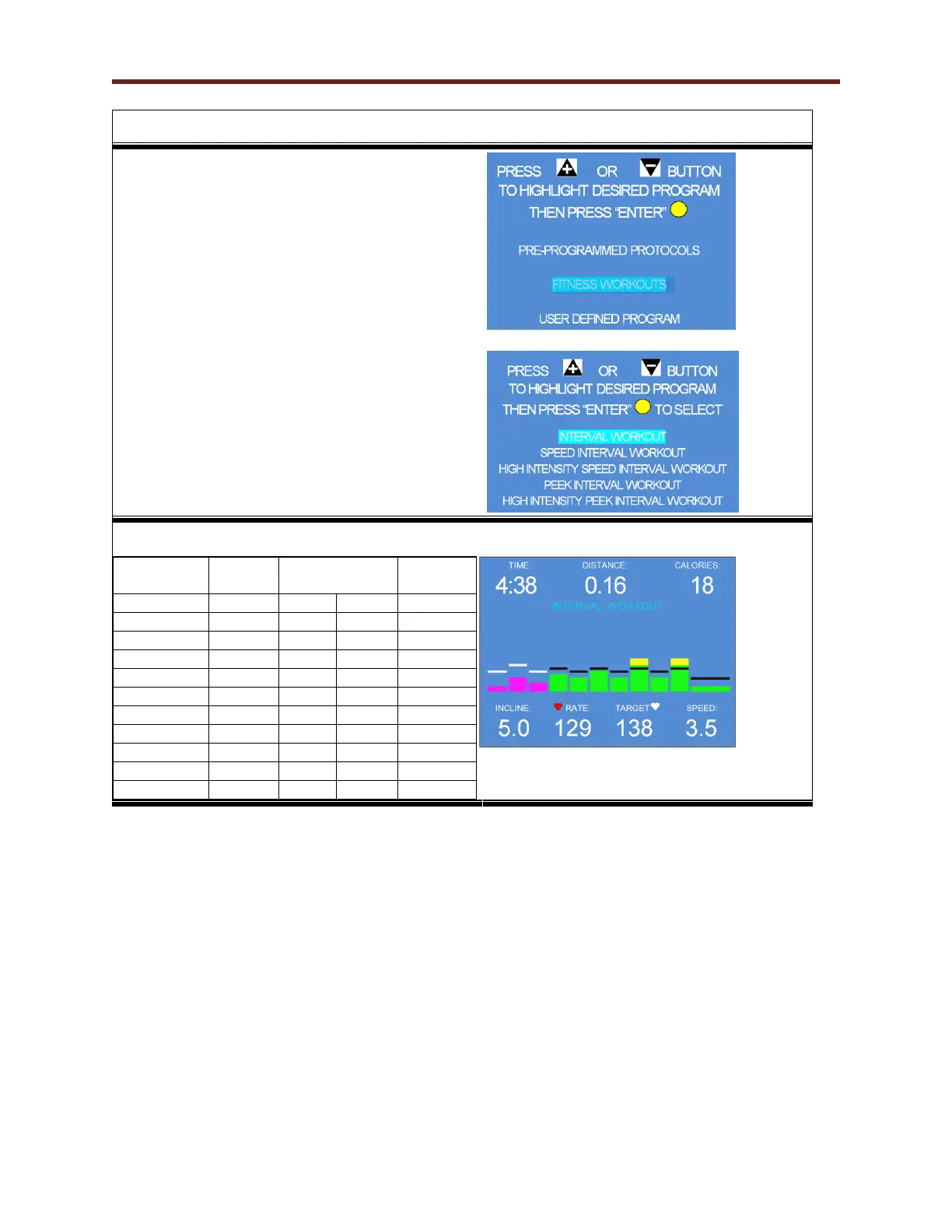
17. To access Pre-Programmed Fitness Workouts,
use the + / - key to highlight the selection and
press the Yellow Enter button.
18. The screen at the right shows the (5) Fitness
workouts the user can choose from. Select the
desired Fitness Workout by pressing the + / -
button then press the Yellow Enter button to
input user information or press the Green Start
button to begin workout.
NOTE: Any of the Fitness Interval Training
programs can be altered in intensity merely by
pressing + / - for belt speed or incline. The control
will remember that setting as it transitions from
one segment to the next.

INTERVAL WORKOUT
Time
Speed
KPH / MPH
Incline
Warm-up
1.5 min
4.8
3.0
0%
Stage 1
1.5 min
5.6
3.5
5%
Stage 2
1.5 min
4.8
3.0
2%
Stage 3
1.5 min
5.6
3.5
7%
Stage 4
1.5 min
4.8
3.0
5%
Stage 5
1.5 min
5.6
3.5
9%
Stage 6
1.5 min
4.8
3.0
5%
Stage 7
1.5 min
5.6
3.5
12%
Stage 8
1.5 min
4.8
3.0
5%
Stage 9
1.5 min
5.6
3.5
12%
Cool-Down
3.0 min
4.8
3.0
0%

Table of Contents

Related product manuals