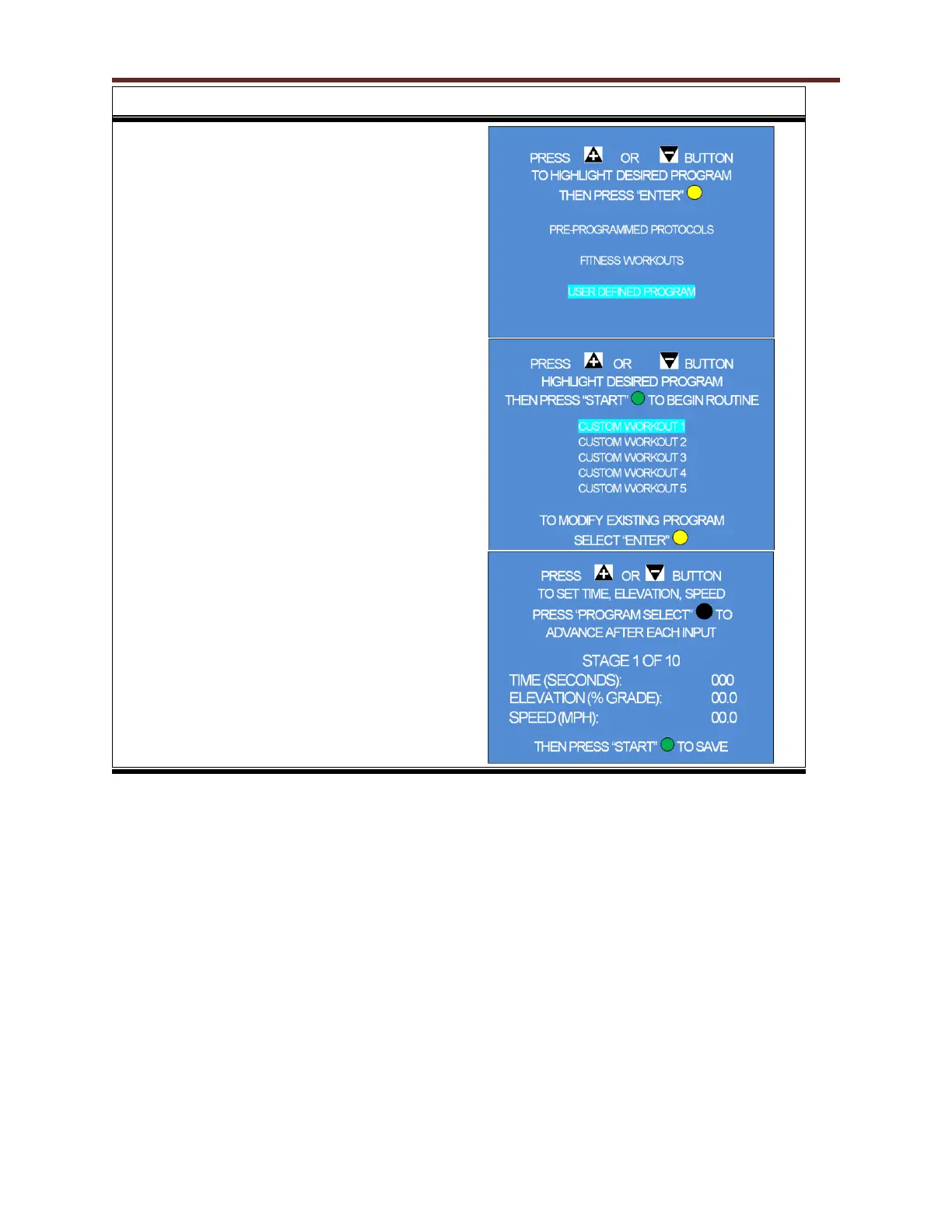
19. To access User Defined menu, use the + / -
key to highlight the selection and press the
Yellow enter button.
NOTE: Any of the User Defined Programs can be
altered in intensity merely by pressing + / - for
belt speed or incline. The computer will remember
that setting as it transitions from one segment to
the next.
20. The screen at the right shows the (5) Custom
Workouts the user can choose from. The
control has room for 10. Select the desired
Custom Workout by pressing the + / - button
then press the Green Start button to begin or
press the Yellow Enter button to modify an
existing workout. If no workouts exist and
you press the Start button, Screen 21 will
appear.
21. Press the + / - buttons to input the variables a
field. Make sure your variable value is correct
before pressing the Black Program Select
button. Upon pressing this button, the cursor
will advance to the next variable field. Repeat
the steps above for all 3 fields. Press the
Green Start button to save the routine.



 To Next Page