8-Printer Commands Epic Edge™ OEM Integration Manual
100-14444 Rev B August 2018 Page 101
ESC t – Set Print Direction in Page Mode
Description
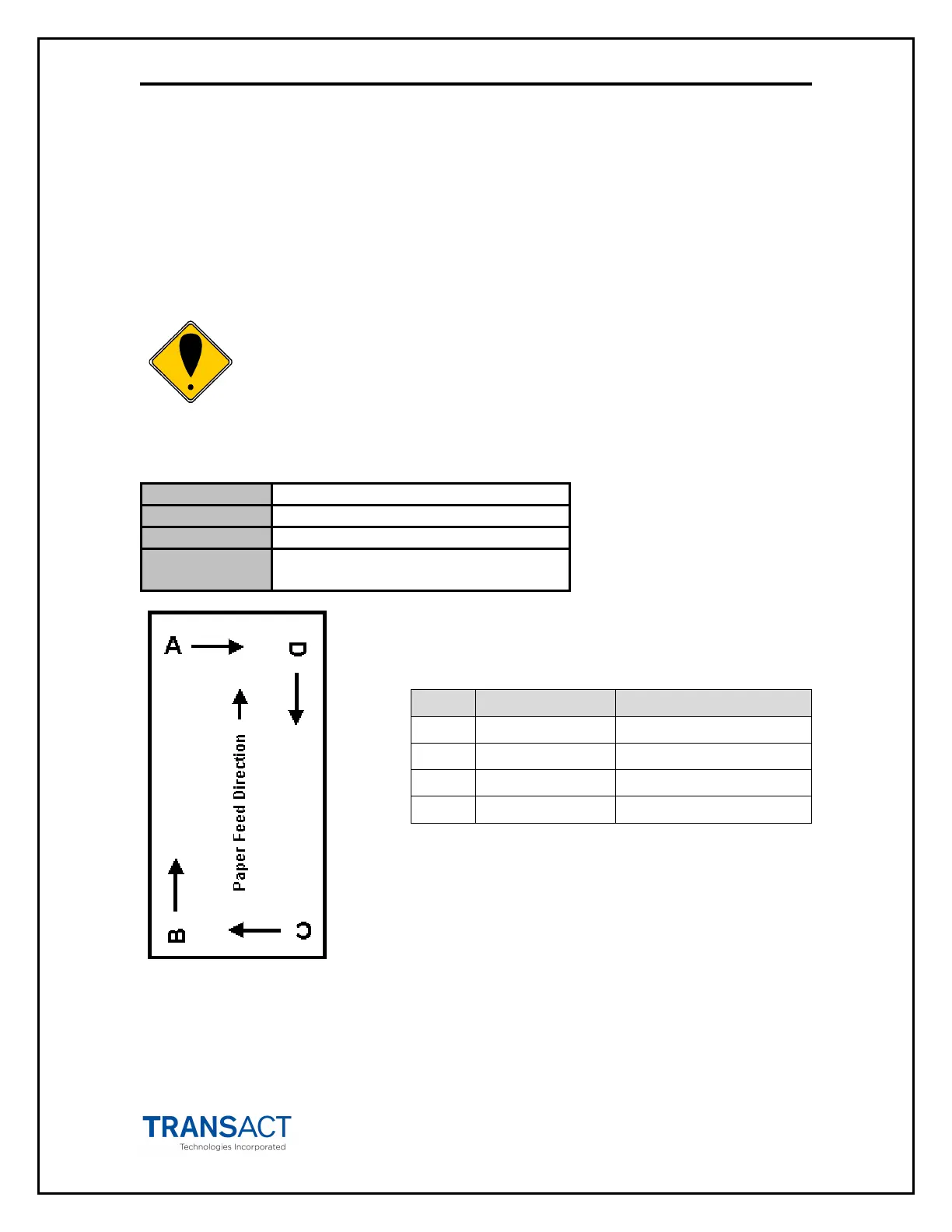
ESC t sets the print direction and starting position in page mode specified by the
parameter n, as shown below. The default setting is n = 0. This command is enabled
only in page mode. If this command is entered in standard mode, an internal flag is
activated, and the command is enabled when the printer returns to page mode.
Commands that affect horizontal position (e.g. ESC $) and vertical
position (e.g. GS $) in page mode set the position relative to the print
direction set by this command, as illustrated below.
Expression
[ESC] t <n>
Parameters n = parameter value ranging from
0-3, 48-51 per table below
n Print Direction Starting Position
0, 48 Left to right Upper left (A in figure)
1, 49 Bottom to top Lower left (B in figure)
2, 50 Right to left Lower right (C in figure)
3, 51 Top to bottom Upper right (D in figure)



 To Next Page