6-Printer Operation Epic Edge™ OEM Integration Manual
100-14444 Rev B August 2018 Page 55
DIP Switch Settings
Some of the dip switch operations are user specific and defined in the POR.INI file.
Information on the POR.ININ file can be found in the Epic Edge Maintenance Mode
Manual. Stand switch settings are described below
Outside Edge of printer
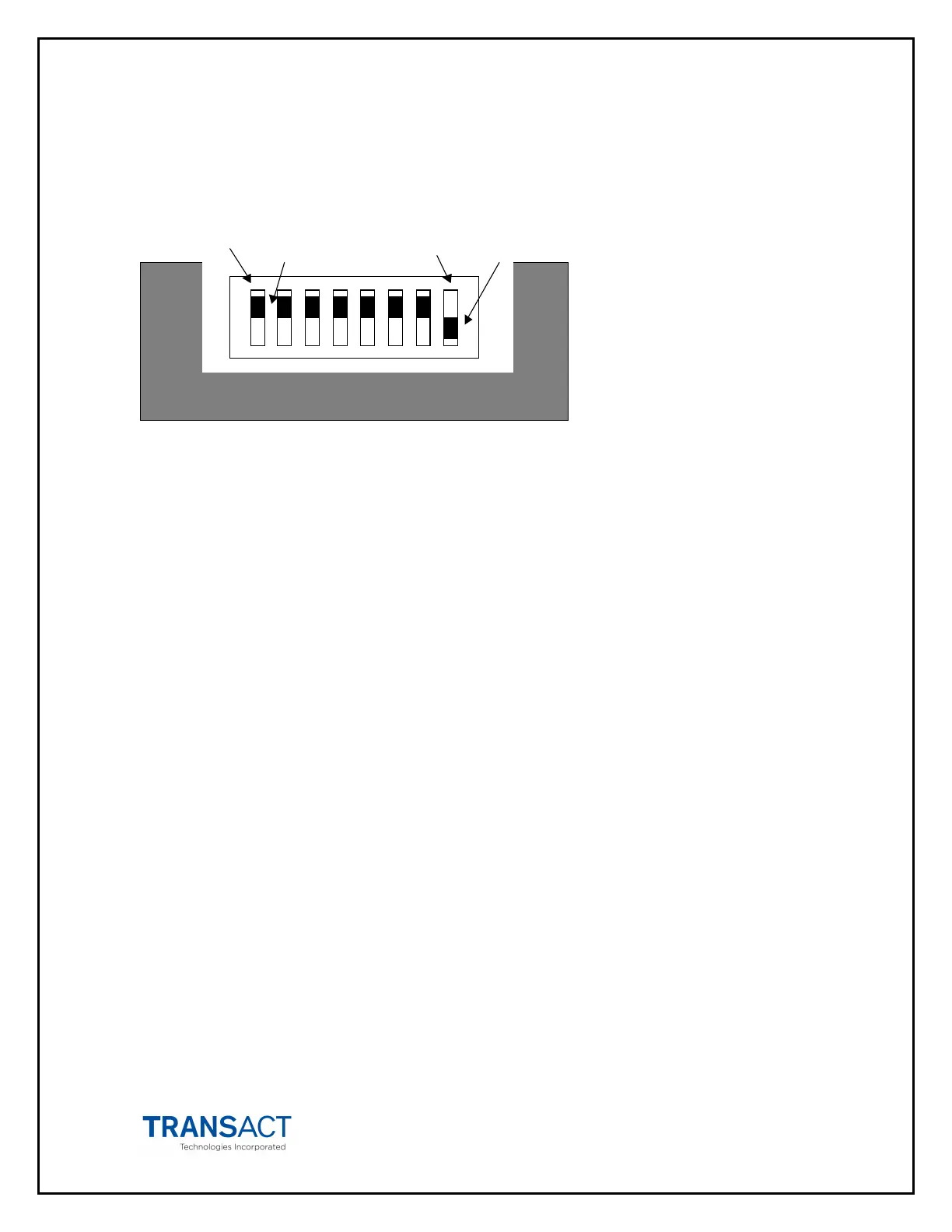
Switch 1
Active Switch 8 Disabled
Switch 1 is the furthest to the back. The Active position is toward the outside edge of the
printer.
Switch 1 Selects configures the USB interface as either a USB Printer Class or USB
Communication Device Class. The default position is disabled which selects the USB
Printer.
Switch 2
Switch 2 configures Ticket Low. The Disabled position prevents ticket low from being
detected.
Switch 3
Switch 3 functionality is configurable in the POR.INI file.
Switch 4
Switch 4 functionality is configurable in the POR.INI file.
Switch 5
Switch 5 functionality is configurable in the POR.INI file.
Switch 6
Switch 6 is reserved
Switch 7
Switch 7 enables periodic status mode. The default position is inactive
Switch 8
Switch 8 Places the printer in Maintenance Mode when active. Refer to the Epic Edge
Maintenance Mode manual for a description of the features available in the mode. The
default setting for this switch is disabled.



 To Next Page